AI-generated transcripts save time, but they do not always get everything right on the first try. The narration may be too long, too short, or simply not match the tone you had in mind.
Guideless lets you refine the transcript, translate it into another language, and pair it with an AI voiceover that fits your guide. This tutorial walks through each option and shows you how to create narration that sounds clear, consistent, and professional.
Prefer watching instead of reading? Watch the video below for a step-by-step walkthrough of transcript refinement, translation, and AI voice customization in Guideless:
https://www.youtube.com/watch?v=DN97SqZk0Nc
Refine Your AI-Generated Transcript
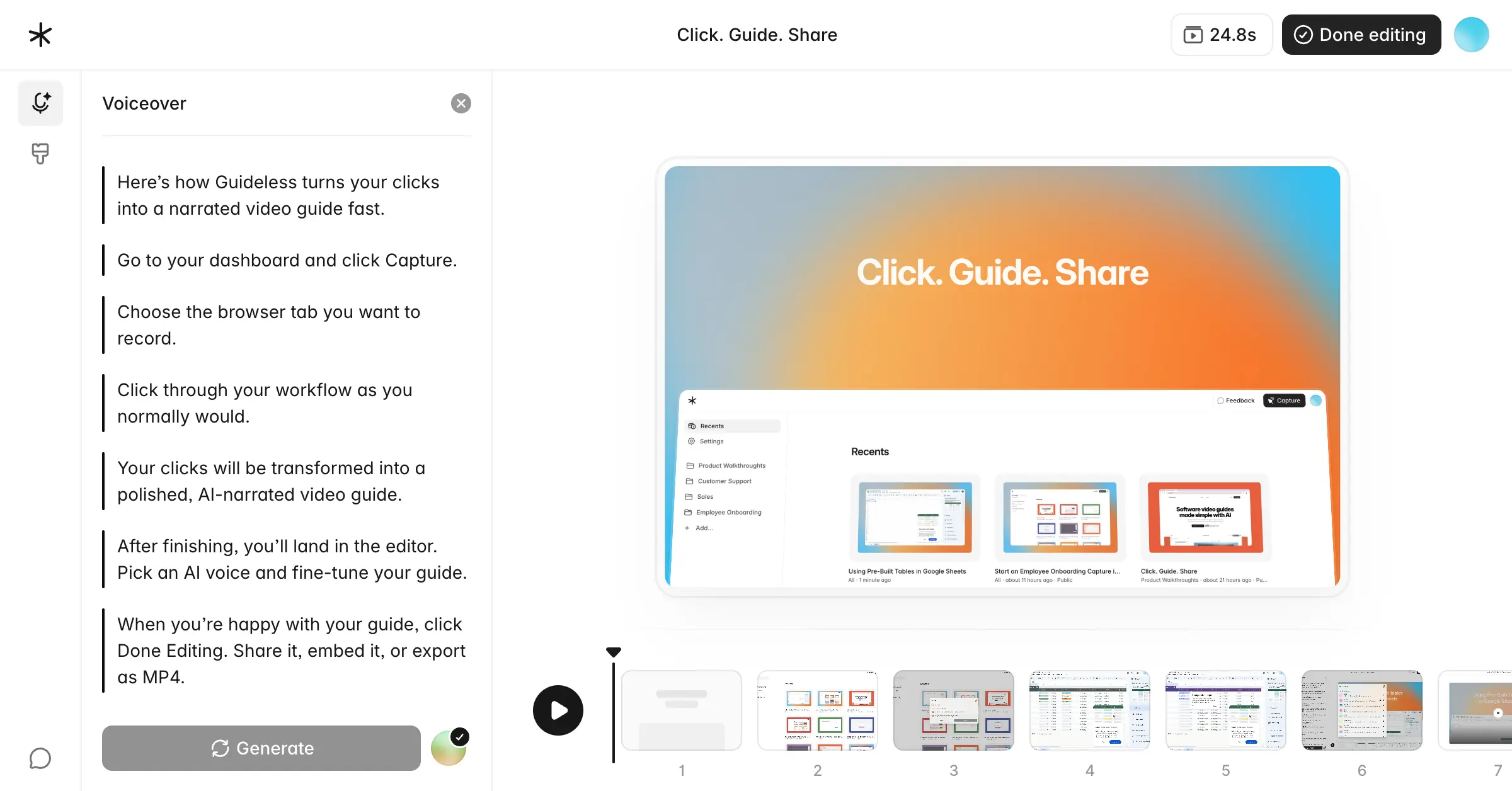
Every guide you create in Guideless includes an AI-generated transcript for each step. You can edit this transcript from the Speech section of the editor, where you'll also find the built-in refinement tools. While the AI provides a solid starting point, you may want to adjust the wording, shorten the narration, or change the tone before publishing.
The transcript refinement tool works like an AI writing assistant built directly into the editor. Instead of editing every step manually, simply describe the changes you want, and Guideless rewrites the transcript for you.
This becomes especially valuable as your guides grow longer. Editing a few steps by hand is manageable, but updating a longer guide while keeping the narration consistent quickly becomes time-consuming.
Another advantage is that you can repurpose existing guides without recording them again. For example, you can turn an internal process guide into a customer-facing walkthrough by refining the transcript, without changing the recorded workflow or capturing it again.
Why Use AI Transcript Refinement?
While you can edit every transcript manually, AI refinement becomes much more valuable as your guides grow longer or need to be reused for different audiences. Here are a few ways it can help:
- Save time on longer guides. Refine an entire guide in seconds instead of editing every step individually. The longer the guide, the more time you save.
- Keep narration consistent. Manual edits can introduce differences in tone and style, especially when multiple people collaborate on the same guide. AI refinement helps maintain a consistent voice from start to finish.
- Adapt guides for different audiences. Turn the same recorded workflow into a concise internal SOP, a detailed customer tutorial, or a training guide by simply adjusting the transcript.
- Localize without re-recording. Translate an existing guide into another language without capturing the workflow again, making it easier to support global teams and customers.
Shorten, Expand, or Optimize Your Narration With AI
Not every guide needs the same style of narration. An internal SOP is usually short and direct, while a customer onboarding guide often requires more explanation. Instead of rewriting each step manually, you can use the refinement tool to tailor your transcript to the audience and purpose of your guide.
Depending on what you want to achieve, you can choose from several refinement options:
Shorten
Reduce unnecessary wording and make your narration more concise. This is ideal for quick tutorials or guides where users already have some context.
Make More Descriptive
Expand the transcript with additional context and clearer explanations. This works well for onboarding, training, or customer-facing documentation.
SEO Optimize
Improve the wording and structure of transcripts that will also be published as public documentation or help center content.
Custom Prompt
Provide your own instructions to rewrite the transcript exactly the way you want. This gives you complete control over the tone, style, or level of detail.
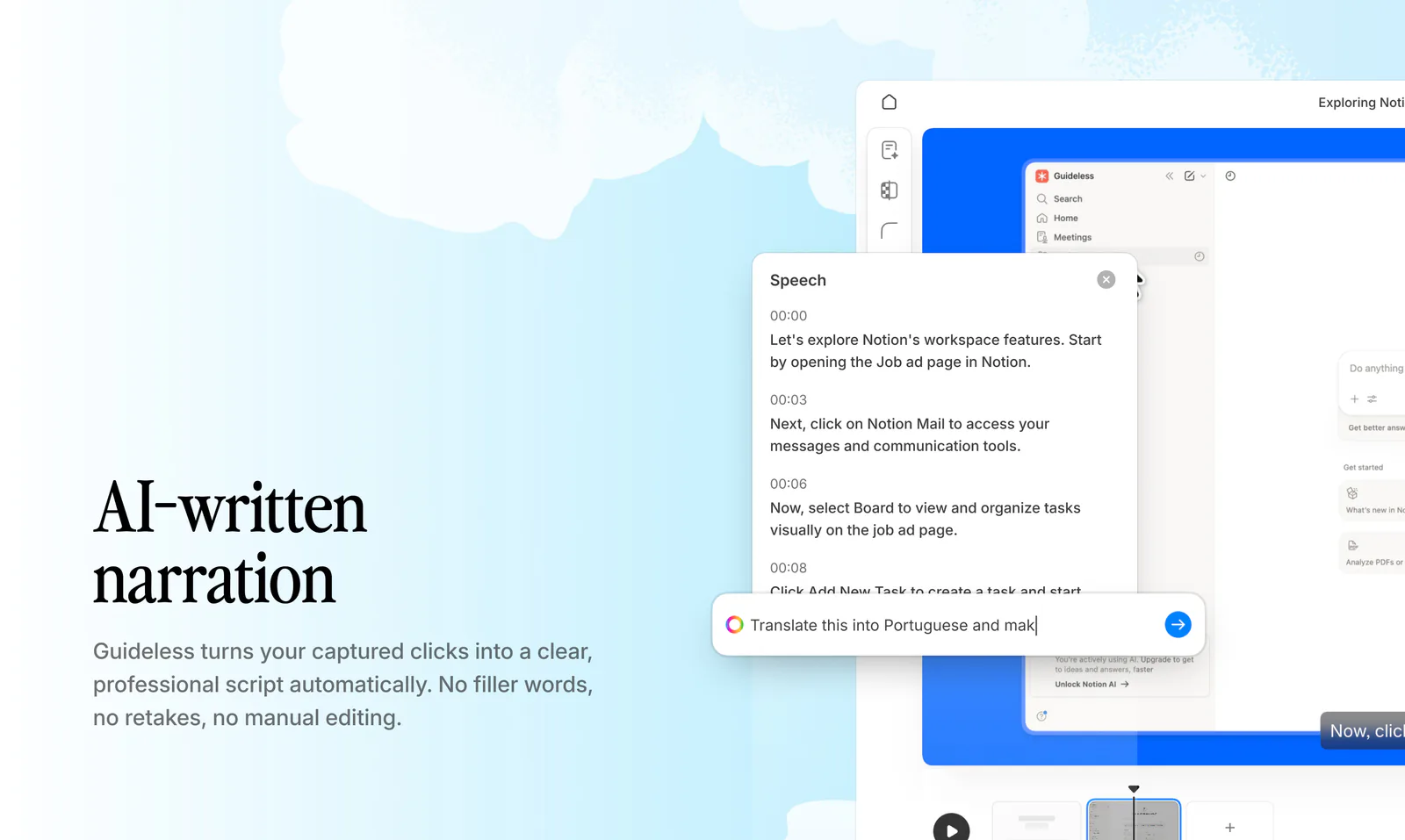
You can apply any of these changes to a single step or the entire guide, making it easy to keep long guides consistent without repeating the same edits manually.
Translate Your Transcript Into Another Language
Guideless automatically detects the language of the page you're recording. For example, if you're capturing a workflow on a Japanese website, the transcript will typically be generated in Japanese.
If you need your guide in another language later, there's no need to recreate it from scratch. Simply open the refinement tool, ask Guideless to translate the transcript, and it will be updated and ready for a matching AI voiceover.
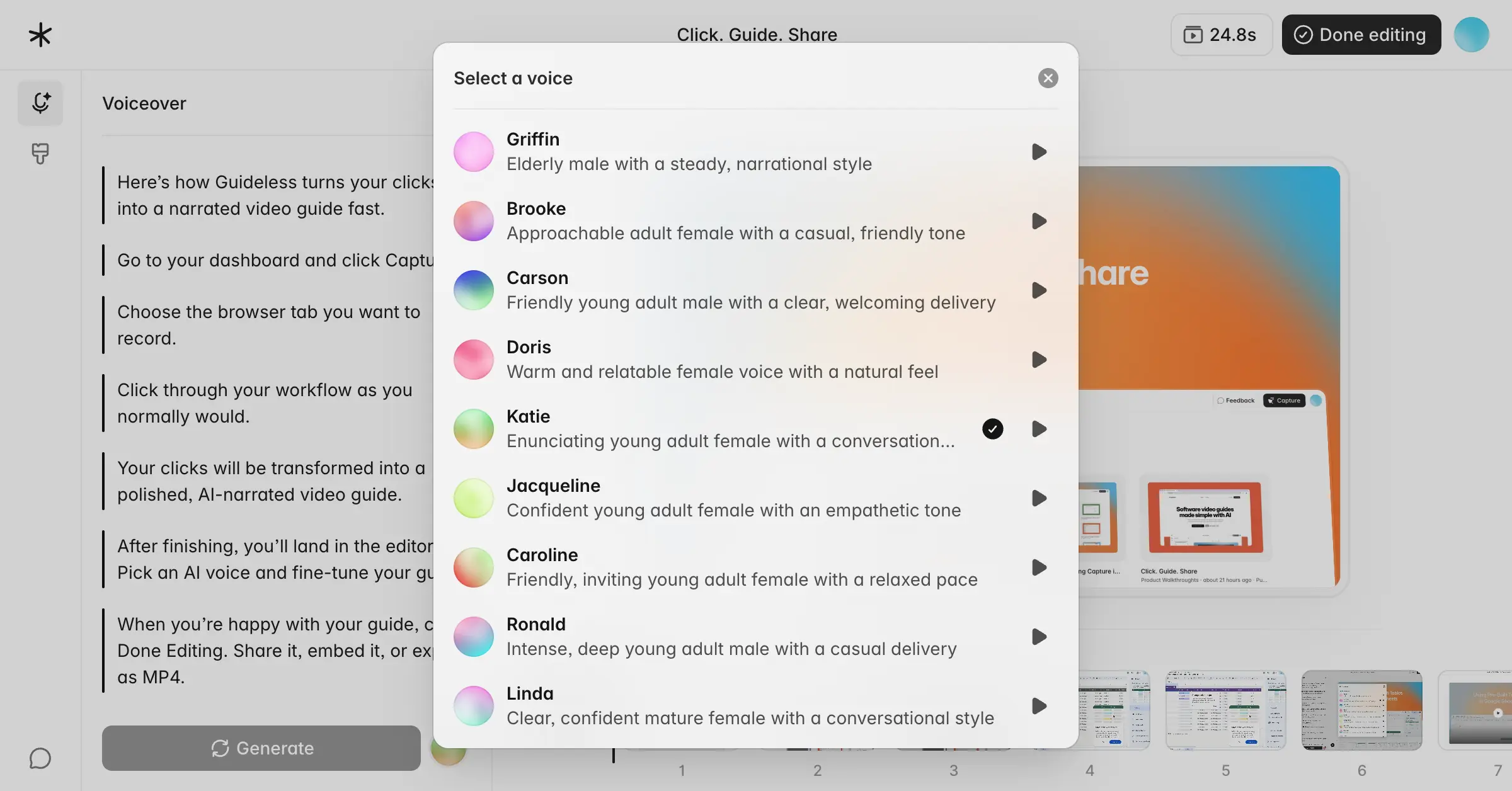
With support for 40+ languages, Guideless makes it easy to create localized guides for global teams, customers, and partners while keeping the same recorded workflow across every version. This means you can maintain a single source of truth instead of creating and updating separate guides for each language.
Customize Your AI Voiceover
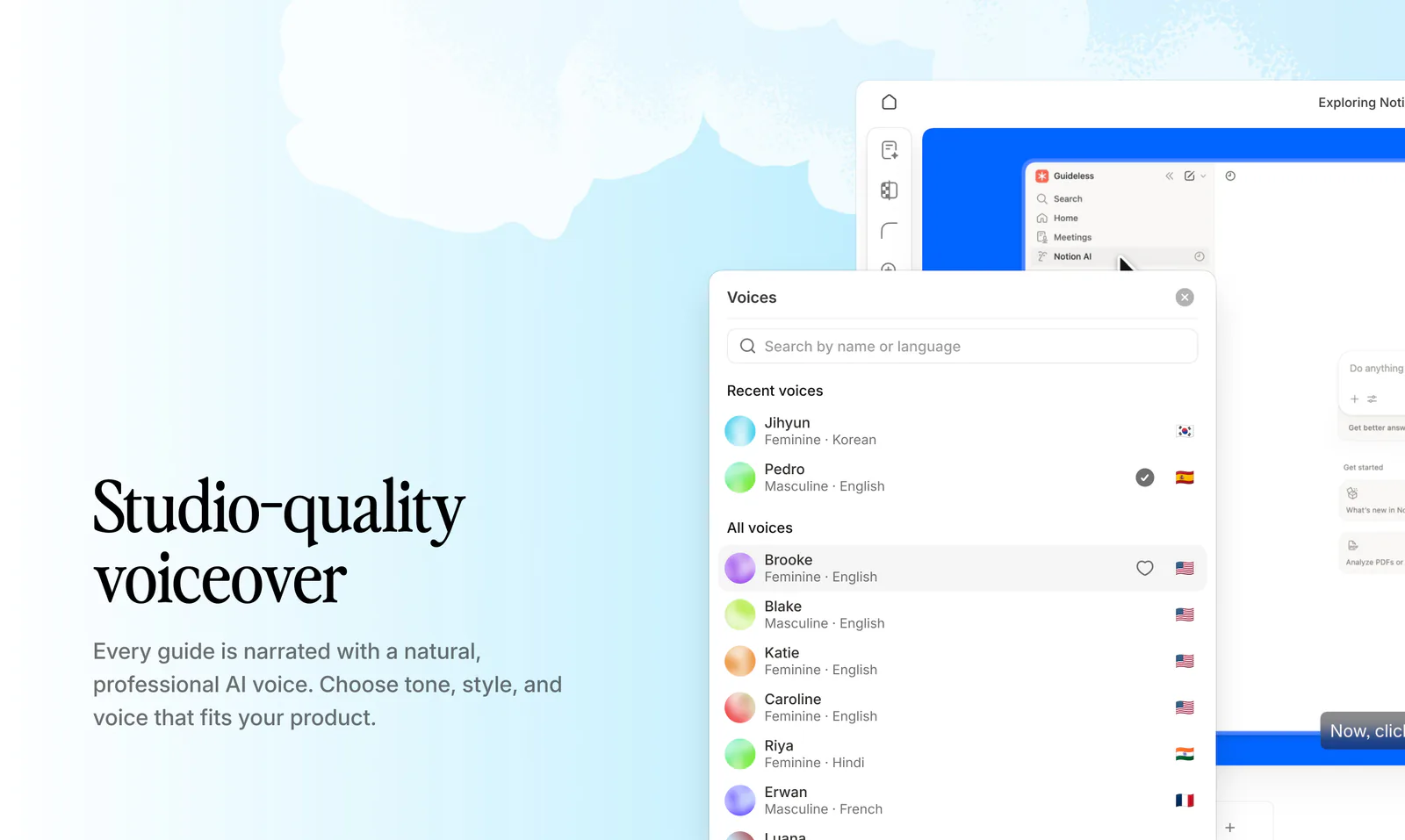
Once your transcript is finalized, the next step is choosing the AI voice that best fits your guide. Guideless lets you customize several voice settings to match your audience and the type of content you're creating. You can choose:
- Language. Match the voice to your transcript for natural-sounding narration.
- Voice. Select from a variety of AI voices.
- Gender. Choose between masculine, feminine, or neutral voices.
- Tone and pace. Adjust how the narration sounds and how quickly it is delivered.
Your voice selection does more than change the sound of the guide. Different voices have different personalities and speaking speeds, which can affect both the overall tone and the length of your narration. A slower, more conversational voice may work well for onboarding and training, while a faster voice can be a better fit for short internal walkthroughs or SOPs.
Before publishing, preview a few different voices to find the one that best matches your audience. Spending an extra minute comparing options can make your guide feel more natural, engaging, and professional.
Generate Your AI Narration
Once your transcript is ready, generating a professional AI narration is simple:
- Record your workflow in Guideless.
- Generate the AI transcript automatically.
- Refine the transcript to improve its tone, clarity, or length.
- Translate the transcript if you need another language.
- Choose an AI voice that best fits your audience.
- Generate and preview your narration before publishing.
The workflow is flexible, so you don't have to start over if something changes later. If you update the transcript, simply regenerate the narration while keeping the same recorded workflow and screenshots.
Choosing the Right Refinement Option
Each refinement option is designed for a different type of guide or audience. If you're unsure which one to use, the table below can help you choose the best option for your specific use case.
| Option | Best used for |
|---|---|
| Shorten | Quick tutorials and concise internal guides |
| Make More Descriptive | Onboarding, training, and customer-facing documentation |
| SEO Optimize | Guides that will also be published publicly |
| Custom Prompt | Matching your company's tone, style, or writing guidelines |
The right refinement option depends on the purpose of your guide. If you're creating internal documentation, keeping the narration concise is often enough. For customer-facing guides or training materials, adding more context or tailoring the transcript with a custom prompt can create a more polished experience.
Best Practices
A few simple habits can help you create clearer, more natural-sounding AI narration and save time when editing your guides:
- Keep one action per narration step. Guides are easier to follow when each step focuses on a single action instead of combining multiple tasks into one.
- Keep your narration concise. If a step requires a long explanation, consider splitting it into multiple steps instead of adding more text to a single one.
- Match the transcript language with the voice language. This is especially important after translating a guide to ensure the narration sounds natural.
- Preview different voices before publishing. The same transcript can sound very different depending on the voice, tone, and speaking pace. Take a moment to compare a few options before generating the final narration.
- Refine your transcript before generating the voiceover. Making changes after the narration has been generated means you'll need to regenerate the voiceover, so it's best to finalize the transcript first.
Frequently Asked Questions
Can I edit AI-generated transcripts?
Yes. You can edit each transcript manually or use the AI refinement tool to shorten, expand, optimize, or rewrite, or rewrite it with a custom prompt.
Can I refine every step at once?
Yes. You can apply refinement to a single step or the entire guide, making it easy to update longer guides in just a few clicks.
Can I translate my guide into another language?
Yes. Simply use the refinement tool to translate your transcript into another language. There's no need to recreate the guide or record the workflow again.
Can I change the AI voice after editing the transcript?
Yes. Voice settings are independent of the transcript, so you can refine your narration first and then choose or switch to a different AI voice at any time.
Does changing the AI voice affect narration length?
Yes. Different AI voices have different speaking speeds and styles, so the same transcript may result in slightly longer or shorter narration.
Does refining my transcript change my screenshots?
No. Transcript refinement only updates the narration text. Your screenshots, recorded workflow, and guide structure remain unchanged.
Keep exploring
Looking to learn more? Explore these related guides to get even more out of Guideless.
- What is Guideless? A complete overview
- How to create product walkthroughs that convert (with examples)
- How to add the Guideless Chrome extension
Ready to try it yourself?
Open Guideless, refine your transcript, customize your AI voiceover, and generate professional narration in just a few clicks. Start recording →