How to Add the Guideless Chrome Extension (Quick Setup Guide)

Want to start recording step-by-step guides but not sure how to install Guideless? This quick tutorial walks you through adding the Guideless Chrome extension so you can start capturing your guides in under a minute. Watch the walkthrough below, or follow the written steps.
Watch on YouTube: How to Add the Guideless Chrome Extension
What is the Guideless Chrome extension?
Guideless is a Chrome extension that lets you capture and create step-by-step guides straight from your browser.
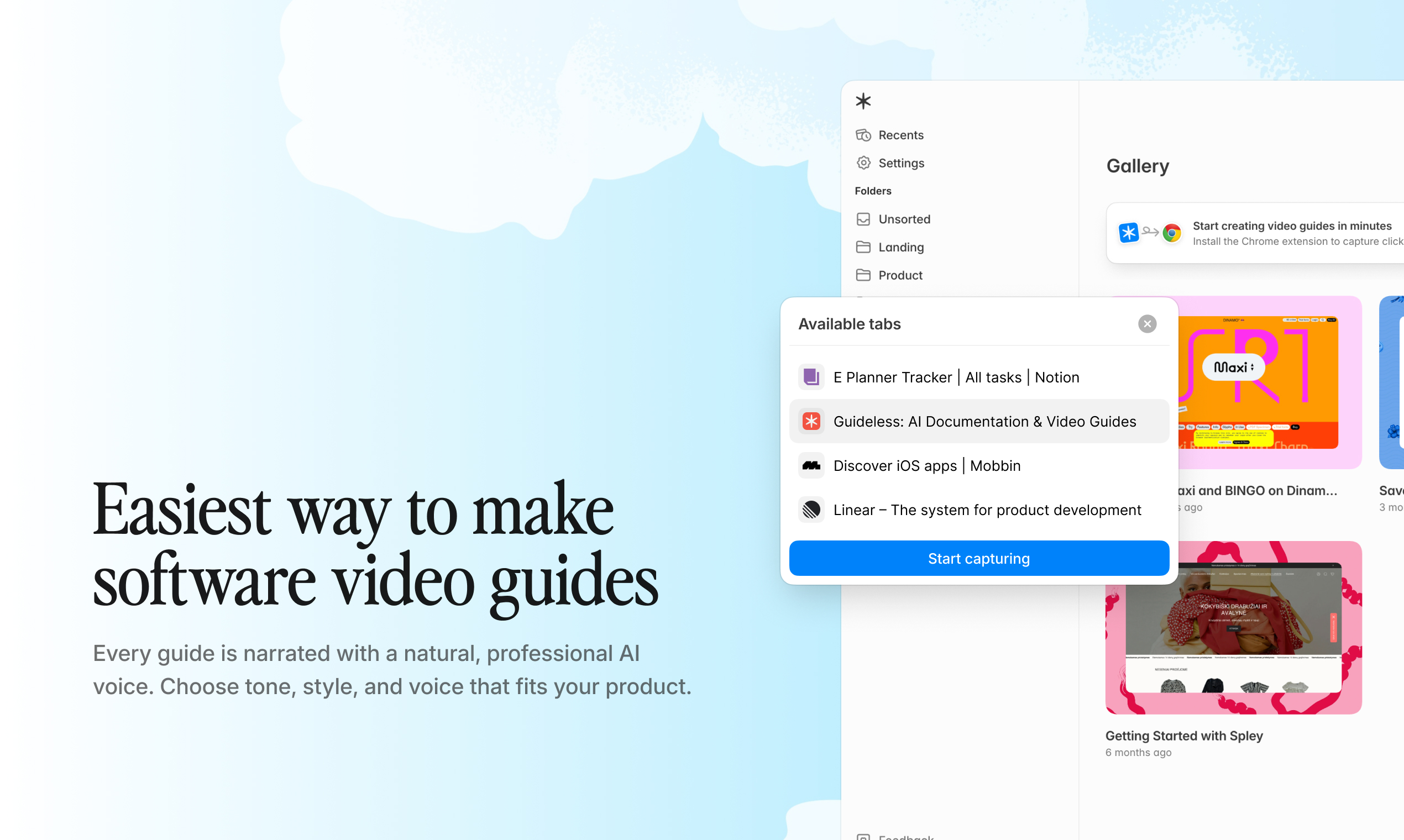
Once it's added to Chrome, you can start recording your workflows with a single click, with no complicated setup required.
How to add Guideless to Chrome: step-by-step
- Sign up for Guideless. Fill in your name and the standard account details to create your account.
- Name your workspace. This is where your guides will live, so pick something you'll recognize.
- Click Add to Chrome. On the “Create your first guide” screen, click Add to Chrome. This takes you to Guideless listing in the Chrome Web Store.
- Confirm in the Chrome Web Store. On the Chrome Web Store page, click Add to Chrome again and confirm to finish installing the extension.
- Or add it later. Not ready to install yet? Click Skip, I'll add later and add the extension from your workspace whenever you're ready.
That's it. Setup takes well under a minute.
Where to find the Guideless extension after installing
Once installed, look for the Guideless icon in your Chrome extensions bar (the puzzle-piece area in the top-right of your browser). Click the icon, and you're ready to start capturing your guides.
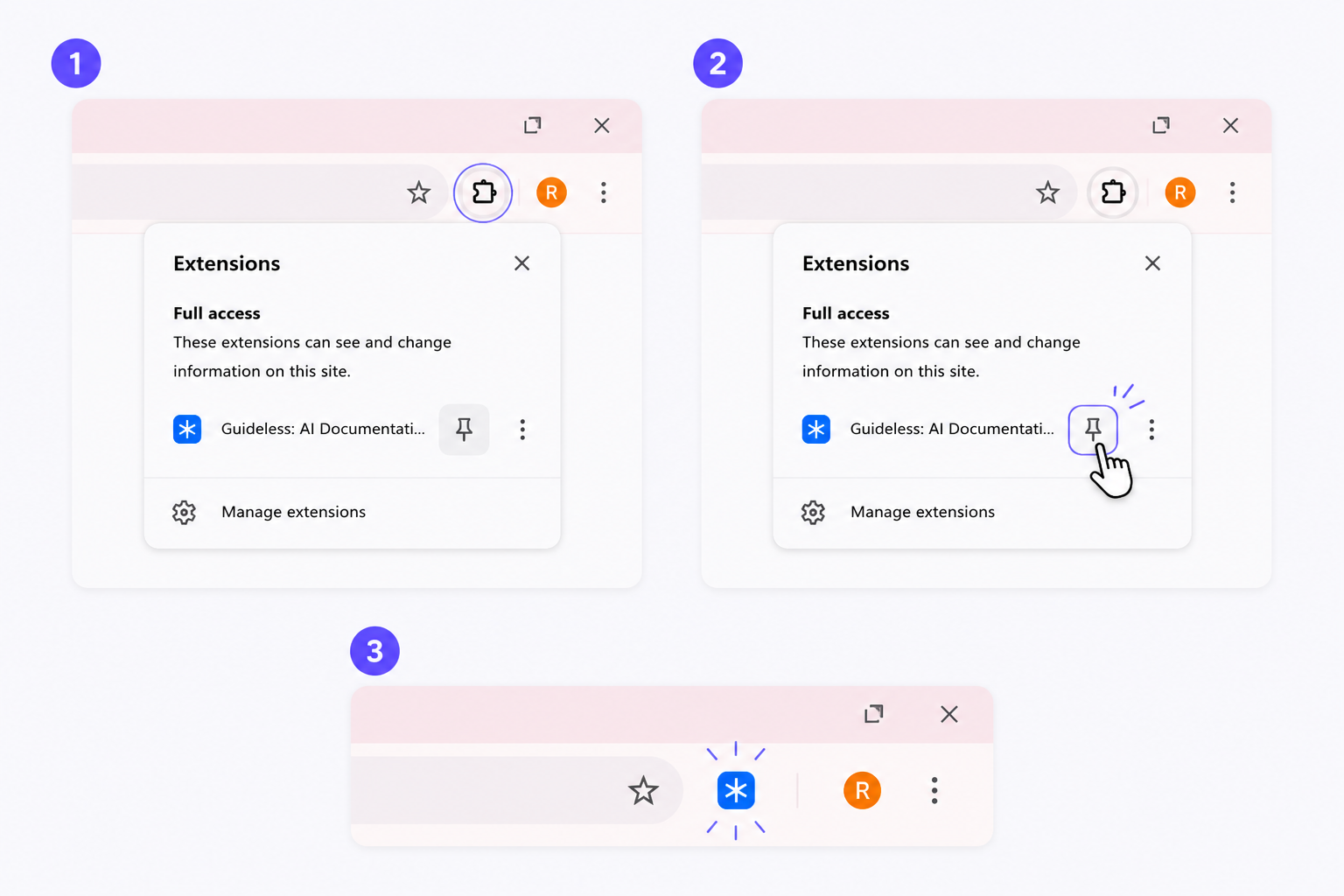
Pin it so it's always one click away.
What's next: create your first guide
Now that Guideless is installed, you're ready to turn any workflow into a narrated video guide. Just run through the process you want to document, and Guideless captures your clicks, writes the steps, and builds a clear, shareable guide automatically. Here's the full flow:
Your quick start:
- Capture the workflow. Click through the task as normal. Every click is recorded automatically.
- Generate and edit your guide. Guideless automatically creates a step‑by‑step breakdown with text narration. You can refine steps and apply your brand styling.
- Add voice‑over and finalize. Choose from professional AI voices, adjust speed and tone, and preview. Smart zooms and captions are added for clarity which you can tailor as you like.
- Export and share. Export as MP4, enable publicly shareable URL, or copy embed code for your knowledge base.
Ready to create your first guide? Open Guideless and start recording →
Keep exploring
Once you've created your first guide, here's where to go next:
- What is Guideless? A complete overview
- How to create product walkthroughs that convert (with examples)
- Video guide maker: turn screen recordings into step-by-step guides
Frequently asked questions
Do I need to install the extension right away?
No. You can choose “I'll add later” during signup and install it from your workspace at any time.
Where does the Guideless icon appear?
In your Chrome extensions area in the top-right corner of the browser. Pin it for quick access.
What can I do once it's installed?
Click the icon to start recording, and Guideless captures your steps as you go, turning your actions into a shareable guide.