Video Guide Maker: Turn Screen Recordings into Step-by-Step Video Guides

Screen recordings are easy to create. That’s exactly why they don’t work.
They capture everything, but explain nothing. Viewers scrub, skip, and drop off before finding what they need.
A video guide maker solves this problem. Instead of raw footage, it turns your recording into a structured, step-by-step guide with AI-generated scripts, voiceover, captions, and visual highlights.
In this guide, you’ll learn how a video guide maker works, which features matter, and how teams use tools like Guideless to scale onboarding, support, and product education.
What is a video-based guide maker
A video guide maker turns screen recordings into structured, step-by-step video guides automatically.
Instead of raw footage, you get a complete walkthrough with AI-generated scripts, voiceover, captions, and visual highlights. You record the workflow once. The tool handles the rest.
The difference from a screen recorder is simple:
- Screen recorder: captures everything, explains nothing
- Video guide maker: structures the workflow into clear, guided steps
This distinction matters more than it seems.
Raw recordings rarely get watched end-to-end. People scrub through, miss key actions, and drop off before finding what they need.
Structured guides fix this. They break workflows into steps, highlight what matters, and make content easy to follow.
That’s why how-to videos reach up to 74% engagement, compared to roughly 43% for generic video content.
Why manual screen recordings fail to scale
Screen recordings feel like a quick fix. You hit record, click through a workflow, and move on.
That works once. It doesn’t scale.
As your team grows, raw recordings turn into content that is hard to follow, expensive to maintain, and quickly becomes outdated.
Unstructured recordings lose viewer attention
A screen recording is a continuous stream of actions. There’s no structure, no clear steps, and no easy way to jump to what matters.
Viewers end up scrubbing through timelines, trying to find one specific moment. Most don’t. They drop off before completing the task.
Editing and scripting take hours
Recording is only the first step. To make a usable guide, you still need to cut mistakes, write a script, record voiceover, sync audio, and add captions.
Even a short guide can take hours to produce. That slows teams down and makes content creation inconsistent.
Outdated content creates knowledge gaps
Workflows change constantly. A small UI update or an extra step can make an existing recording inaccurate.
When fixing a guide means re-recording everything, most teams stop updating content. Over time, documentation becomes unreliable and users stop trusting it.
How to create video guides automatically
Video-based guide makers replace manual editing with an automated workflow. Instead of recording, editing, scripting, and formatting separately, everything happens in one flow.
Here’s how it works.
1. Capture your workflow in one click
You install a browser extension and start recording. Then you perform the workflow exactly as you normally would.
The tool captures each click, scroll, and action as a separate step. When you're done, you stop the recording.
No setup. No scripting. Just do the task once.
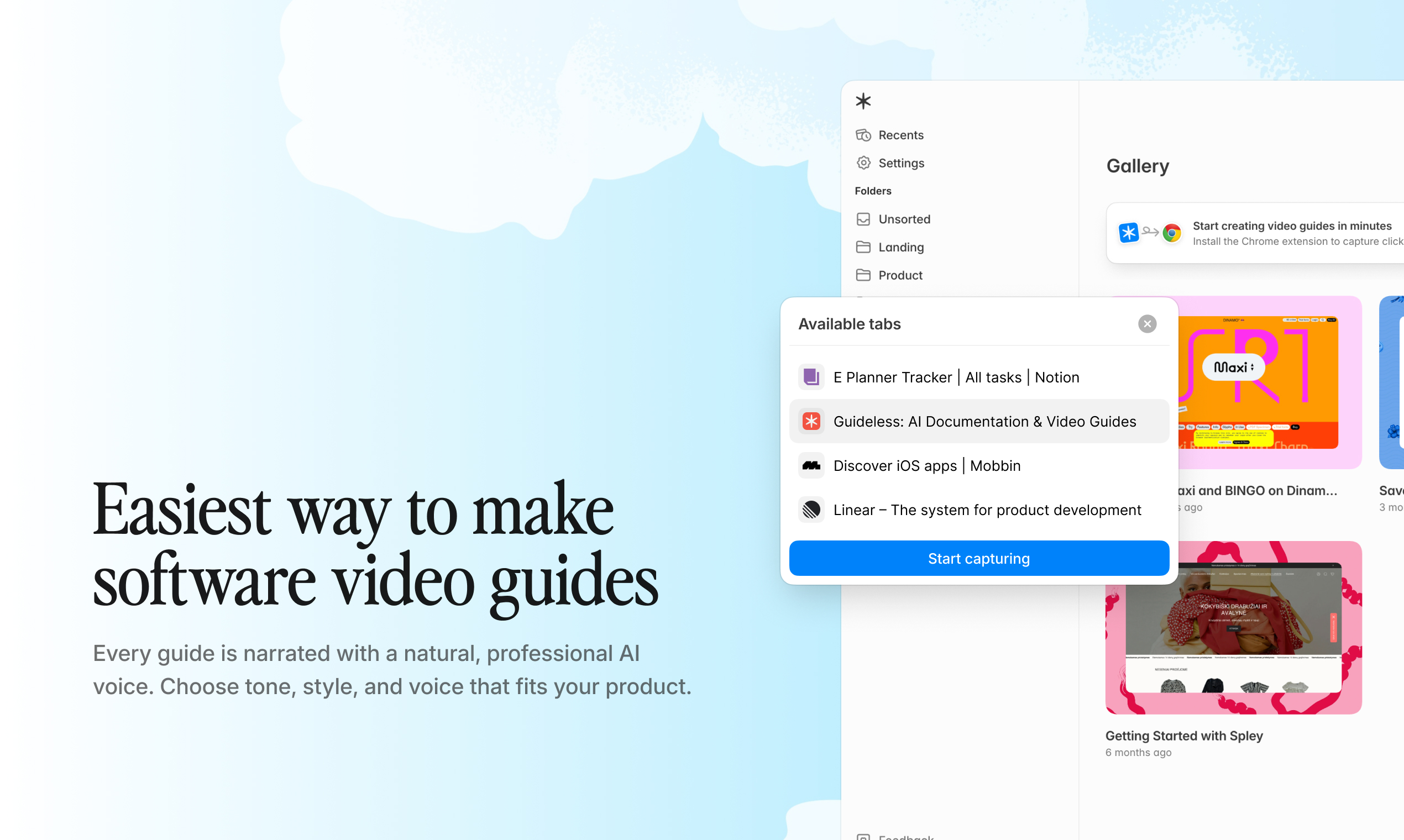
Example: Recording a workflow with the Guideless Chrome extension. Each click is captured and automatically turned into a structured step.
2. Generate a script with AI
The tool analyzes your actions and writes clear, step-by-step instructions automatically.
Instead of generic logs, you get usable guidance like: “Click the Settings icon in the top right corner.”
You can edit the full script or adjust individual steps without re-recording anything.
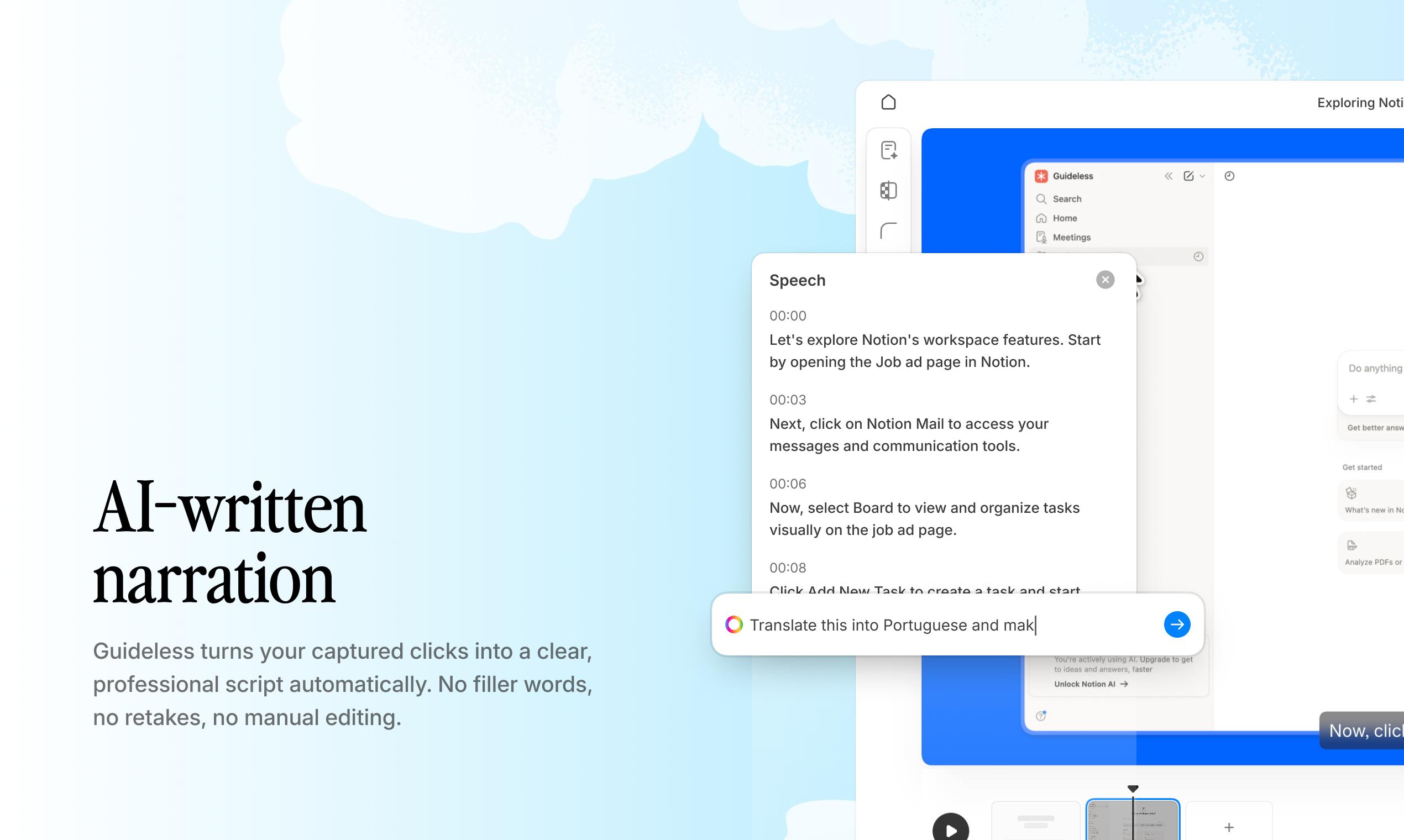
Example: AI-generated step-by-step script in Guideless. Each action is translated into clear instructions that can be edited instantly.
3. Add AI voiceover in 50+ languages
Once the script is ready, AI generates natural-sounding narration.
There’s no need to record your own voice or manage audio files. For global teams, this means you can create guides in multiple languages instantly.
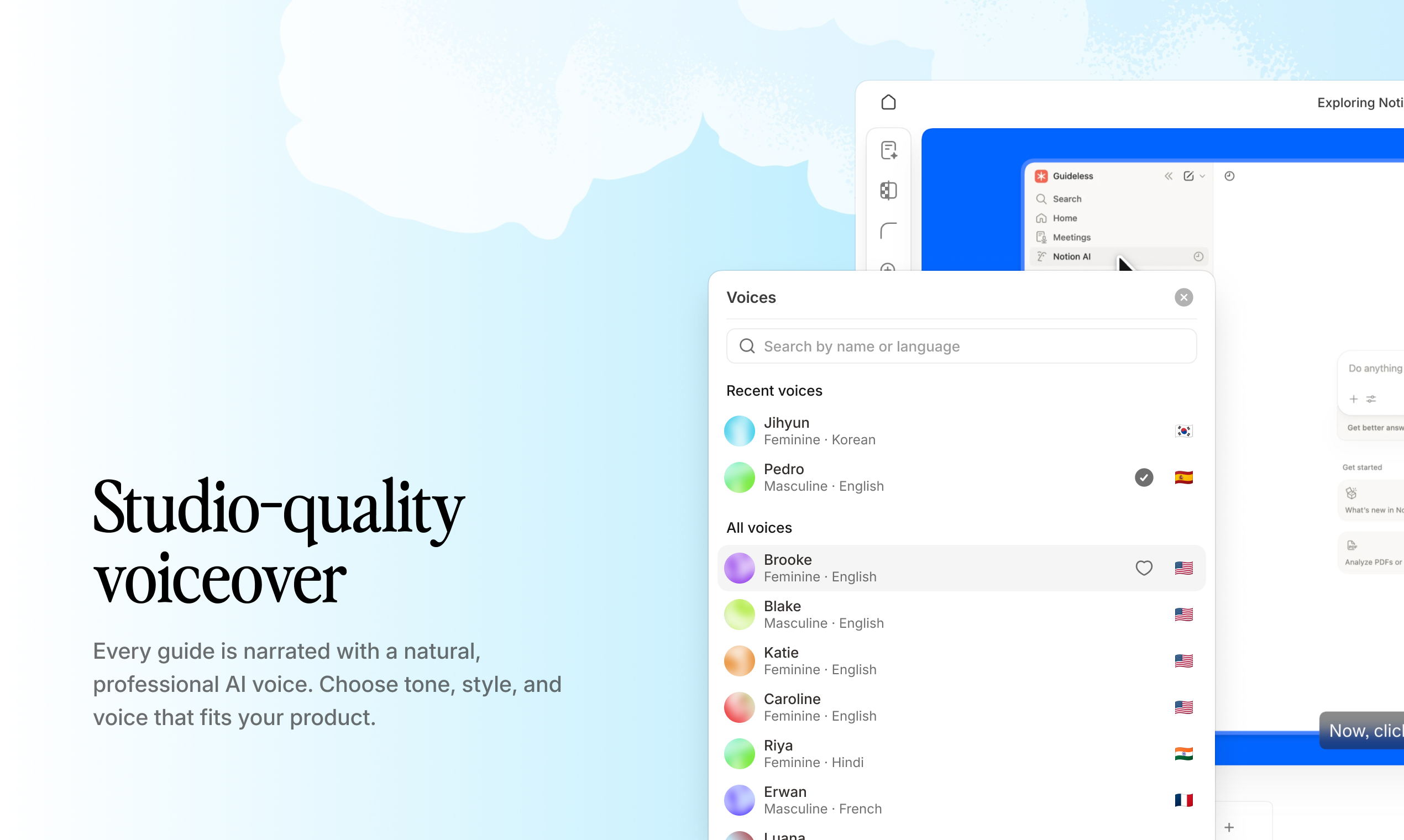
Example: Adding AI voiceover in multiple languages using Guideless. Narration is generated automatically from the script.
4. Apply brand colors and visuals
The tool automatically highlights clicks, cursor movement, and key actions.
You can customize colors, logos, and backgrounds to match your brand, so every guide looks consistent and professional.
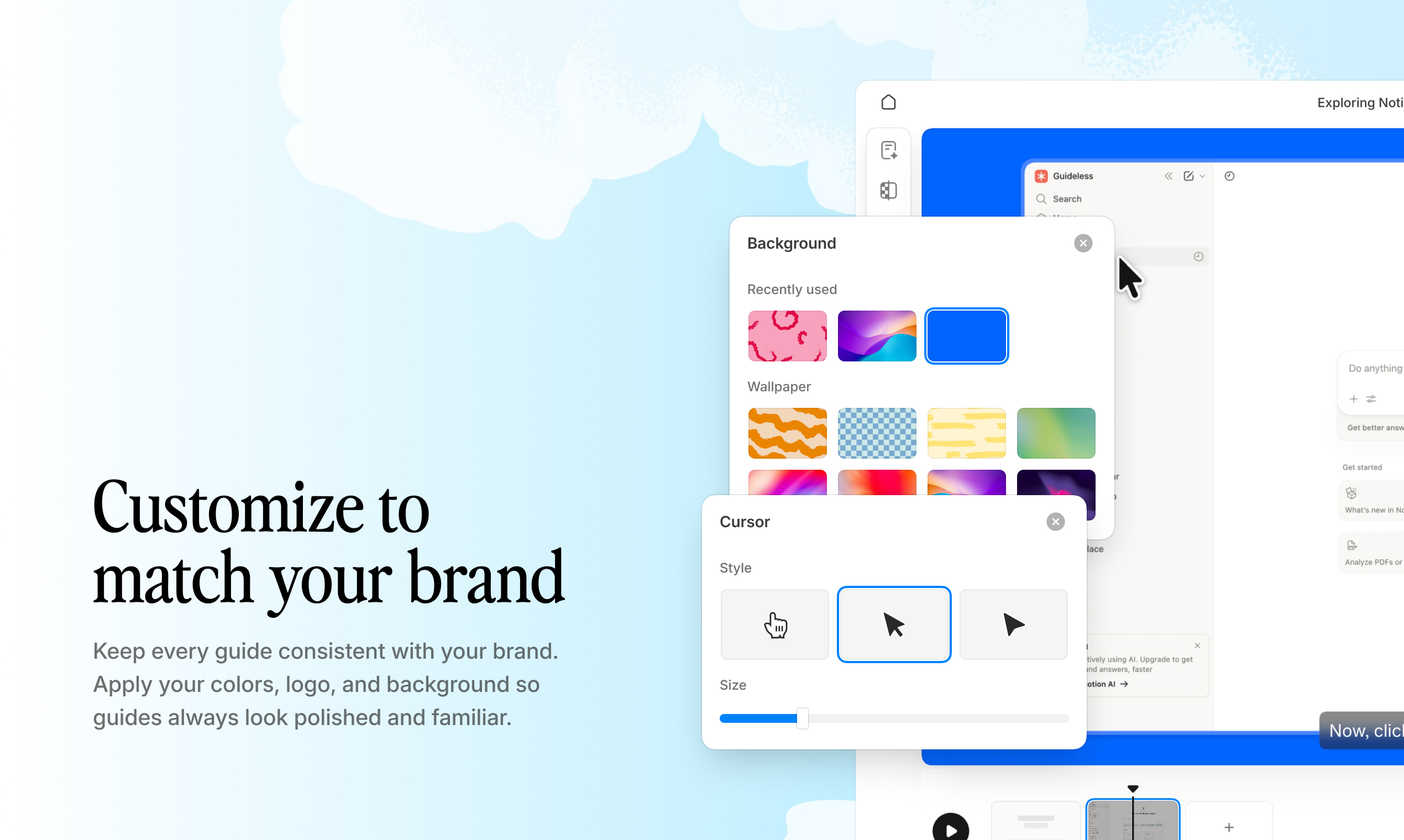
Example: Custom branding and visual highlights in Guideless. Guides match company colors and automatically emphasize key actions.
5. Share, embed, or export the guide
Finished guides can be shared via link, embedded in tools like Notion or Confluence, or exported as video files.
When workflows change, you update only the affected steps instead of re-recording everything.
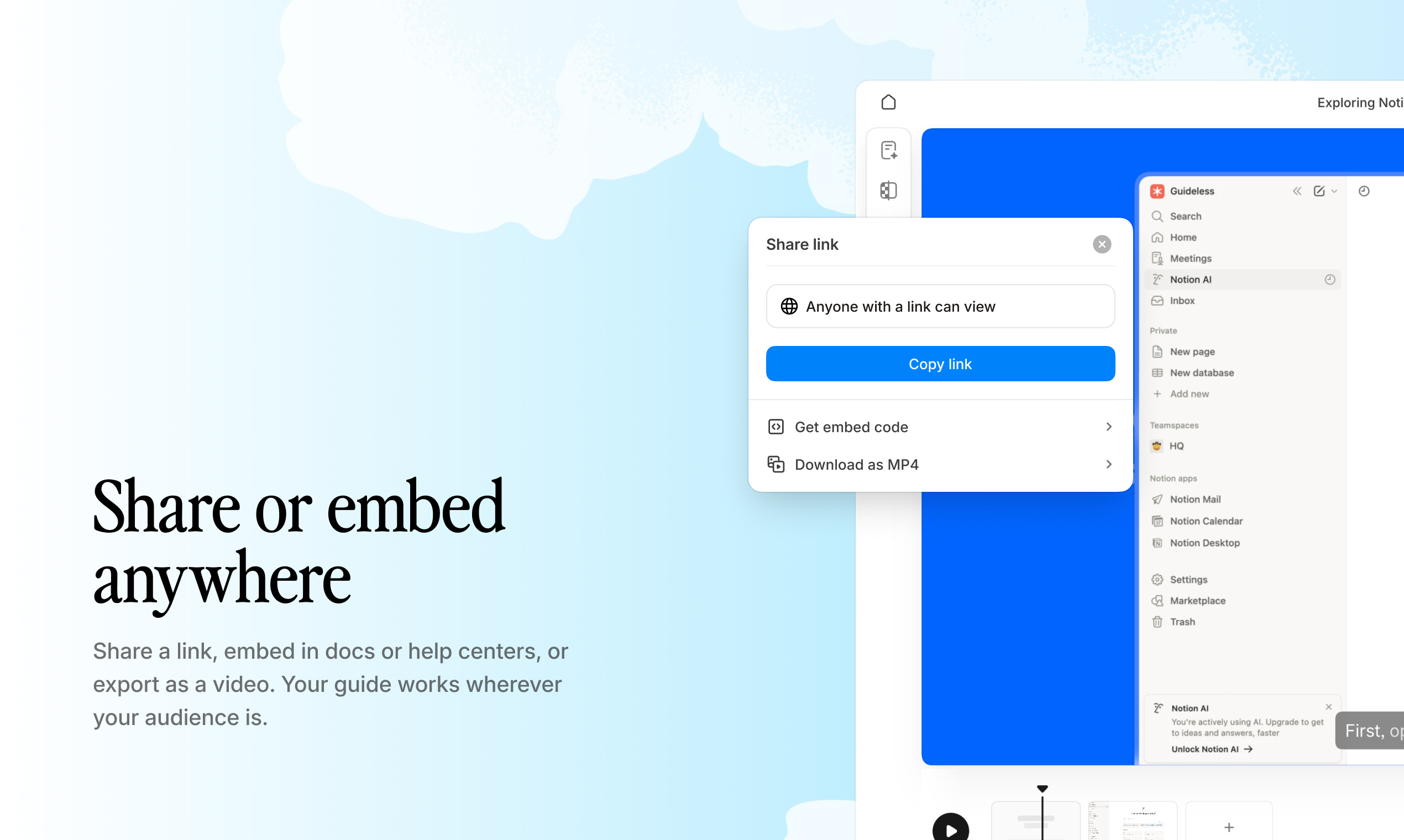
Example: Sharing and embedding a video guide created with Guideless into internal documentation or help center.
Browse the Guideless guide gallery to see real examples. Then create your own video guide in minutes. No editing required.
Key features of an effective video guide maker
Not all video guide makers produce content that is actually usable.
The difference is not in recording. It’s in how the tool structures, explains, and maintains the guide after it’s created.
Here are the capabilities that actually matter.
Automatic step detection and highlights
A good tool doesn’t just record actions. It breaks them into clear, structured steps.
Each click, scroll, and interaction should be captured as a separate step, with visual cues like cursor highlights, click indicators, and zoom effects applied automatically.
Without this, you’re left manually annotating recordings or editing screenshots, which defeats the purpose of automation.
AI-generated narration and script refinement
The tool should generate clear, instructional text from your actions, not just describe them.
More importantly, you need to be able to edit the script without re-recording the workflow. Small changes shouldn’t require starting over.
This is what makes guides maintainable as workflows evolve.
Custom branding and visual formatting
Video guides are part of your product or training experience.
You should be able to apply your brand colors, logos, and styles so every guide looks consistent and trustworthy, not like it came from a generic tool.
Built-in analytics for views and engagement
Creating guides isn’t enough. You need to know if people actually use them.
Analytics should show views, engagement, and drop-off points, so you can identify which guides work and where users get stuck.
Tools like Guideless include this by default, helping teams continuously improve their documentation instead of guessing.
Common use cases for video-based guides
Video-based guide makers are used anywhere workflows need to be explained clearly and repeatedly.
These are the most common use cases.
Employee onboarding and internal training
New hires often get Confluence pages or slide decks explaining internal tools. Most of it gets skimmed or ignored.
Video guides replace static documentation with step-by-step walkthroughs employees can actually follow at their own pace.
When onboarding at scale, the time savings compound quickly. See how teams use Guideless for faster onboarding with AI-narrated guides.
Customer onboarding and product adoption
Self-serve video walkthroughs reduce the need for live demos and onboarding calls.
According to research, 74% of people have watched a video to learn how to use a product or website. That behavior makes video guides one of the fastest ways to drive product adoption.
Instead of explaining features, you show users exactly what to do.
Support articles and help center content
Repetitive support questions are one of the biggest time drains for support teams.
According to Zendesk, 69% of customers prefer to resolve issues on their own, which makes clear, visual guides essential for any help center.
Teams can create a guide once and reuse it across tickets, articles, and onboarding flows. Explore how teams automate documentation with AI to build scalable support content.
Feature education and change management
When you release a new feature or update an existing workflow, video guides explain the change instantly.
There’s no need to schedule demos or training sessions. Users can watch on demand, and the content stays available for future users. This approach aligns with how modern teams handle product updates through asynchronous communication.
Training content and educational workflows
For more complex processes, narrated video guides help users follow along step by step.
With multilingual AI voiceover, the same guide can be reused across different regions without recording separate versions. This is especially useful for global teams working across time zones and async environments.
Distributed teams and async workflows
Remote teams rely on clear documentation that works across time zones.
Instead of repeating the same explanation in meetings, one recorded workflow can be turned into a reusable guide that anyone can follow, anytime. This shift toward fully documented, async-first work is widely adopted by distributed organizations.
How to share and embed video guides
Creating a guide only matters if people can access it where they already work.
Different distribution methods solve different use cases, from quick sharing to fully embedded documentation.
Share via link
The fastest way to distribute a guide is with a shareable link.
You can send it via email, Slack, or any internal tool when someone asks a question or needs help with a specific task. This works best for one-off explanations or quick support responses.
Embed in Notion, Confluence, or help centers
For ongoing documentation, embedding is the better approach.
Guides can live directly inside tools like Notion, Confluence, or your help center, so users don’t have to leave their workflow to find answers. When the original guide is updated, the embedded version updates automatically.
This keeps documentation accurate without manual rework.
Export to MP4 for external use
Some use cases require a standalone file.
MP4 exports are useful for LMS platforms, presentations, customer training, or offline access. They preserve your branding and formatting, so the guide looks consistent no matter where it’s shared.
Tools like Guideless support all three formats, making it easy to reuse the same guide across different channels without extra work.
How to update video guides when workflows change
Traditional video requires full re-recording when workflows change. Even a small UI update, like a button moving, can make an entire guide obsolete.
Video-based guide makers solve this by allowing edits at the step level. You can update the script, reorder steps, or replace a single screenshot without starting from scratch.
| Scenario | Traditional video | Video guide maker |
| Button location changes | Re-record entire video | Edit affected step |
| New step added to workflow | Re-record entire video | Insert new step |
| Script wording update | Re-record voiceover | Edit text, regenerate audio |
| Branding refresh | Re-edit in video software | Update brand settings |
This dramatically reduces maintenance effort and prevents the knowledge decay that makes documentation unreliable over time.
Stop re-recording videos. Use Guideless to update guides step by step in minutes.
Who benefits from video-based guide makers
A video guide makers are used across teams, but the value depends on what you're trying to scale.
Product and enablement teams
If you ship features frequently, you need a way to explain changes without slowing down releases.
Video guides help you deliver product education at scale, without turning every update into a live demo or training session.
Customer success and support teams
If your team answers the same questions repeatedly, video guides turn those answers into reusable assets.
Instead of running the same walkthroughs, you create a guide once and share it across tickets, onboarding, and help content.
Operations and training managers
If you're responsible for SOPs and onboarding, you need documentation that stays accurate over time.
Video guides make it easier to maintain and update processes without rebuilding everything from scratch.
Create scalable video guides automatically with Guideless
Guideless turns click-through workflows into structured video guides.
Instead of recording, editing, scripting, and formatting separately, you capture a workflow once and get a complete guide with AI-generated voiceover, captions, and visual highlights.
This makes it possible to create and maintain video documentation at scale without manual work.
Watch how a video guide maker works in practice:
This video shows the full workflow from recording to a finished video guide inside Guideless.
Key capabilities include one-click capture, natural-sounding narration in 50+ languages, custom branding, and built-in analytics to track engagement.
Guides can be shared via link, embedded in tools like Notion or Confluence, or exported as video files for external use.
Create your first video guide with Guideless in minutes. No editing or scripting required.
Frequently asked questions about video-based guide makers
What is the difference between a video guide maker and a screen recorder?
A screen recorder captures raw footage that still needs editing, scripting, and voiceover.
A video guide maker automatically turns that recording into a structured, step-by-step guide with narration, captions, and visual highlights.
Can video guides be created without video editing experience?
Yes. Video guide makers handle editing, formatting, and narration automatically.
You simply record a workflow, and the tool generates a finished guide. No video production skills are required.
How long does it take to create a video guide with automated tools?
Most video guide makers generate a complete guide within minutes after recording.
The exact time depends on workflow length, but it is significantly faster than manual video editing.
What languages are supported for AI voiceover in video guide makers?
Language support depends on the tool.
For example, Guideless offers AI voiceover in over 50 languages, making it suitable for global teams and multilingual training.
Can video guide makers track viewer engagement?
Yes. Most tools include analytics that track views, engagement, and drop-off points.
This helps teams understand which guides are effective and where users need more support.