Best Guidde Alternatives in 2026 (Compared & Reviewed)

Guidde works well — until it doesn’t.
As teams start creating more documentation, they often run into friction: output quality needs editing, workflows hit step limits, and integrations require manual workarounds. That’s usually when the search for better Guidde alternatives begins.
In this guide, we compare the best Guidde alternatives in 2026, including tools like Scribe, Loom, Tango, Supademo, and Guideless. You’ll learn what each tool does best, where it falls short, and how to choose the right one for your specific use case.
Why teams switch from Guidde
Most teams don’t start looking for Guidde alternatives right away - it usually happens after friction starts to build.
Common alternatives include tools like Tango, Scribe, Guidejar, Clueso, and Guideless. Each takes a different approach to workflow documentation, from screenshot-based guides to AI-generated video walkthroughs.
The switch typically happens when small issues start slowing teams down — whether it’s time spent editing outputs, limitations in guide structure, or workflows that don’t scale as documentation grows.
Output quality requires manual cleanup
Guidde’s AI-generated scripts and voiceovers often need editing before they’re ready to share.
Pronunciation can be off, phrasing can feel unnatural, and important context is sometimes missing - especially in more complex workflows. For teams looking for a simpler, more production-ready approach, this is often where alternatives like Guideless come into consideration.
For a handful of guides, this cleanup is manageable. But when you’re creating documentation at scale - for onboarding, support, or internal training - those small edits add up quickly.
What starts as a five-minute fix turns into hours of ongoing maintenance every week.
Limited integrations with knowledge systems
Guidde lacks native integrations with many commonly used knowledge management tools.
If your team relies on platforms like Confluence, Notion, or help centers such as Zendesk, you’ll often end up copying links, downloading files, or manually moving content between systems.
This creates friction in two ways. Publishing new guides takes extra steps, and keeping them updated across multiple tools becomes a coordination challenge rather than a simple workflow.
Step limits restrict complex workflows
Guidde limits the number of steps you can include in a single guide.
For simple processes, this isn’t an issue. But real workflows - especially in enterprise tools - often involve fifteen, twenty, or more steps.
Think Salesforce opportunity management or Workday expense reporting.
Once you hit that limit, you’re forced to split one logical process into multiple guides. This breaks the flow for the viewer and makes it harder to follow the full workflow from start to finish.
AI voiceover does not meet professional standards
While Guidde offers AI narration, the voice quality and pacing can still sound robotic.
For internal documentation, this might be acceptable. But for customer-facing content - onboarding guides, help center videos, or product walkthroughs - the difference becomes noticeable.
Teams often end up re-recording voiceovers manually to reach a professional standard, which defeats the purpose of using an AI-powered tool in the first place.
What to look for in a Guidde alternative
Before choosing between different Guidde alternatives, it’s important to understand what actually matters for your use case.
Not all features carry the same weight, and the right tool depends on how you plan to create, share, and scale your guides.
AI narration quality and language support
High-quality AI narration should sound natural - with clear pronunciation, smooth pacing, and no need for manual corrections.
It should also support multiple languages from a single workflow capture. If your product serves international users, this becomes critical. Teams often need guides in French, German, Spanish, or Japanese without recording each version separately.
In fact, 75% of customers prefer content in their native language - and are more likely to switch if it’s not available.
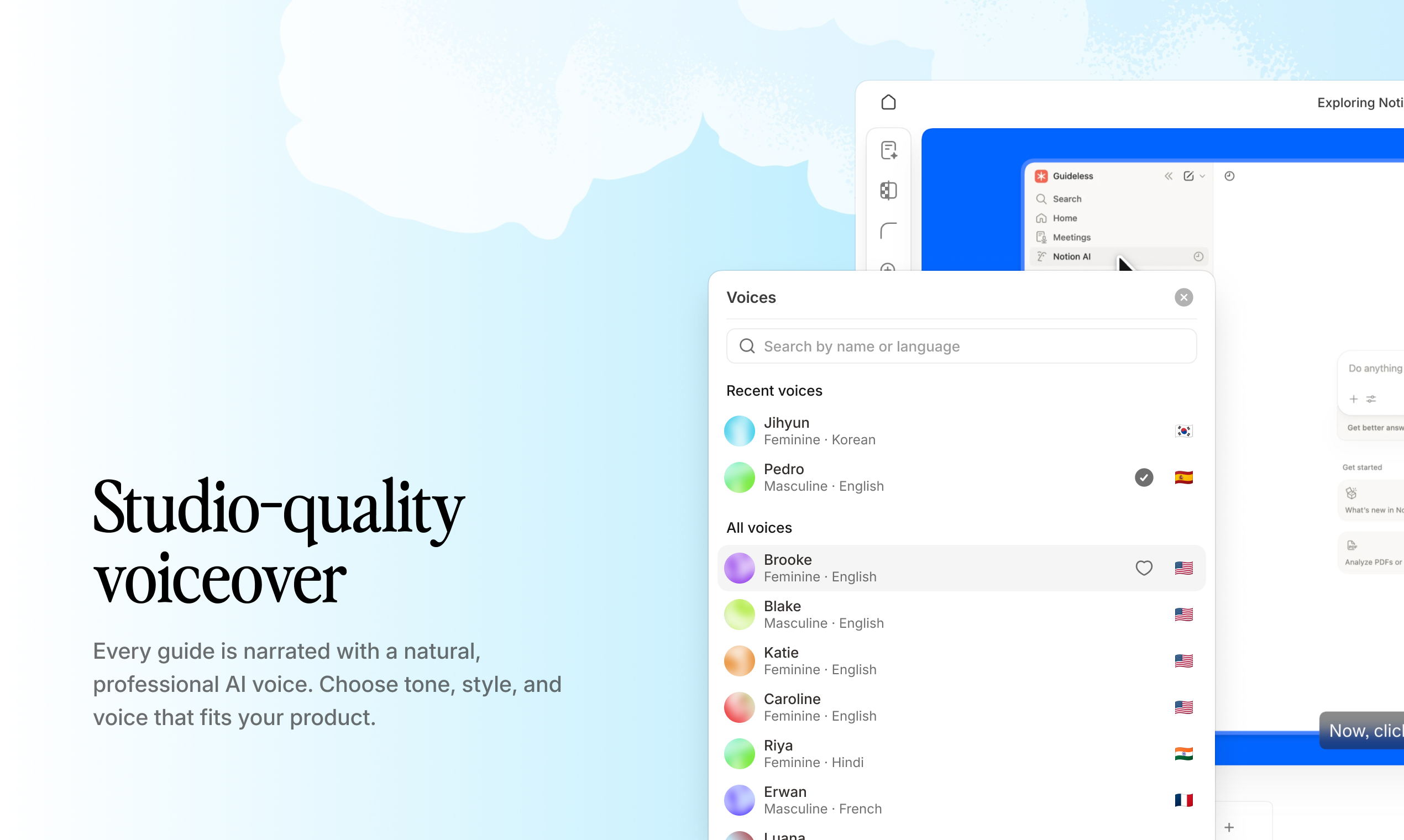
Example of AI voiceover and multilingual support in Guideless
Before choosing a tool, listen to real output examples. The difference between “acceptable” and truly professional AI voiceover is immediately noticeable.
Workflow capture speed
Some tools require setup before you can start recording - camera positioning, microphone checks, lighting adjustments.
Others let you capture workflows instantly using a browser extension that records your clicks as you go.
This difference has a direct impact on adoption. If creating a guide takes twenty minutes of preparation, your team will create fewer of them. If it takes thirty seconds to start capturing, documentation becomes something people actually do consistently.
According to Nielsen Norman Group, reducing interaction cost - the total effort users need to complete a task - makes people more likely to adopt and follow workflows.
Branding and customization options
Guides shared with customers or external partners should feel like a natural extension of your brand.
Look for tools that let you control elements like logos, colors, backgrounds, and fonts, so your guides match the rest of your product and communication.
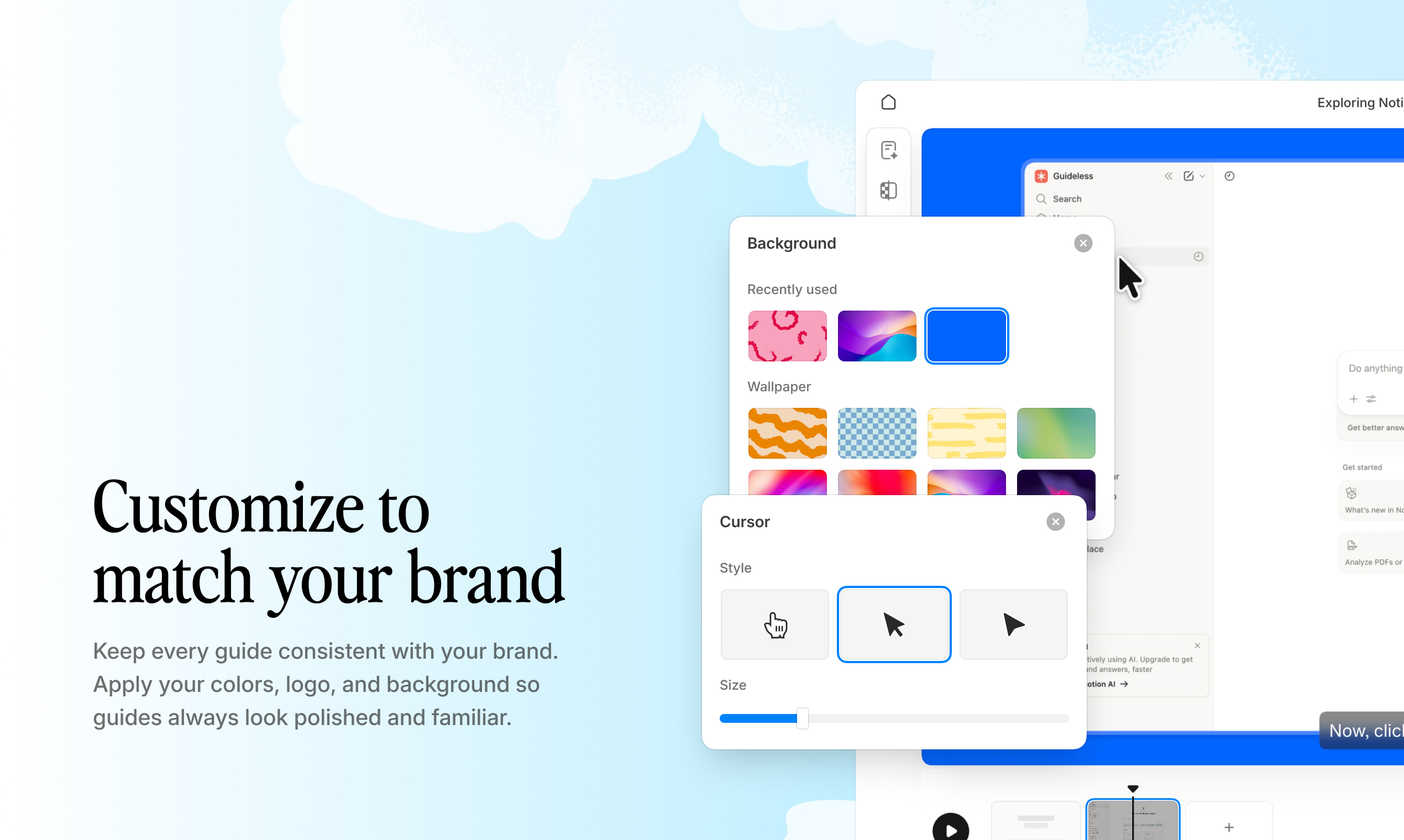
Example of a branded video guide created with Guideless
For internal documentation, this matters less - function usually comes before form. But for customer-facing content, inconsistent branding can feel unpolished and create a disconnected experience.
Analytics and engagement tracking
View counts only tell you if someone opened a guide. They don’t show whether it was completed, where users dropped off, or which steps caused confusion.
That’s where step-level engagement data becomes valuable. It helps you identify exactly where users get stuck and what needs improvement.
If most viewers drop off at a specific step, it’s a clear signal to simplify that part of the workflow or add more context.
Integration capabilities
Consider how guides can reach your audience:
· Embedding: Can you place guides directly in tools like Notion, Confluence, or your product's help center?
· Sharing: Can you generate a simple link that works without login requirements?
· Exporting: Can you download guides as MP4 files for use in other channels?
The more friction between creating a guide and getting it in front of users, the less value you'll extract from the tool.
Top Guidde alternatives compared
Here’s a quick comparison of the best Guidde alternatives in 2026, based on their primary use case, output format, and key AI features.
| Tool | Best for | Output format | AI features |
| Guideless | Scalable video documentation | Video, embed, MP4 | AI voiceover, script generation |
| Scribe | Internal process documentation | PDF, Markdown, HTML | Auto-capture steps |
| Loom | Quick async video communication | Video, link | Transcription |
| Tango | Step-by-step process guides | PDF, HTML | Auto-capture steps |
| Supademo | Interactive product demos | Embed, link | Click-through tours |
Guideless
Guideless turns workflows into production-ready video guides automatically.
Instead of recording, editing, and narrating manually, you simply click through a process once. The platform captures each step and generates a structured video with AI voiceover, captions, visual highlights, and on-brand formatting.
The key difference is output quality without the need for editing. Guides are ready to share immediately - whether via link, embedded in your documentation, or exported as MP4.
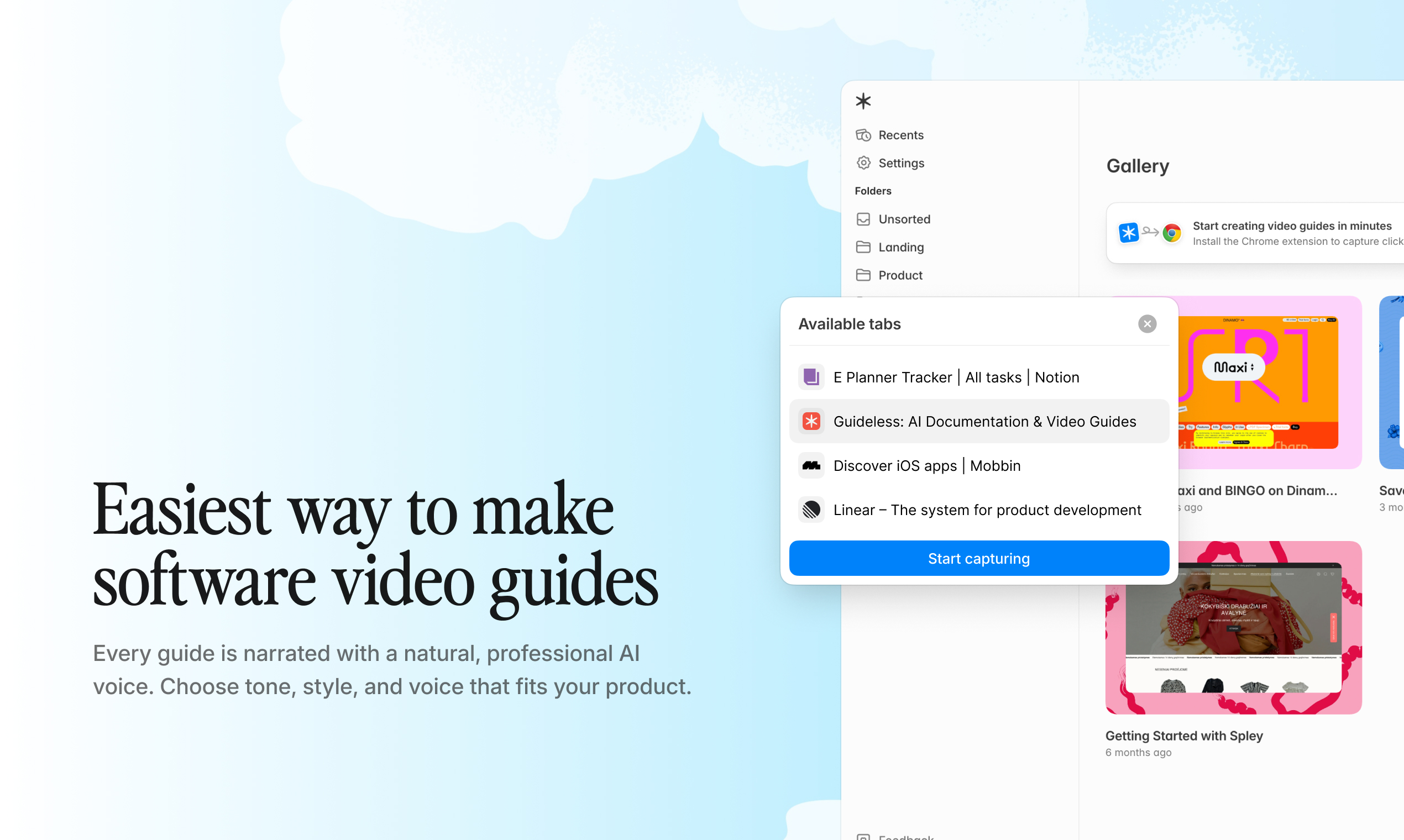
Example of a video guide created with Guideless
Scribe
Scribe captures workflows and turns them into screenshot-based, step-by-step documentation.
The output includes annotated images with written instructions, which can be exported to PDF, Markdown, or HTML.
This format works well for internal SOPs and process documentation, where video isn’t necessary. Text-based guides are also easier to edit and update over time.
However, Scribe doesn’t generate video guides or narration, which makes it better suited for internal use rather than customer-facing documentation.
Loom
Loom is a general-purpose screen recording tool. You record your screen, talk through a process, and share the video via a simple link.
Its simplicity is both a strength and a limitation. Loom works well for quick, informal explanations - like answering a colleague’s question or giving async feedback.
However, everything is manual: recording, explaining, and often editing. There’s no automatic step detection or structured formatting, which makes it less suitable for scalable documentation.
Tango
Tango captures browser-based workflows and turns them into step-by-step guides with screenshots.
Like Scribe, it focuses on text-based documentation rather than video output.
Tango works well for internal documentation and process handoffs. Teams use it to document workflows in web applications and share them with new hires or cross-functional teams.
However, it doesn’t support video guides or narration, which limits its use for customer-facing documentation.
Supademo
Supademo creates interactive product demos where users click through simulated workflows instead of watching a video.
This format works well for sales and marketing use cases, where engagement matters more than detailed instruction.
Rather than teaching users step by step, Supademo focuses on showcasing the product experience and letting users explore it interactively.
Guidde vs Scribe
This comparison comes up often because both tools automate documentation - but they produce very different outputs.
- Output: Guidde creates video with AI voiceover, while Scribe generates screenshot-based documents
- Best use case: Guidde works better for visual, step-by-step workflows, while Scribe is better for internal documentation and SOPs
- Maintenance: Scribe guides are easier to edit, while video-based guides may require re-recording when workflows change
If you're unsure which format works best, test both and see which one drives better engagement.
See a full Guidde alternative comparison with Guideless.
How to choose the right Guidde alternative
The right tool depends on your specific situation. Here's a framework to help you decide.
Match the tool to your primary use case
Different use cases require different output formats:
- Customer onboarding: Polished, branded video guides embedded in your product or help center. Around 80% of high-activation SaaS companies use video to drive activation
- Internal training: Screenshot-based documentation with written instructions is often enough for internal workflows
- Support deflection: About 67% of customers prefer self-service over contacting support. Video guides that show exact steps can reduce follow-up questions more effectively than text
- Sales enablement: Interactive demos that let prospects click through your product experience
Evaluate output quality requirements
Internal content can tolerate rougher quality. A quick Loom recording is often enough to explain a process to a teammate.
Customer-facing content is different. It typically requires professional voiceover, consistent branding, and polished formatting.
The gap between “good enough internally” and “ready for customers” is often much bigger than teams expect.
Consider team size and collaboration needs
Solo users usually prioritize speed above all else.
Teams, on the other hand, need shared workspaces, permission controls, and consistent branding across all guides.
Make sure the tool supports multiple users working from the same account and allows you to maintain consistent standards across everyone’s output.
Assess integration requirements
Before committing to a tool, make sure it fits into your existing systems.
Can it be embedded in your knowledge base? Does it support the formats your team already uses? Can it integrate with your help center platform?
If it doesn’t fit into your current workflow, it will quickly become a workaround instead of a solution.
Why Guideless is built for scalable video documentation
Guideless approaches documentation differently than traditional screen recording tools.
Here’s how it looks in practice:
Instead of recording, editing, and narrating manually, you capture a process once by clicking through it - and the platform generates a complete video guide automatically.
The output is ready to share immediately, whether embedded in your documentation, shared via link, or exported as MP4. AI handles the script and voiceover, while built-in analytics help you understand how guides are used and where improvements are needed.
For teams creating customer-facing documentation, this removes the bottleneck of manual production and makes it easier to scale content consistently.
Browse real examples in the Guideless gallery
FAQs about Guidde alternatives
How do Guidde alternatives handle multilingual documentation?
Most tools require separate recordings for each language or offer AI translation with varying quality.
Guideless generates AI voiceover in over fifty languages from a single workflow capture, eliminating the need for separate recordings.
Can Guidde alternatives integrate with Zendesk or Intercom help centers?
Integration capabilities vary by tool.
Guides can typically be shared via link or embedded into help center articles, knowledge bases, or support platforms. Always check whether the tool supports your specific setup.
Learning curve when switching from Guidde
Most browser-based tools are easy to adopt and require minimal onboarding.
If your team is already familiar with Guidde, you can usually start creating guides in a new tool within minutes, since the core workflow - clicking through a process - remains similar.