Dubble is a solid pick if what you need is quick, written process documentation. Record a workflow, and it hands you back a step-by-step guide with screenshots. The free plan backs that up too: unlimited guides, editing, and redaction, with no credit card required, which is more generous than most tools in this category offer for free.
But there are limits once your documentation needs go beyond written, screenshot-based guides and into more automated process documentation. Dubble doesn't generate AI narration, and there's no analytics on any plan, so you can't see whether anyone's actually viewing or completing the guides you send them. If either of those is what's pushing you to look at Dubble alternatives, here's how the main options actually compare.
Dubble alternatives at a glance
Here's a quick look at where each Dubble alternative stands out and how they compare on narration, analytics, and free plan availability.
| Tool | Best for | Main output | AI narration | Analytics | Free plan |
|---|---|---|---|---|---|
| Guideless | AI-narrated software training videos | Narrated video + written guide | Yes | Yes, Pro plan | Yes, up to 3 guides |
| Scribe | Screenshot-based SOPs | Written guide + screenshots | No | Not offered | Yes, web apps only |
| Tango | In-app guidance | Written guide + in-app walkthrough | No | Yes, paid plans | Yes, up to 15 workflows |
| Guidde | AI video documentation | Narrated video + written guide | Yes | Yes, Business plan and up | Yes |
| Loom | Async video messaging | Self-recorded video | No, AI edits your voice rather than generating narration | Yes, paid plans | Yes, limited videos and length |
| Supademo | Interactive product demos | Clickable demo | Yes, optional voiceover | Yes | Yes, limited to one creator |
1. Guideless
Guideless also starts by capturing a workflow through a browser extension, with no manual narration or planning needed while you record. Where it diverges from Dubble is what comes out the other end. Instead of stopping at screenshots and written steps, it generates a narrated video with an AI voiceover, backed by an editable script you can adjust before publishing, alongside a written guide from the same recording.
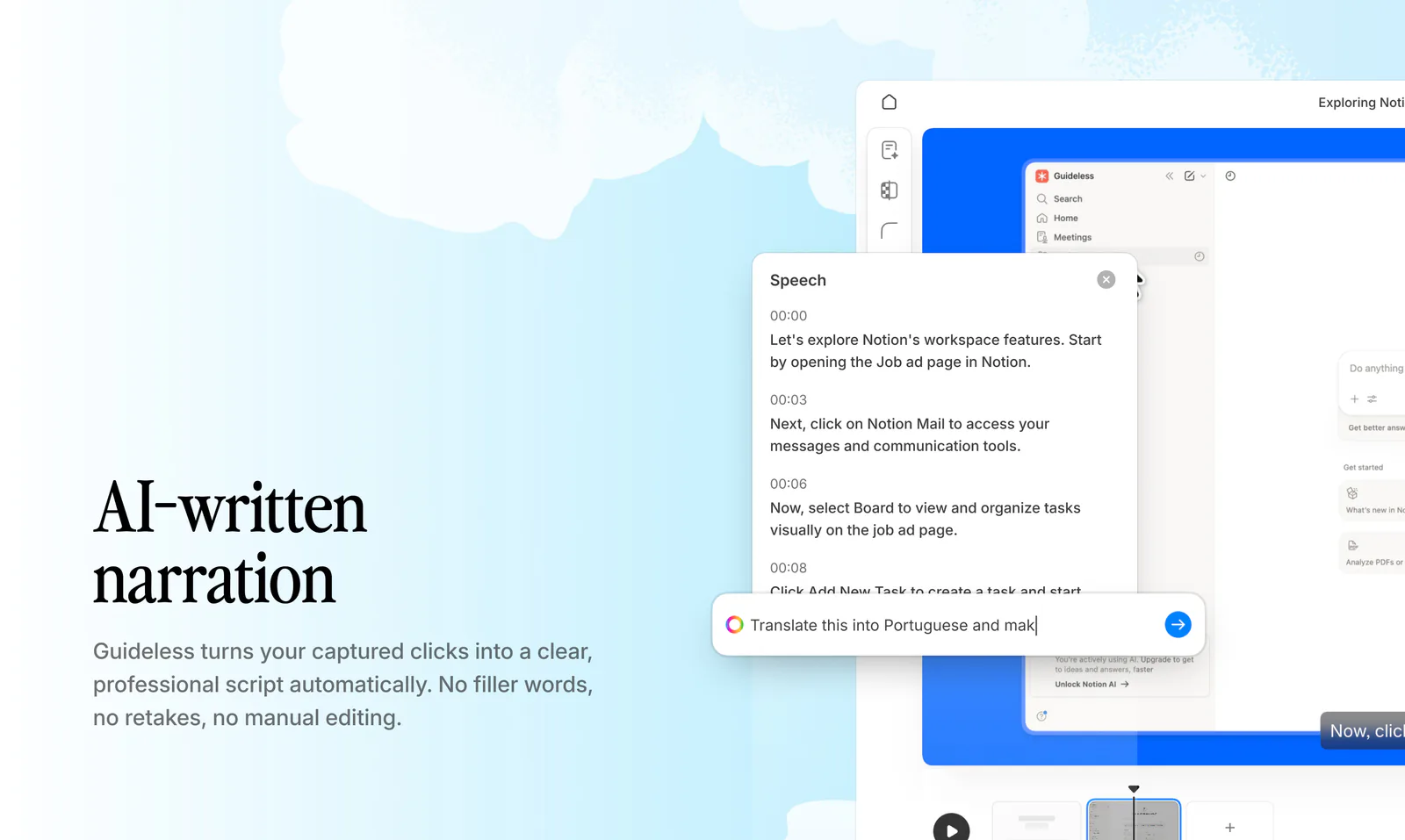
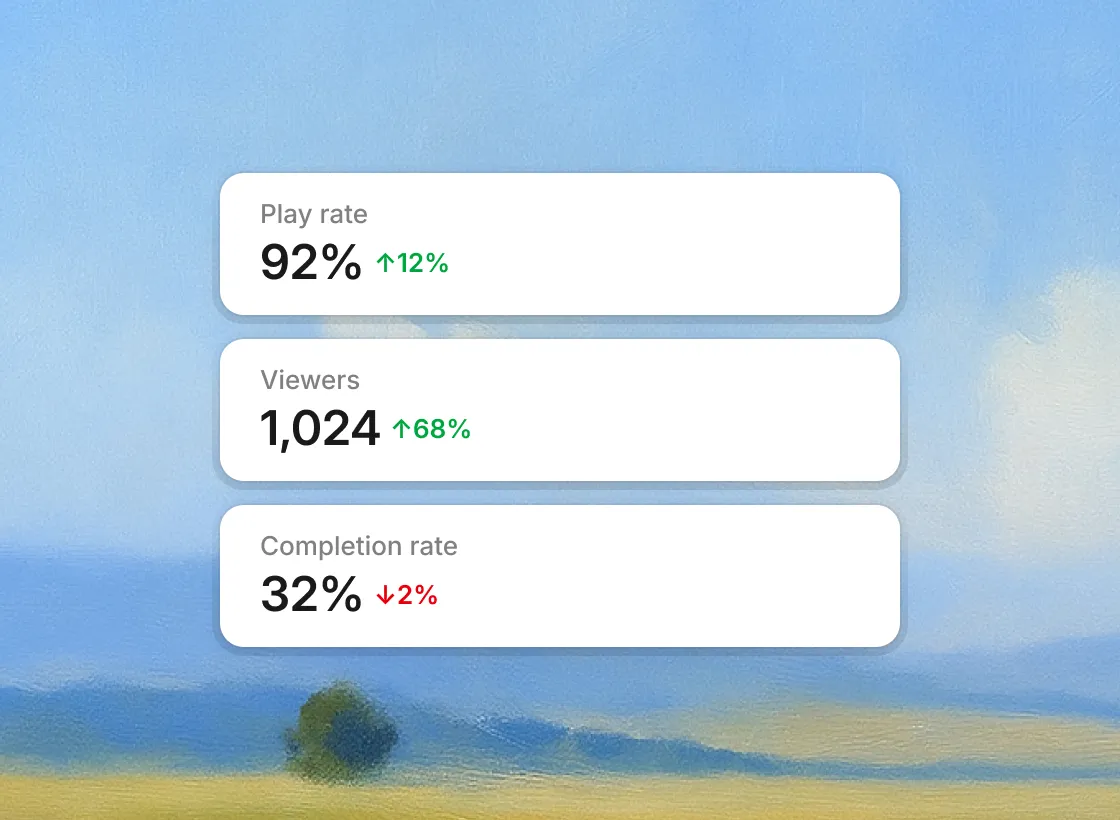
That's the part worth paying attention to if your documentation is meant to be watched, not just read: onboarding walkthroughs, product training, support content, anywhere someone needs to follow along rather than skim a numbered list. On the Pro plan, Guideless also adds an insights dashboard for tracking guide performance, so you can see whether a guide is actually landing instead of publishing and hoping.
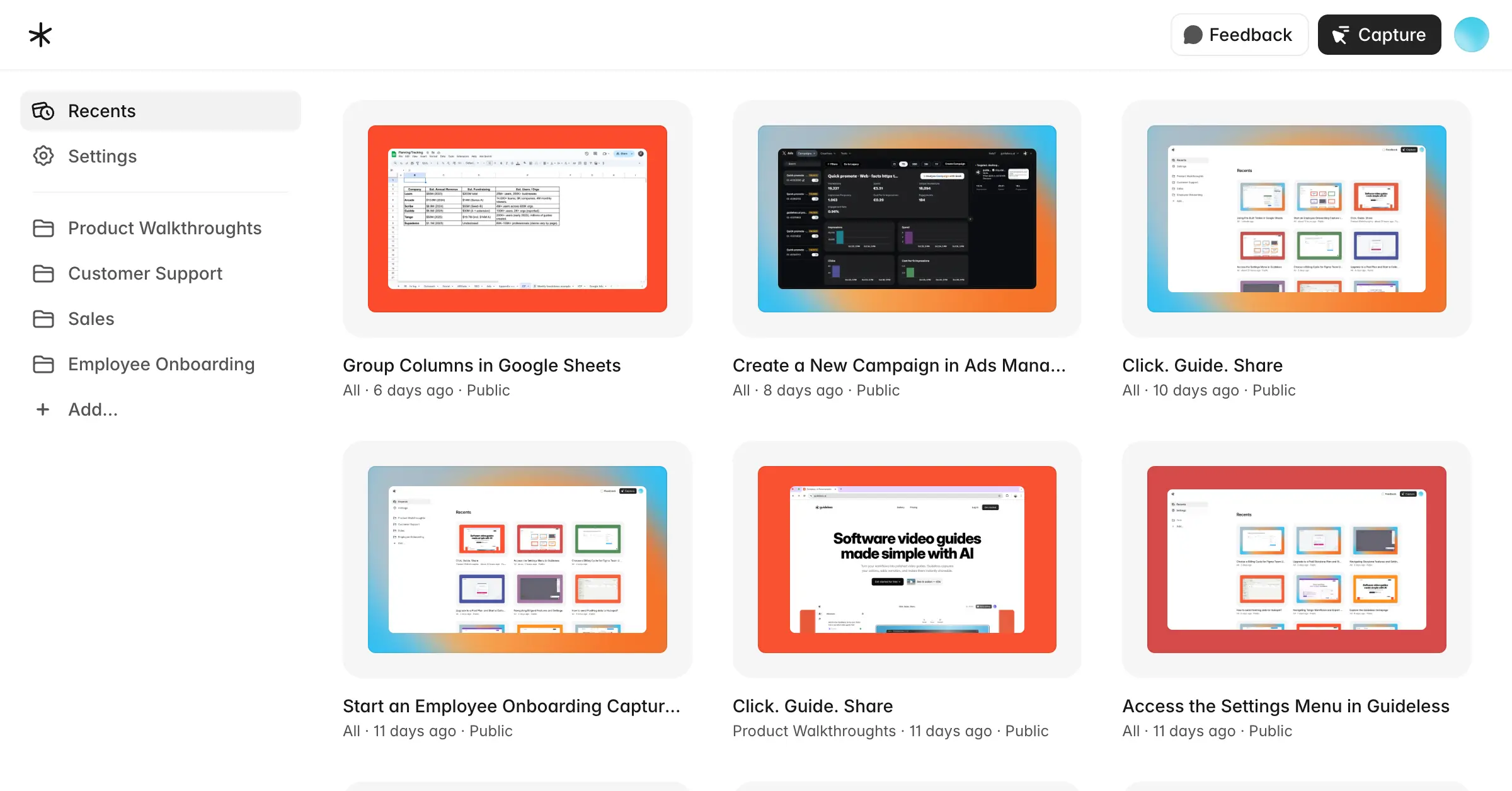
As your guide library grows, the Pro plan also adds folders and collections to keep content organized across different products or teams.
Guideless is the right call specifically when video is the format your team actually needs, and when knowing whether people finish a guide matters as much as making one.
2. Scribe
Scribe is the closest like-for-like swap for Dubble, and one of the more established names in this category. Click through a process, and it generates a written guide with numbered steps and screenshots, the same core mechanic Dubble uses. It also writes step titles and descriptions automatically using AI, but the output remains text and screenshots rather than narrated video. If you're considering it specifically, we've also compared the best free Scribe alternatives in more detail.
Where it tends to edge ahead of Dubble is integrations. Scribe connects to tools including Confluence, ClickUp, and several learning platforms, which matters if your documentation needs to live somewhere specific rather than get pasted in manually.
The free plan is worth checking carefully before committing. It covers web apps only, with desktop capture, exports, and custom branding all locked behind the paid tiers, Pro Personal for individuals or Pro Team, which carries a five-seat minimum. If Dubble's free plan already covers what you need, moving to Scribe's paid tiers means paying more to stay within the same general screenshot-based documentation format.
Choose Scribe if your priority is polished, screenshot-based SOPs rather than narrated video, and you're likely to use the integrations enough to justify the upgrade.
3. Tango
Tango solves a different problem than Dubble does. Guides still start as a captured, screenshot-based walkthrough, but they can also be turned into an on-screen "Guide Me" overlay that walks someone through the actual steps inside the live application, rather than a separate document they read side by side. That's a genuinely different use case: in-app onboarding and adoption, not standalone reference documentation.
It's worth knowing that the in-app overlay is built for web-based tools rather than desktop applications, so teams that need desktop guidance will need to look elsewhere. Tango's paid plans are also priced per user, which can make it noticeably more expensive than Dubble as your team grows. Analytics on guide views are available, but only on the paid tiers, not the free plan.
Tango is the pick if in-app guidance during a live workflow is specifically what you're after. If you just need a document people read separately, it's paying for a feature you won't use.
4. Guidde
Guidde takes a similar starting point to Dubble: record a workflow, and it turns the capture into a guide automatically. The key difference is the video layer. Dubble can produce screencast video on paid plans, but Guidde is built around AI-narrated video, generating voiceover from the captured workflow alongside a written guide. That's the main reason someone comparing Dubble alternatives would look at Guidde specifically: it adds AI-generated narration to the documentation workflow.
Guidde also offers desktop app capture on Business plans and above, alongside analytics on the same tiers. Dubble has a Mac desktop app in beta but doesn't offer built-in guide analytics, so Guidde may be a better fit when broader desktop capture and performance tracking are priorities.
Guidde is the strongest fit for teams producing narrated video documentation regularly, especially when desktop applications are part of the workflow and a wider range of AI voices matters. For a deeper comparison, see our guide to the best Guidde alternatives.
5. Loom
Loom isn't a direct Dubble replacement, and it's worth being upfront about that rather than forcing the comparison. It's built for quick, informal video messages: you record your screen and talk through it in real time rather than generating a structured guide automatically. Loom's AI features, available on its higher plans, work on what you've already recorded, with features like auto-titles, summaries, chapters, and filler-word removal. That's editing and cleanup rather than narration generation. Loom doesn't write or voice the walkthrough for you the way AI-narrated documentation tools do.
Loom is the better fit for async updates, quick feedback, or explaining something once without needing it to become reusable documentation. For structured, reusable training or SOP content, Dubble and the other documentation tools on this list are built for that job in a way Loom isn't trying to be.
6. Supademo
Supademo solves a slightly different problem, but it's worth considering if your Dubble use case is customer-facing product walkthroughs rather than internal documentation. While Dubble turns a captured workflow into step-by-step documentation, Supademo turns product flows into interactive, clickable demos that users can move through themselves. It supports AI voiceover, added from a script you provide rather than generated automatically from a recording, and its analytics cover views, completion rates, drop-off points, and CTA clicks.
The distinction is straightforward: Dubble is primarily for process documentation, while Supademo is built around interactive, customer-facing product demos. If what you actually need from Dubble is something to hand to prospects rather than train your own team, Supademo is the closer fit.
How to choose the right Dubble alternative
The short version: match the tool to the format your documentation actually needs, not just to what Dubble already does well.
Guideless is the best overall Dubble alternative if you want to go beyond screenshot-based documentation with AI-narrated video training and analytics. Scribe is the closer fit if screenshots and written steps are genuinely enough, especially if you'll use its integrations. Tango fits when in-app guidance during a live workflow, rather than a separate document, is the actual requirement. Guidde is worth considering if AI video documentation, desktop capture, and a wider range of voice options are priorities. Loom is for quick, informal async video rather than structured, reusable documentation. Supademo fits when the audience is external, with prospects and customers clicking through a demo rather than your own team following a guide.
The closest Dubble alternative depends on what you're trying to add. If it's narrated video and analytics, Guideless is the strongest overall choice and the most natural step up from Dubble. If you want to stay with screenshot-based SOPs, Scribe is the closer match. And if your needs have shifted toward in-app guidance or interactive demos, Tango and Supademo solve those problems more directly.