How to Create Documentation in Seconds with an Automatic Tutorial Builder (Free Tools)

An automatic tutorial builder is a new way to create documentation without the usual manual work. Instead of recording, editing, and writing everything yourself, the tool captures your screen workflow and turns it into a finished, narrated guide automatically.
You simply go through a process once, and the software detects each step, generates clear instructions, and assembles a shareable tutorial in minutes. This is where documentation AI starts to replace traditional, time-consuming methods - by turning real workflows into structured guides automatically.
In this guide, you'll learn how automatic tutorial builders work, what features actually matter, and how teams use them to scale onboarding, support, and product education without increasing workload.
What is an automatic tutorial builder
An automatic tutorial builder is software that watches you click through a workflow and turns those clicks into a finished, shareable guide. Instead of writing documentation step by step, you just perform a task once in your browser, and the tool captures each action and converts it into a structured, shareable tutorial.
This shift is part of a broader move toward documentation AI, where teams can create guides faster and more consistently without relying on manual writing, screenshots, or editing.
This is different from tools like Loom, where you record video and then spend time trimming, annotating, and adding voiceover yourself. It's also different from documentation tools like Confluence or Notion, where guides are built manually and quickly become outdated.
Automatic tutorial builders remove most of that overhead. And with tools like Guideless, the process goes even further - turning a single workflow into a fully narrated, ready-to-share guide without any manual production work.
The process itself is simple. You install a browser extension, click record, and complete the task as you normally would.
The software detects each click, form input, and page navigation as a separate step. It then generates clear, action-based instructions and gives you the option to add AI voiceover when needed, producing a polished user guide in minutes.
With tools like Guideless, you can also choose from 50+ languages, making it easy to create documentation for global teams and users without additional effort.
The output varies by tool, but typically includes one or more of the following formats:
- Video guides — narrated walkthroughs with captions and visual highlights
- Step-by-step documents — written instructions paired with annotated screenshots
- GIFs — short clips for quick reference
- Embeddable content — guides that can be shared via link or embedded in help centers, wikis, or product interfaces
What used to take hours to create documentation manually can now be done in minutes and updated just as quickly when workflows change.
With tools like Guideless, the focus is on turning workflows into high-quality, narrated video guides, while still supporting flexible sharing and embedding across different platforms.
Why manual tutorial creation fails to scale
Creating tutorials by hand works when you only need to document a few processes. The problem starts when your product evolves, your team grows, or your customer base expands. What once felt manageable quickly turns into a constant backlog of outdated documentation.
Here's where manual methods begin to break down:
- Recording takes preparation — every session requires setting up audio, lighting, and often a script, which makes quick updates feel like a chore
- Editing eats hours — trimming footage, adding callouts, and syncing voiceover can turn a five-minute workflow into a half-day task
- Content goes stale — product changes instantly make tutorials outdated, and re-recording often feels like starting from scratch
- Quality depends on the creator — different team members create content differently, leading to inconsistent tutorials and a fragmented knowledge base
The scaling issue is simple: manual work doesn’t compound. If one guide takes two hours to create documentation, ten guides take twenty. Meanwhile, your product keeps shipping updates, and your documentation struggles to keep up.
This is why many teams either stop creating tutorials altogether or only create them once and never update them. In both cases, users are left with outdated or incomplete guidance - which leads to confusion, support tickets, and slower product adoption.
According to research from Zendesk, most customers prefer to solve issues on their own rather than contact support — which makes scalable, up-to-date documentation even more critical.
You can also see how modern teams approach this shift in knowledge management and documentation practices in guides like Atlassian’s knowledge-sharing resources.
Instead of relying on manual work, many teams are now moving toward automated solutions that generate and maintain documentation in real time.
How an automatic tutorial builder works
The process typically follows three phases: capture, generate, and publish. Each phase removes a step that would otherwise require manual effort.
Capture your workflow
You install a browser extension, click record, and complete the task as you normally would. The tool captures every interaction - clicks, text inputs, page navigation, and menu selections - without requiring any explanation or narration during the process.
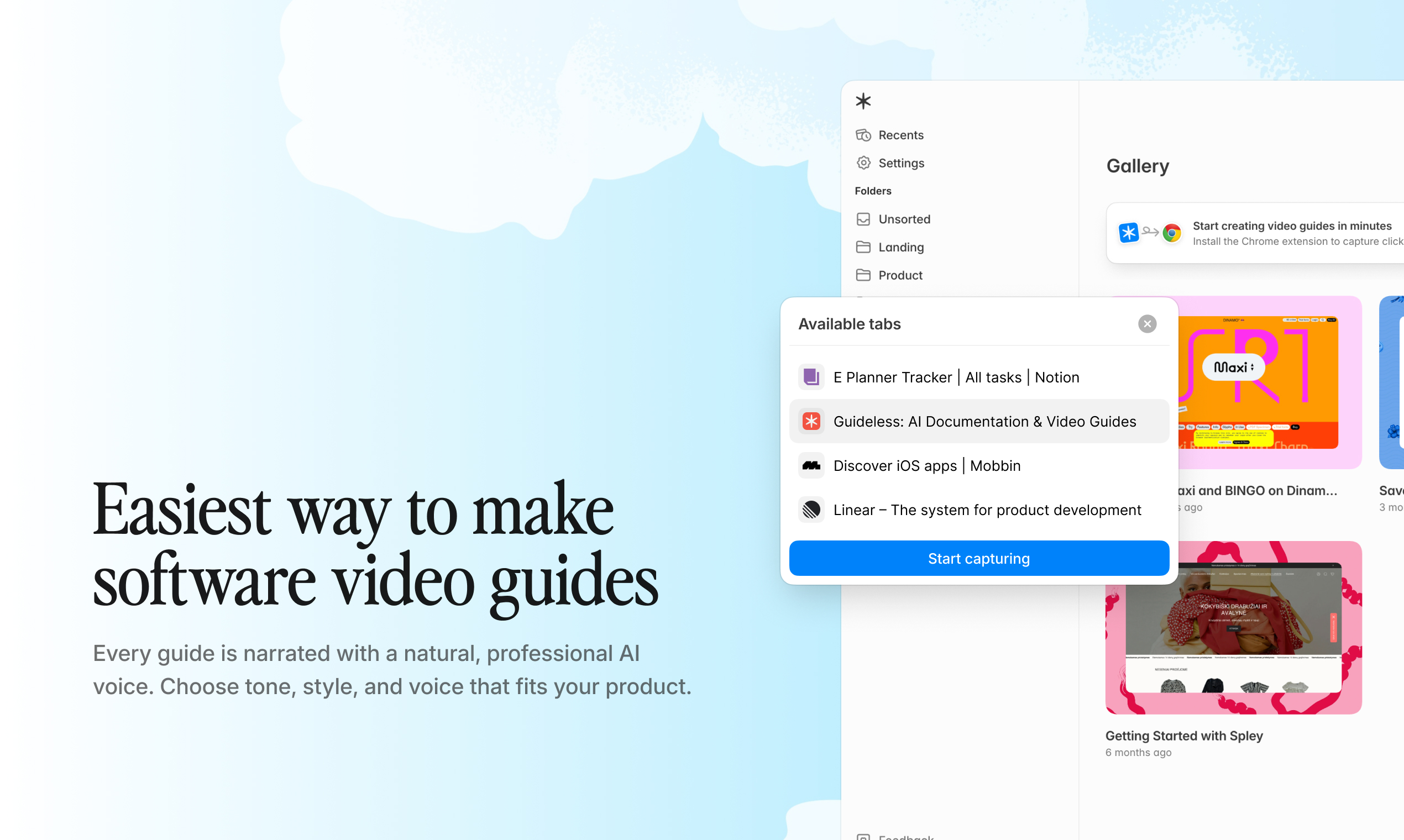
Example: capturing a workflow with Guideless
Generate script and narration
Once capture is complete, AI analyzes the recorded steps and generates clear, action-based instructions for each one. You can review and adjust the wording, reorder steps, or remove anything unnecessary.
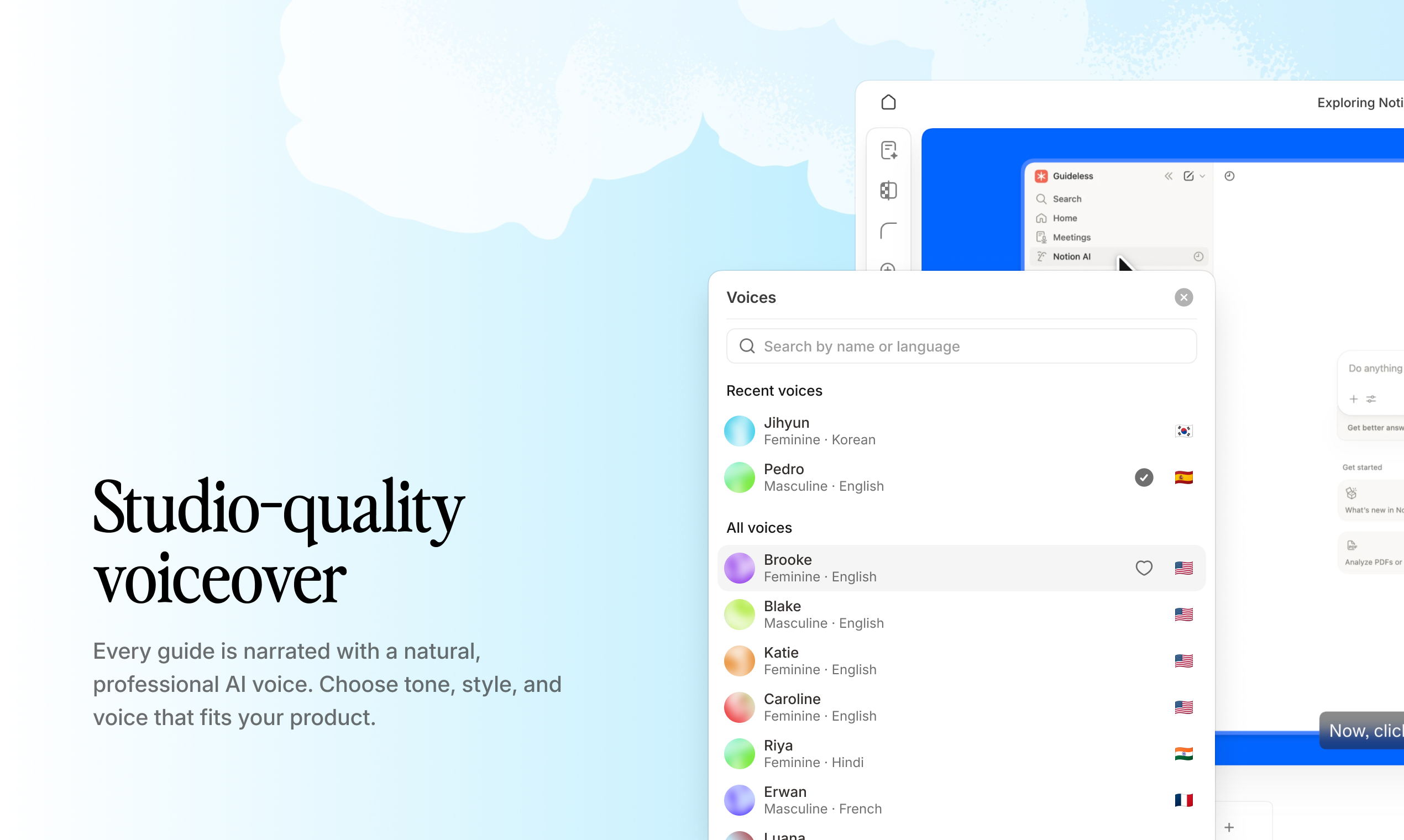
Example: selecting AI voiceover in multiple languages with Guideless
Many tools allow you to add AI voiceover, but with Guideless, you can generate it instantly in 50+ languages from a single recording.
Publish and share
The output is a polished guide ready for distribution. You can copy a shareable link, embed the guide in documentation tools, or export it as an MP4 or GIF.
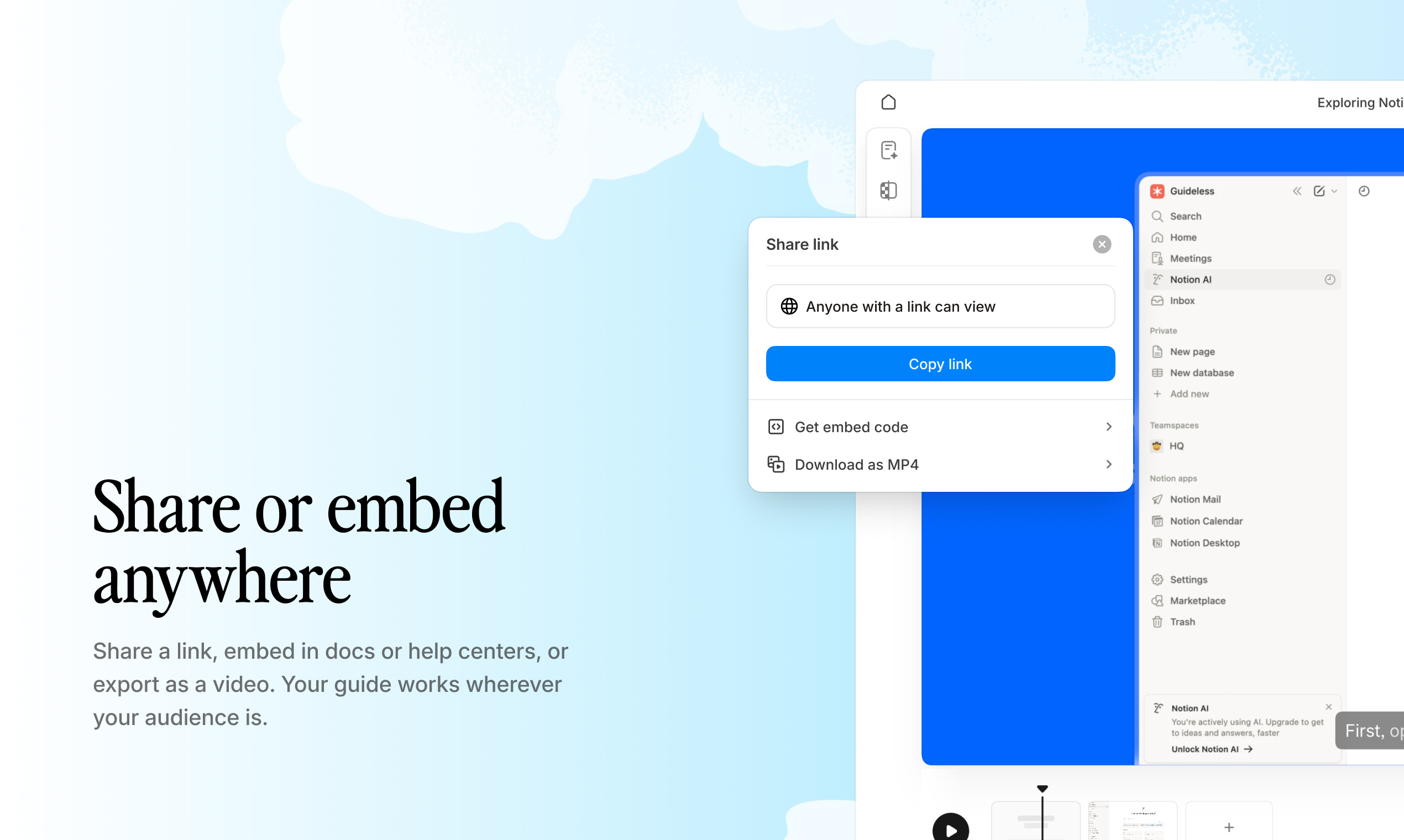
Example: instantly sharing a guide via link or embed with Guideless
When workflows change, you don’t need to start from scratch - you can update individual steps without re-recording the entire tutorial.
This is what makes automatic tutorial builders fundamentally different from traditional documentation tools - they scale with your product instead of falling behind it.
Key features of an effective tutorial creator
Not all automatic tutorial builders offer the same level of automation. When evaluating tools, focus on features that reduce both creation time and ongoing maintenance - especially if you're scaling documentation across teams.
Screen capture and step detection
Automatically turns user actions into structured steps without manual splitting or labeling. This is the foundation of any scalable documentation workflow and a key part of modern documentation AI systems.
AI-generated voiceover
Generates natural narration directly from recorded steps, removing the need to record audio manually.
With tools like Guideless, voiceover can be added instantly and localized into 50+ languages - making it easier to create documentation for global teams without additional effort.
Branding and customization
Allows you to apply logos, colors, and visual styles to match your company identity. You can also edit scripts or reorder steps without re-recording, which is essential for keeping guides accurate as workflows change.
Multi-language support
Enables you to create guides in multiple languages from a single recording - a key requirement for global teams and products with international users.
You can see how multilingual documentation impacts user experience in platforms like Zendesk, where localized support content helps reduce friction and support load.
Guideless supports 50+ languages, making it easy to scale documentation without duplicating work.
Analytics and engagement tracking
Provides visibility into how users interact with your guides, including views, drop-off points, and completion rates.
These insights help teams identify what works, improve weak points, and continuously optimize their documentation.
The difference becomes even clearer when you compare manual tutorial creation with automatic tutorial builders side by side:
| Feature | Manual screen recording | Automatic tutorial builder |
| Step detection | Manual | Automatic |
| Script writing | Manual | AI-generated |
| Voiceover | Record yourself | AI narration |
| Update process | Re-record entire video | Edit steps individually |
| Time to create | Hours | Minutes |
Automatic tutorial builder vs user guide software vs knowledge base tools
Teams often look at automatic tutorial builders alongside user guide software and knowledge base tools. While they solve similar problems, they approach documentation very differently.
Automatic tutorial builders
Designed to capture real workflows and turn them into step-by-step guides automatically. Instead of writing documentation manually, you perform a task once and the tool generates a structured, shareable tutorial.
This approach is ideal for fast-changing products, onboarding flows, and support documentation that needs to stay up to date. Tools like Guideless take this further by adding AI narration and multi-language support, making guides easy to scale across teams and users.
User guide software
User guide software focuses on creating structured, written documentation — usually with predefined templates, sections, and formatting.
These tools are useful when you need formal documentation, but they still rely heavily on manual input. Creating and updating guides can take significant time, especially when workflows change frequently.
Knowledge base tools
Knowledge base platforms are designed to organize and store documentation in one central place, often as part of a help center.
They work well for publishing content and enabling self-serve support, but they don’t solve the core problem of creating documentation. Teams still need to write, record, or assemble content before publishing it.
Key difference
The main difference comes down to how documentation is created.
- Knowledge base tools help you store and organize documentation
- User guide software helps you write and structure documentation
- Automatic tutorial builders help you generate documentation automatically from real workflows
For teams looking to scale onboarding, support, and product education, this shift from manual creation to automated generation is what makes the biggest impact.
When to use an AI tutorial maker
Automatic tutorial builders are most valuable when you're explaining software workflows that change frequently and need to scale across users, teams, or customers. They are especially useful for teams looking to create documentation and improve onboarding without increasing manual work.
Employee onboarding and training
Replace static SOPs like Confluence pages with visual guides that show exactly what to do.
According to Gallup, only 12% of employees strongly agree their organization onboards well. Visual, step-by-step workflows that new hires can revisit anytime - without scheduling live sessions - make onboarding faster, more consistent, and easier to scale.
Customer onboarding
Enable self-serve product education so customers can get started without waiting for a call. Learn more about accelerating customer onboarding with AI-narrated guides. With 55% of people returning products they didn't understand how to use, this reduces dependency on customer success managers and shortens time-to-value.
Support documentation
Turn repetitive support questions into reusable video answers.
According to Zendesk, 69% of customers prefer resolving issues on their own. Embedding guides directly into your help center improves support documentation and reduces incoming tickets.
Feature announcements
Explain new functionality without relying on webinars or long release notes. Instead, share short, visual walkthroughs that guide users through new features step by step - making adoption faster and reducing confusion.
Start by turning one frequently asked question into a reusable guide.
Best practices for creating effective tutorials
Even the best automatic tutorial builder can’t fix unclear communication. While the tool handles the technical side, the quality of your documentation still depends on how clearly the workflow is presented.
Use one action per step
Each step works best when it focuses on a single action, such as one click, one input, or one decision. When multiple actions are grouped together, tutorials become harder to follow and much harder to update later.
Keep language simple and direct
Write for the user’s task, not your internal terminology. Use clear verbs like click, select, enter, and navigate. This makes tutorials easier to understand and improves the overall quality of your support documentation and onboarding content.
Update guides when workflows change
Tutorials lose value quickly when the product no longer matches the instructions. Tie guide reviews to product updates or release cycles so your documentation stays accurate, useful, and trustworthy.
With tools like Guideless, updating individual steps is much easier than re-recording an entire workflow, which makes ongoing maintenance far more realistic for fast-moving teams.
Who benefits from an automatic tutorial builder
Automatic tutorial builders are used across teams, but the core value is the same - turning workflows into reusable, scalable documentation.
- Product teams — explain features and reduce onboarding friction without creating bottlenecks
- Customer success — scale customer education and onboarding without adding headcount
- Support teams — turn repetitive questions into self-serve guides and reduce ticket volume
- Operations — document internal processes as a single source of truth
- Enablement and training - deliver consistent knowledge across distributed teams and partners
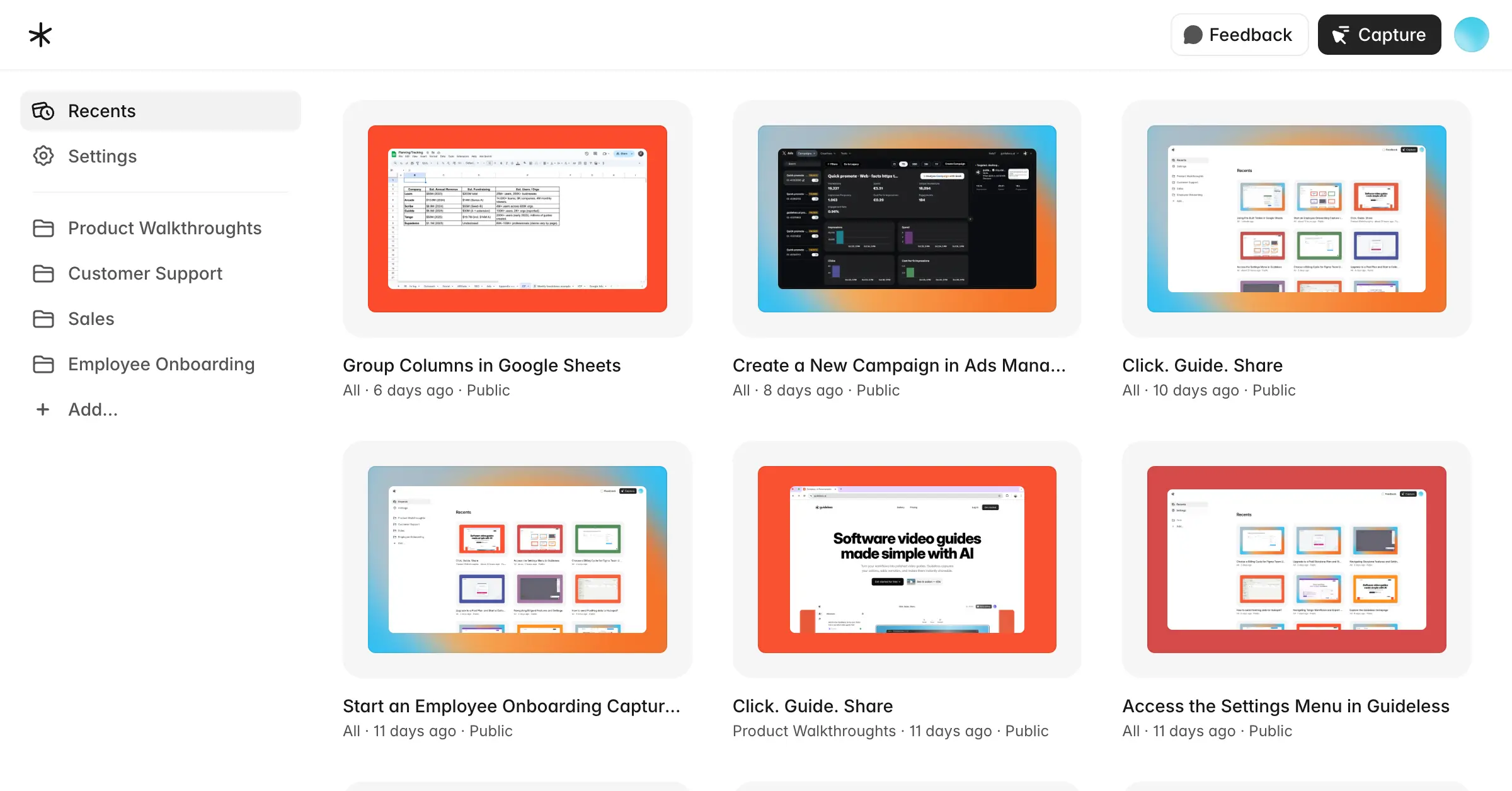
With tools like Guideless, each of these teams can create documentation once and reuse it across onboarding, support, and training - without manual rework.
Scalable workflow guides with Guideless
Guideless helps teams create documentation, onboarding guides, and product tutorials in minutes - by turning a single workflow into a polished, narrated guide automatically.
Instead of recording, editing, and maintaining tutorials manually, you capture a process once and reuse it across onboarding, support documentation, and training. The output includes AI voiceover, captions, branding controls, and analytics to track engagement.
You can share guides via link, embed them in documentation tools, or export as video - making it easy to deliver the right information exactly where users need it.
When workflows change, you don’t need to start from scratch. With Guideless, you can update individual steps without re-recording the entire guide - keeping your documentation accurate without additional effort.
Create your first guide in minutes and see how much time you can save.
FAQs about automatic tutorial builders
What formats can an automatic tutorial builder create?
Most tools create video guides, step-by-step documentation with screenshots, GIFs, and embeddable content. The exact formats depend on the tool, but the goal is the same - making workflows easy to share and reuse.
How long does it take to create a tutorial?
Most tutorials can be created in minutes by recording a workflow once. This is significantly faster than manual documentation or traditional screen recording, which can take hours.
Can tutorials be updated after publishing?
Yes. Automatic tutorial builders allow you to edit individual steps, update scripts, and re-publish guides without re-recording the entire workflow. Tools like Guideless make this especially easy for fast-changing products.
Do automatic tutorial builders support multiple languages?
Many tools support AI translation or multi-language voiceover from a single recording. Guideless supports 50+ languages, making it easier to create documentation for global teams and users.