Key takeaways:
- Product launch videos should always aim to show, rather than tell, and need a clear core message, plus a hook to catch the viewer's interest.
- Recorded walkthroughs (including with narration), before and after videos, or 15-second teasers combined with a longer explanation video are all successful formats to try for your product launch video.
- The biggest product launch video mistake is to try to include too much and end up with a confused message and unclear narrative.
Launching a new product can be done in multiple ways: an update list, newsletter, blog, or social media post. But video gives you something these formats often can’t: the ability to show the product in action within seconds.
Videos, on the other hand, can showcase the product in action in just a few seconds and provide a much more engaging format. This allows viewers to see for themselves if it’s something they want to explore further.
So, in this guide we’ll discuss what actually makes a product launch video effective, including going over 4 product launch video examples. We’ll also share product launch video ideas and show you how to make a product launch video without needing a big production budget or dedicated video team.
What makes a product launch video effective?
To make your product launch video effective, do your best to stick to the following features that most quality videos share:
- Show, don’t tell. Instead of relying on a voiceover to list benefits over generic stock footage, let the product shine by showing it in action right from the start. This is especially relevant for SaaS product launch videos, where audiences want to see the user interface and functionality immediately so they can evaluate if it meets their needs.
- Lead with a hook. Make sure viewers know what’s new and why it’s important within the first 10 seconds. Long logo animations and mission statements can lead to viewers clicking away before they even get to the good stuff.
- Focus on one core message. A launch video should effectively communicate a single idea. Trying to cram in three or more features usually backfires because there just isn’t enough time to give each one the attention it deserves.
- Keep it appropriate in length. Teasers for new features should ideally be between 30 to 60 seconds, while a full platform launch can be longer – just make sure every second counts.
These four best practices often work hand in hand. When a video showcases the product in action right from the start, focusing on a single message, it usually ends up being the perfect length anyway, because there’s simply no room for unnecessary filler.
4 product launch video examples that work
The right approach to making a launch video largely depends on the product you’re showcasing. For instance, a brand-new platform will likely require space to make its case and convince people it is worth their money. On the other hand, if you’re highlighting a single feature within an existing product, you’ll want to keep it quick and to the point. Here are a few examples to spark your creativity.
SaaS product launch videos (new tool or platform going live)
Figma – “What’s Figma?” (watch)
- Opens by highlighting a common struggle that many design teams have come to see as part of the job – jumbled files and sluggish handoffs. This definition of the problem is prioritized instead of any flashy logo animations or lengthy feature rundowns.
- Keeps it brief by opting for sleek, minimal UI animations over a lengthy product tour. This ensures that the key message hits home before viewers’ minds start to wander.
Feature launch videos (a single new capability inside an existing product)
Airtable – Omni, from “Introducing a New Generation of Airtable” (watch)
- The video is centered around one new capability, Omni, rather than a list of smaller updates. Omni is an AI agent that builds inside Airtable on request.
- The video shows the agent solving real, unscripted-looking problems on screen, so the capability’s value is obvious even without the voiceover.
Update/release videos (a major product update or new version)
Notion – “Introducing Notion 3.0: Agents” (watch)
- The video is part of a numbered release the audience already recognizes from 1.0 and 2.0, so it doesn’t need to spend any time explaining what kind of update this is.
- Provides a practical workflow, clearly outlining what the update entails. There’s no fluff here, like logo animations, to distract from the message and practical illustration.
App and mobile product launches
Duolingo – “Introducing Duolingo Math” (watch)
- Designed as a quick, vertical clip, the video reflects the way people typically find new apps and features on their devices.
- It completely relies on the product’s established visual style and tone, making the launch feel like a natural extension of a brand that users already know.
Product launch video ideas you can reuse
You don’t need a new format for every launch. In fact, just a handful of proven approaches will cover most situations. Here they are:
- Screen-recorded walkthroughs. Capture the workflow in real-time, without any staging. If the interface is intuitive enough, you can even skip a voiceover altogether. Sometimes, quick screen recordings set to music can carry a video on their own.
- Narrated demos. Here you add a voiceover that guides viewers through the workflow, explaining the reasoning behind each step. This is the go-to format for most feature launches, and for good reason: it’s quick to produce and easy to follow. Plus, the voiceover gives an added sense of professionalism.
- Before/after comparisons. Show the old, slower way first, then contrast it with the new one. This approach is especially effective when the launch focuses on reducing friction.
- Teaser + full explainer pairing. Create a 15-second teaser for social media that highlights the most impressive moment, and pair it with a longer explainer on the product page or in-app for those who want to dive deeper.
How to make a product launch video (without hiring a video team)
If you don’t have a large budget, don’t worry – you can absolutely create a great launch video. All it takes is a strong message and a workflow designed to engage your audience.
- Script the core message first. Write a single sentence that conveys the message clearly and succinctly. Everything in the video should revolve around it. Take time to work on this message's wording so it is memorable and catchy.
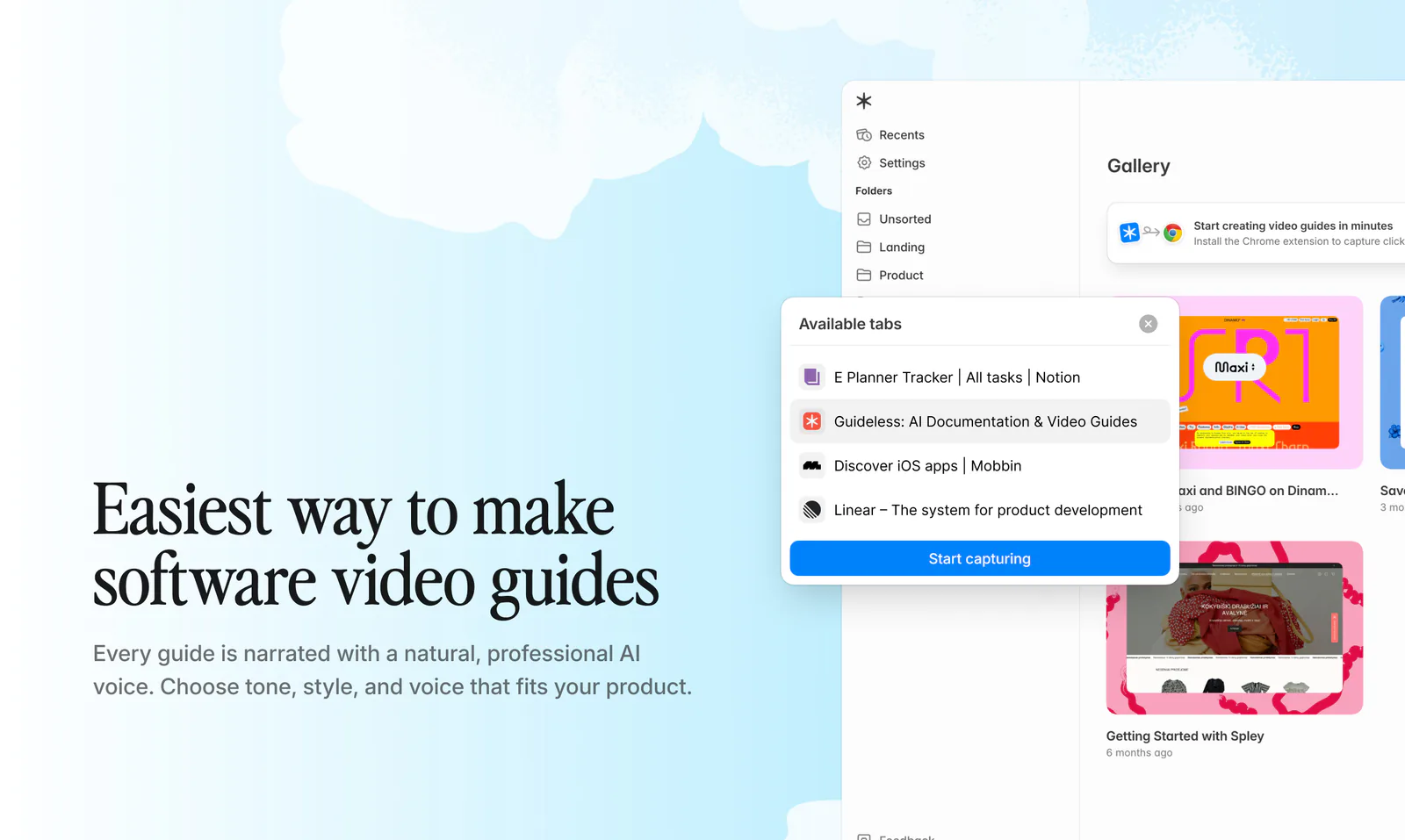
- Record the actual workflow. Perform the task just like a real user would in the product. Avoid overly rehearsed or staged performances, and instead move through at a natural pace. This will add credibility to your video. With Guideless, you can record the workflow directly as you complete it, then turn that recording into a polished video guide.
- Add narration. Explain what’s happening as it happens. Having a voiceover is not a strict requirement, and a very simple workflow may not need one. But voiceovers definitely help, especially if you don’t have a big budget for striking visuals. Guideless can generate narration for the recorded workflow, so you don’t need to record the voiceover separately.
- Keep it under 90 seconds. A launch teaser must hook viewers in the first few seconds, or you risk losing their interest. If it takes longer to get the point across, you’re probably trying to tackle too much.
Guideless brings these steps into one workflow. Record your product as you use it, then turn the recording into a narrated, captioned, on-brand product launch video without separate scripting, voiceover recording, or manual editing. That removes much of the work that can turn a “quick” launch video into a much longer project
Common mistakes in product launch videos
Before we wrap up, here are 4 common mistakes to avoid when making your product launch video:
- Trying to cover too many features at once. A launch video that tries to introduce several new features or benefits usually leaves viewers unable to remember or describe any of them afterward.
- Leading with company narrative instead of the product. A founder’s backstory or a mission statement before the product appears on screen costs the video its first, most valuable seconds.
- No clear next step. A viewer who’s convinced still needs to be told where to go next. So be sure to include a link, button, or specific action. Otherwise, the momentum the video has built gets lost.
- Running too long for a launch teaser. A launch video isn’t a demo. If it needs three minutes to make its case, it’s probably trying to do the demo video’s job as well as its own.
Most of these mistakes come from the same instinct: wanting the launch video to do more work than it needs to. The fix is almost always to cut anything that is not essential, and to remain disciplined with how much you want to cover.