Top 10 SOP Tools in 2026 (AI-Powered) + Why Guideless Leads

Most SOP tools help you document processes. Few help you create them fast enough to keep up.
The top SOP tools for small teams in 2026 are Guideless, Scribe, Process Street, Tango, Trainual, SweetProcess, Whale, Tallyfy, Guidde, and Waybook. Each takes a unique approach: some capture workflows automatically, others manage checklists, or focus on training. For small teams, the right tool depends on speed, automation, and ease of use. Guideless stands out by instantly turning browser workflows into AI-narrated video guides with no recording setup, scripting, or editing needed. For teams lacking dedicated documentation staff, the ability to publish SOPs quickly is a major benefit.
We reviewed these 10 tools by evaluating how they help small teams create SOPs, focusing on ease of setup, AI features, output quality, and pricing.
What should small teams look for in an SOP tool?
Most small teams don’t have a documentation specialist. The best SOP tool lets anyone capture a process, create clear, shareable results, and remain affordable as the team grows.
Key criteria to evaluate:
- Speed of creation: Can you document a process and finish an SOP in minutes?
- AI automation: Does the tool help write, narrate, or organize your SOPs?
- Output format: Does the tool offer video guides, written steps, checklists, or a combination?
- Ease of updates: Can you update an SOP easily when the process changes?
- Pricing for small teams: Is the tool affordable for teams of 5-20 people?
Using these criteria, we evaluated which tools make SOP creation fast, scalable, and easy to maintain.
The 10 best SOP tools for small teams in 2026
1. Guideless: Best for AI-narrated video SOPs
Guideless creates narrated video guides directly from browser workflows, offering a unique advantage in speed and automation. After installing the Chrome extension, you simply click through a process. Guideless then automatically generates the script, adds an AI voiceover, and assembles a polished guide without requiring manual setup or editing, making SOP creation especially fast and efficient.
Every guide includes AI narration by default, with 50+ voices in various languages. Add your brand’s style and share guides by link, embed, or MP4. You can update guides without re-recording.
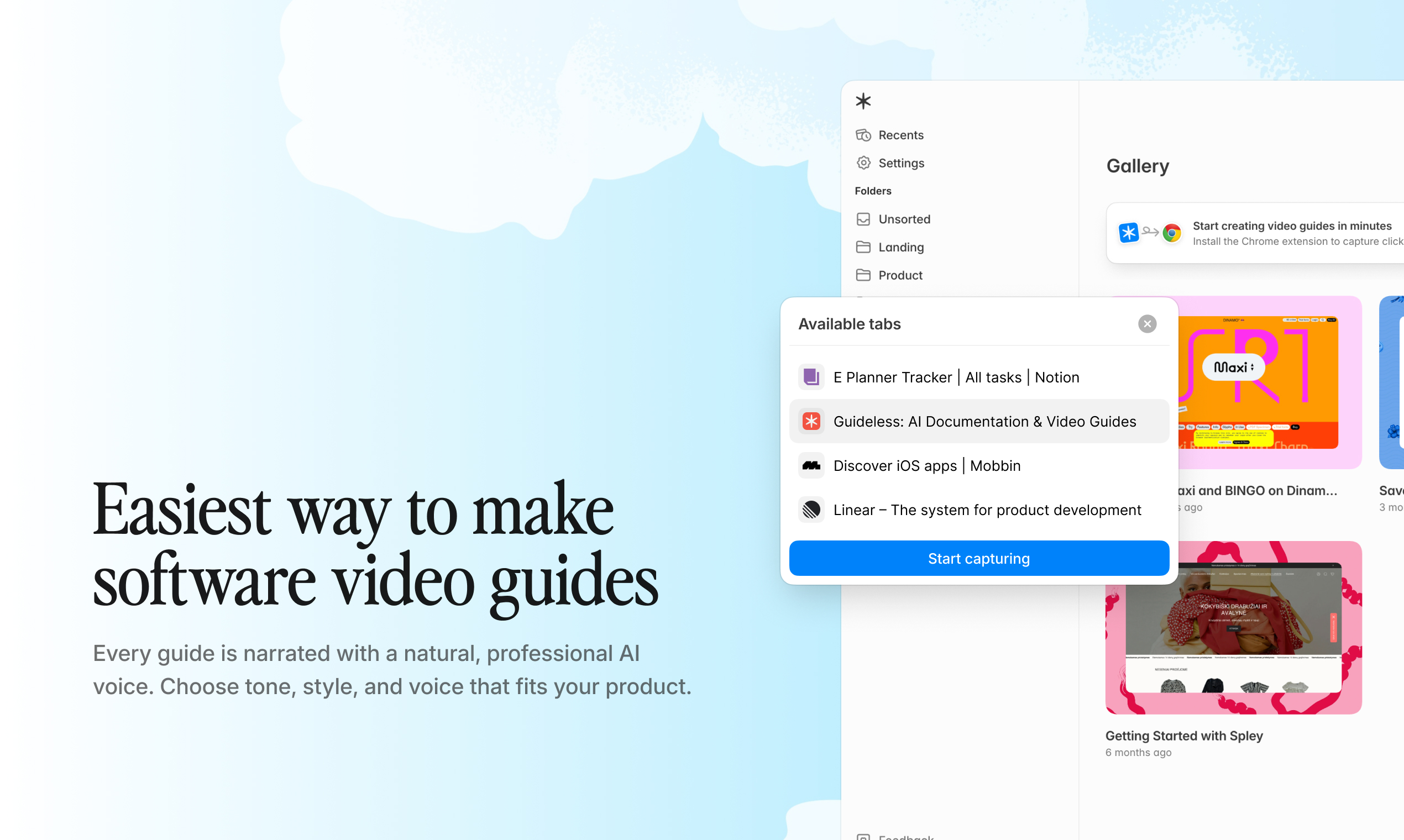
Pricing: Free plan (3 guides), Pro at $29/user/month. Best for: Customer onboarding, product walkthroughs, employee training, and support documentation.
"Seeing our onboarding workflow run inside Guideless made its potential clear. We can scale customer education without more support hires." — Matas Malinauskas, Founder & CEO, ForgetBill
Try creating your first SOP with Guideless in minutes, no setup or editing required
2. Scribe: Best for screenshot-based written SOPs
Scribe tracks your clicks and instantly auto-generates step-by-step guides with annotated screenshots. Its core advantage is the ability to rapidly produce clean, export-ready text documentation in formats such as PDF, HTML, or Markdown.
Scribe is ideal for teams preferring written documentation. Pro plans add desktop capture, branding, and redaction. The Workflow AI feature helps teams refine processes.
Pricing: Free plan (browser only), Pro from $23/user/month. Best for: Internal wikis, training manuals, compliance documentation.
3. Process Street: Best for compliance-driven SOPs
Process Street is a compliance operations platform that turns SOPs into interactive checklists with conditional logic, approvals, and task assignments. Its main advantage is strict process enforcement, with built-in completion tracking, audit trails, and automated compliance.
Unlike most competitors, it also includes audit logs and compliance monitoring through Cora AI, making it particularly strong in regulated environments.
Pricing: From $100/month. Best for: Regulated industries, audit-ready documentation, approval workflows.
4. Tango: Best for quick browser documentation
Tango captures browser workflows as step-by-step screenshots with written instructions. Its key advantage is simplicity: the free tier allows up to 15 workflows, ideal for small teams just getting started with documentation.
Tango focuses on simplicity: capture, edit, and share screenshot-based guides. It does not create video or audio guides.
Pricing: Free (15 workflows), Pro from $15/user/month. Best for: Quick how-to guides, lightweight process capture.
5. Trainual: Best for training-focused SOPs
Trainual combines SOP documentation with employee training delivery. Its main advantage lies in creating, assigning, and tracking training materials within a single platform, while AI drafting accelerates content development from outlines.
It’s more than an SOP tool; it’s a training management system. Pricing starts at $249 per month for up to 25 people.
Pricing: From $249/month (up to 25 users). Best for: Employee onboarding, training programs, and knowledge management.
6. SweetProcess: Best for policy and procedure management
SweetProcess is designed for documenting procedures and policies, emphasizing version control and approval workflows. Its strength lies in managing structured, text-based SOPs with clear ownership and process history.
Pricing: $99/month for 20 users, $5 per additional user. Best for: Procedure libraries, policy management, and team accountability.
7. Whale: Best for SOP distribution and knowledge sharing
Whale's distinctive advantage is its integrated approach to SOP distribution, training workflows, and analytics. By combining AI-assisted drafting, browser-based screen recording, and detailed read-tracking, teams ensure everyone reviews and aligns on key procedures.
Pricing: From $99/month for 10 users. Best for: Knowledge distribution, onboarding flows, team alignment.
8. Tallyfy: Best for workflow automation
Tallyfy automates recurring workflows and tracks SOP completion in real time. Its key advantage is turning documentation into actionable tasks, improving execution with deadlines and assignments so teams focus on completing processes, not just recording them.
Pricing: Full seats at $300/year, Light seats at $100/year. Best for: Recurring process automation, task tracking, operational visibility.
9. Guidde: Best for detailed AI video tutorials
Guidde creates AI-generated video documentation from browser workflows, offering more granular editing features than Guideless. Its editor enables detailed customization, giving teams precise control over format and branding. The detailed workflow may result in longer guide creation compared to automated-first tools.
Pricing: From $16/user/month. Best for: Teams that need fine-grained control over tutorial styling and structure.
10. Waybook: Best for team knowledge management
Waybook unifies SOPs, training content, and company knowledge. Unlike process capture tools, it emphasizes structured content creation and is scalable onboarding, but requires manual workflow documentation.
Pricing: From $83/month for 20 users. Best for: Company knowledge bases, structured onboarding programs.
How do these SOP tools compare in terms of pricing and features?
Here’s a side-by-side breakdown of how each SOP tool compares across pricing, AI capabilities, output formats, and automation.
| Tool | Pricing | AI features | Output format | Auto-capture |
| Guideless | Free / $29/user/mo | Scripting, narration, highlights | Video, link, embed, MP4 | Yes (browser) |
| Scribe | Free / $23/user/mo | Text generation, Workflow AI | Text, PDF, HTML, Markdown | Yes (browser + desktop) |
| Process Street | $100/mo | Compliance agent (Cora) | Checklists, workflows | No |
| Tango | Free / $15/user/mo | None | Screenshots + text | Yes (browser) |
| Trainual | $249/mo | AI drafting | Training modules | No |
| SweetProcess | $99/mo | None | Text procedures | No |
| Whale | $99/mo (10 users) | AI drafting | Text, training flows | Yes (browser) |
| Tallyfy | $100/yr per seat | None | Workflow tasks | No |
| Guidde | $16/user/mo | Video generation | Video tutorials | Yes (browser) |
| Waybook | $83/mo (20 users) | AI drafting | Text, knowledge base | No |
If speed and automation matter most, tools like Guideless clearly stand out. For more structured workflows, checklist-based tools may be a better fit.
This guide was created with Guideless, making SOP creation fast and effortless.
FAQs
What is the best free SOP tool for small teams?
Guideless, Scribe, and Tango offer free plans. Guideless includes AI narration on the free plan (up to 3 guides), making it the most feature-complete free video SOP option. Scribe’s free plan covers browser capture with text output only. Tango offers 15 free workflows without video or narration.
Do small teams need video SOPs, or are written SOPs enough?
It depends on the process. Visual, multi-step workflows, especially in software, are easier to follow when narrated as a video guide. Simple procedures work well as written SOPs. Tools like Guideless automate video SOPs, so you get video benefits without extra production.
How often should small teams update their SOPs?
Update SOPs whenever the process changes. With auto-capture tools like Guideless, Scribe, and Tango, updating is quick—you just recapture the workflow rather than edit every step. For most teams, reviewing SOPs quarterly helps catch changes early.
Can SOP tools help with customer-facing documentation?
Yes. Guideless and Guidde create branded, shareable video guides for external audiences for onboarding and product education. Scribe and Tango generate shareable links for help centers. Process Street, Trainual, and SweetProcess are mainly for internal use.