Scribe is effective until you reach the free plan limits or find that screenshots do not suffice for complex workflows. At this stage, many teams seek more flexible alternatives that do not require a subscription.
This guide reviews nine free Scribe alternatives for training documentation, including tools for AI-narrated video walkthroughs, screenshot-based guides, and interactive in-app tutorials.
What is Scribe
Scribe (also called ScribeHow) is a browser extension that automatically captures your screen actions and turns them into step-by-step text guides with annotated screenshots. You click through a workflow in your browser, and Scribe generates a document that shows each step, with highlighted areas and written instructions.
Teams commonly use Scribe for SOPs, process documentation, and internal training materials. It is well-suited for browser-based workflows and exports content as PDFs or shareable links. For those seeking more dynamic solutions, AI-powered documentation tools can automate workflows more efficiently.
Why teams look for free Scribe alternatives
Popular free alternatives to Scribe include Tango for screenshot-based guides, Guideless for AI-narrated video walkthroughs, and Guidde for flexible format options. Teams often seek alternatives due to Scribe's free plan limitations and output formats that may not suit all needs.
Common reasons teams look for alternatives include:
- Screenshot-only output: Scribe produces static images with text overlays, rather than narrated video guides. Video walkthroughs often convey complex workflows more effectively.
- Free plan restrictions: Scribe’s free tier limits the number of guides, restricts export options, adds watermarks, and is limited to Chrome without desktop capture.
- No AI voiceover: Scribe does not support narrated video walkthroughs, often requiring teams to use separate tools like Loom and resulting in a fragmented workflow.
- Maintenance overhead: Updating Scribe guides requires re-recording the entire workflow when software changes, which becomes increasingly time-consuming as your documentation library expands.
What to look for in a free Scribe alternative
Before evaluating specific tools, it is important to identify the key criteria for training documentation. Not every alternative addresses the same needs, so clear priorities simplify the decision process.
Video output vs static screenshots
Some tools generate video walkthroughs, while others produce annotated screenshot guides. Video is often more effective for complex, multi-step workflows where context is important.
How-to videos achieve 74% engagement, compared to 43% for other video types of similar length. Screenshots are effective for quick reference guides where users need to identify specific actions.
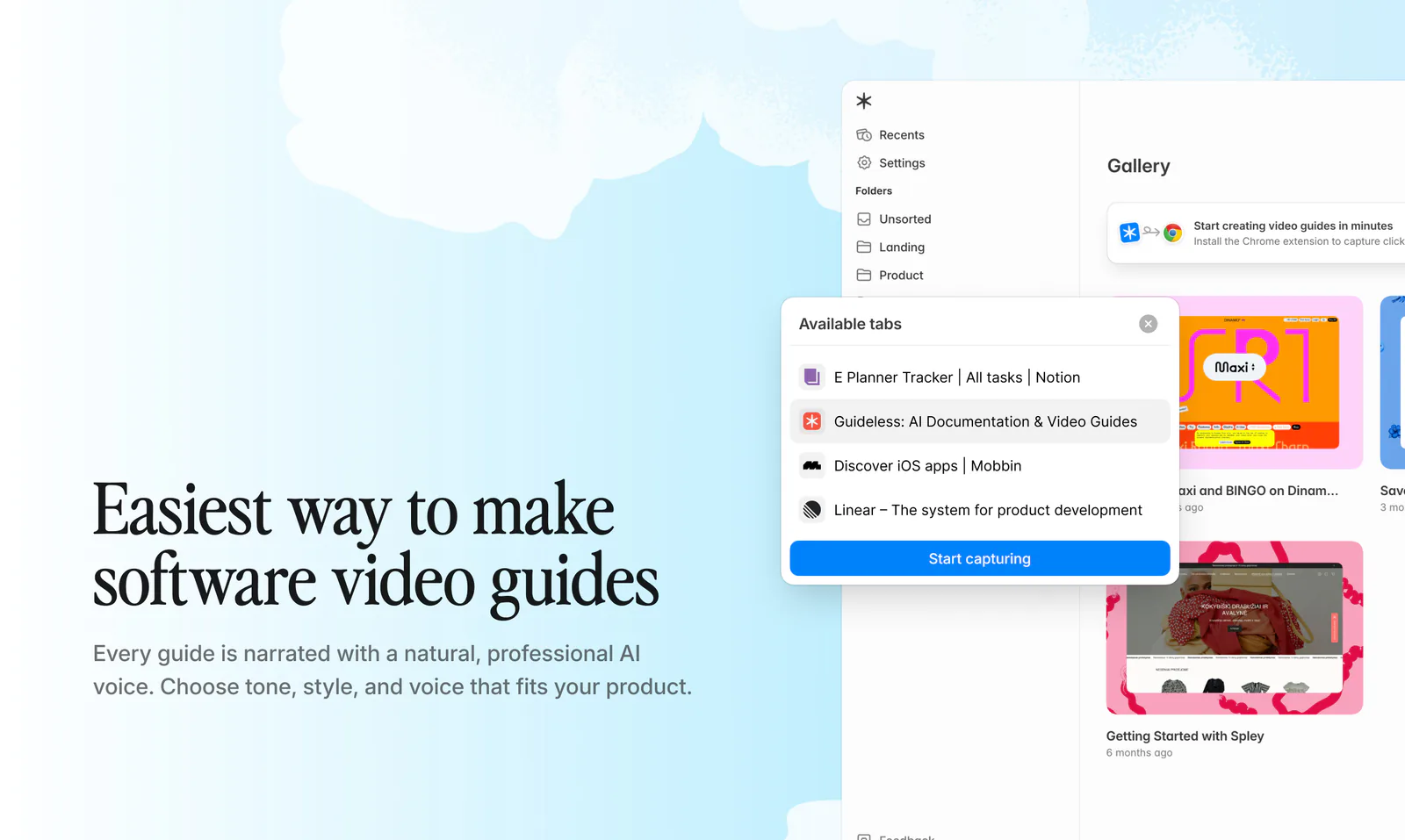
Example of a video-based workflow guide created with Guideless. Instead of static screenshots, the process is captured as a dynamic, step-by-step video with visual context.
Guideless provides narrated video output, while Tango and FlowShare focus on screenshot-based documentation similar to Scribe. The best option depends on your team’s preferred learning and information consumption style.
AI narration and multilingual voiceover
AI narration automatically generates spoken audio from your captured workflow, eliminating the need to record your voice or write a script manually.
This is especially valuable for distributed teams or non-native English speakers. According to Intercom, 35% of end users would switch to a product that offers support in their native language. Guideless, for example, provides AI voiceover in over 50 languages, eliminating the need for clear, professional guides across diverse regions.
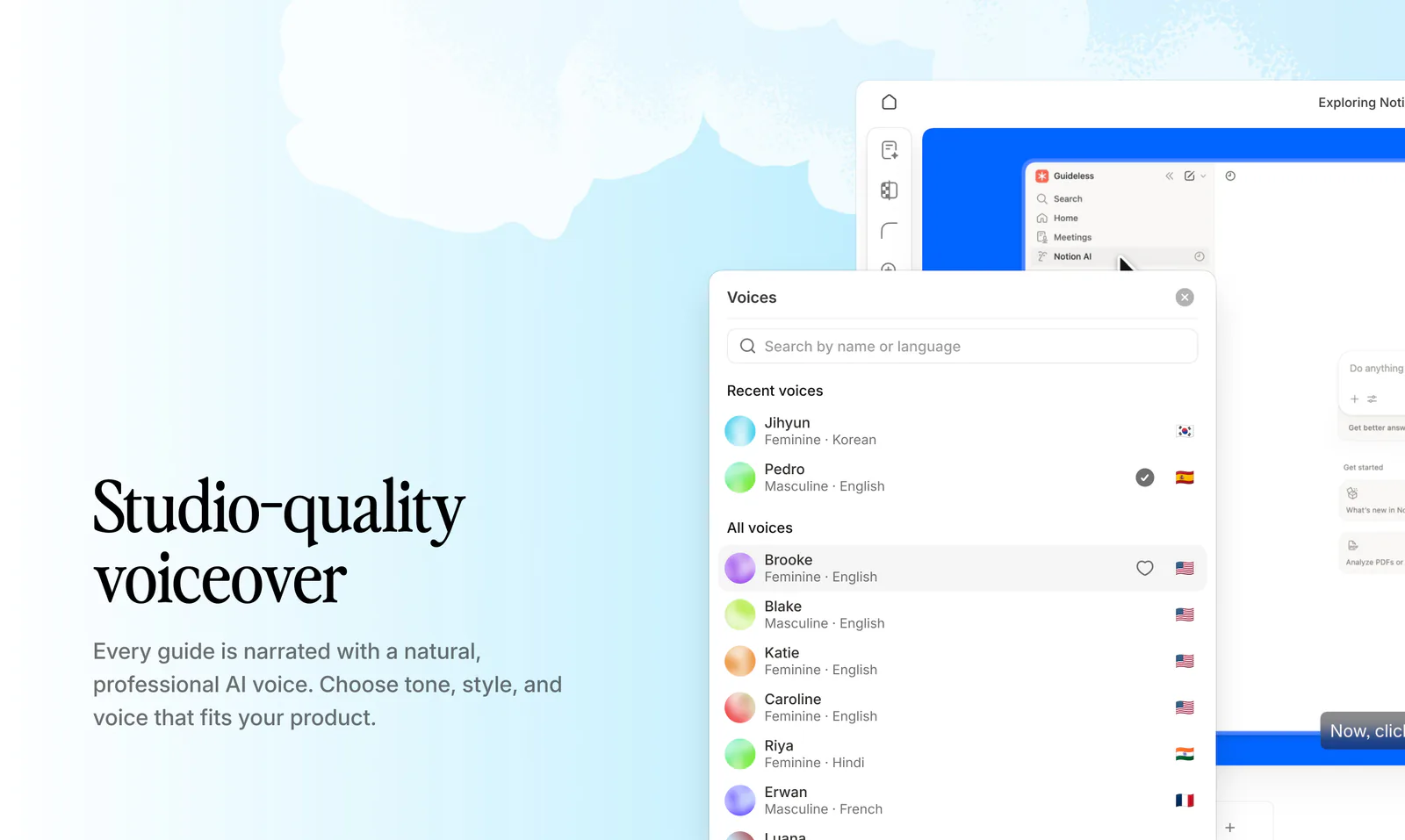
With Guideless, AI voiceover is added automatically to each step, turning workflows into clear, narrated guides without manual recording.
Free plan limits and restrictions
"Free" varies by tool. Common limitations include guide quantity, watermarks on exports, restricted export formats, limited team seats, and browser-only capture without desktop support.
Understanding free plan limits in advance helps avoid unexpected issues as your documentation scales. For example, Tango's free plan allows up to 25 guides per workspace and includes watermarks on exported PDFs. Guideless permits unlimited guide creation but limits video exports to 5 per month, with branding included. iorad's free plan restricts users to public guides only and applies watermarks to all outputs. Some tools provide generous free tiers, while others use free plans mainly as trials.
Export formats and sharing options
Consider your preferred distribution methods for guides. Common export formats include MP4 video, PDF documents, embed codes, shareable links, and GIFs.
If you embed guides in Notion, Confluence, or a help center, choose tools that support iframe embeds or direct integrations. For offline access, prioritize tools offering MP4 or PDF exports.
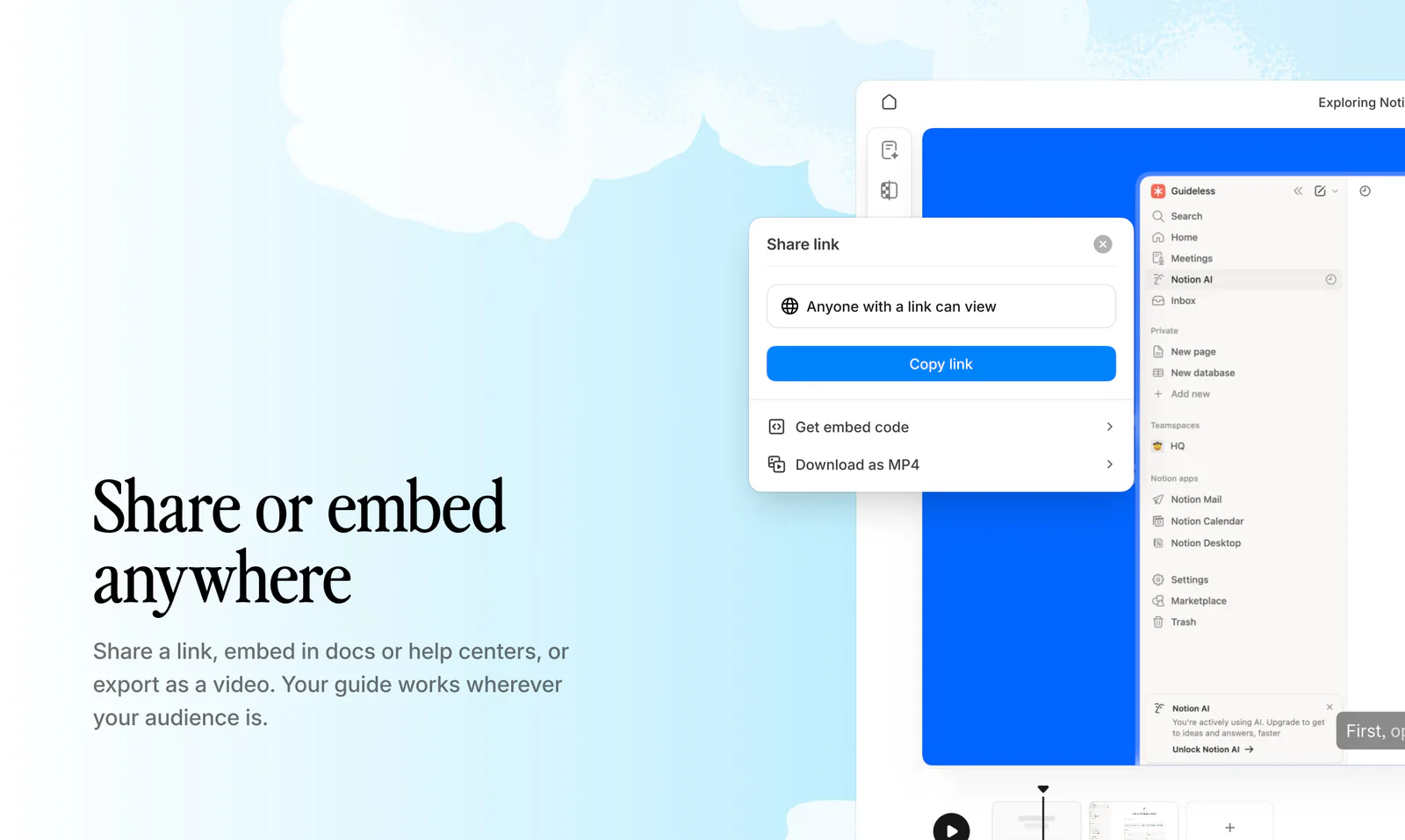
Once your guide is ready, with Guideless you can share it anywhere as a video, a link, or an embed.
Guide update and maintenance workflow
Documentation quickly becomes outdated as software evolves. The easier it is to update guides, the more likely your team will maintain them over time.
Some tools require re-recording the entire workflow for any change, while others allow editing individual steps, swapping screenshots, or updating narration. Solutions like Guideless and iorad support partial updates, letting you edit steps or quickly replace screenshots without starting over. This makes it easier for operations teams to keep documentation accurate as your product evolves. Choosing a tool with an easy update workflow can significantly reduce maintenance overhead and help ensure your guides stay up to date.
9 free Scribe alternatives for training documentation
Each tool listed below offers a free plan or trial. The best choice depends on your preferred output format and distribution method.
Guideless
Guideless transforms click-through workflows into polished, narrated video guides. Capture a process using a Chrome extension, and the tool automatically generates a script, adds an AI voiceover in over 50 languages, and assembles a branded video.
Its key differentiator is the combination of browser capture with studio-quality AI narration, requiring no recording setup, scripting, or editing.
The free plan allows guide creation and sharing via link. Guideless is ideal for teams seeking video walkthroughs with professional voiceover rather than static screenshots.
This video was created with Guideless in seconds automatically, without recording or editing:
Try creating your own guide in minutes
Tango
Tango is a browser extension that creates step-by-step guides with annotated screenshots. It is one of the most widely used Scribe alternatives, with over 400,000 Chrome extension installs.
Tango offers a robust free plan with a screenshot-based format similar to Scribe. It is well-suited for teams seeking SOPs that closely match Scribe’s output style.
Loom
Loom is a screen recording tool for asynchronous video messaging. Users can record their screen with an optional webcam overlay and share the resulting link.
Its key differentiator is full video capture with face-to-camera presence, which is effective for explanations that benefit from personal context. Loom offers a free plan with recording time limits. It is suitable for quick video explanations but is less structured than dedicated documentation tools.
Guidde
Guidde uses AI to generate both documentation and video walkthroughs, offering flexibility between image-based documents and video output within a single tool.
The free plan includes basic features with some limitations. Guidde is ideal for teams seeking flexibility to choose the format that best suits their needs.
FlowShare
FlowShare is a desktop application for automated screenshot capture. Unlike browser extensions, it works with any software on your computer, not only web applications.
The free plan includes basic features. FlowShare is effective for documenting non-web software, such as desktop applications or local tools that browser extensions cannot capture.
Folge
Folge is a desktop application available through a one-time purchase rather than a recurring subscription. Users frequently commend its speed and intuitive interface.
A free version is available, and the paid version requires only a one-time purchase. Folge is suitable for teams seeking to avoid ongoing subscription costs.
iorad
iorad creates interactive tutorials with multiple export formats and integrates with various platforms and learning management systems.
The free plan includes basic features with limitations. iorad is effective for teams embedding guides across multiple platforms or using LMS systems for training delivery.
Trainual
Trainual is an all-in-one training and onboarding platform that combines documentation with management features such as progress tracking and role assignments.
A free trial is available. Trainual is ideal for teams seeking structured employee onboarding with features for tracking completion and assigning content by role. HR leaders may also explore other onboarding software options to compare platforms.
UserGuiding
UserGuiding is a product adoption platform that creates interactive guides within your product. With an average activation rate of 37.5% across SaaS products, in-app walkthroughs help improve adoption by providing tooltips, checklists, and walkthroughs directly within the application, rather than relying on external documentation.
The free plan includes basic features with limits. UserGuiding is well-suited for SaaS teams seeking in-app user onboarding and product tours.
Free ScribeHow alternatives comparison
To make the comparison easier, here’s a quick overview of the most popular free Scribe alternatives.
Instead of reading through each tool in detail, you can scan this table to quickly understand the key differences, especially in output format, AI capabilities, and free plan limitations.
This helps you narrow down options based on what actually matters: whether you need video, screenshots, or interactive guides.
| Tool | Output Type | AI Narration | Free Plan | Best For |
| AI video walkthroughs | Yes | Yes | Fastest way to create training content | |
| Tango | Screenshot | No | Yes | Screenshot-based SOPs |
| Loom | Video | No | Yes | Quick video explanations |
| Guidde | Video + Screenshot | Yes | Yes | Flexible format options |
| FlowShare | Screenshot | No | Yes | Desktop applications |
| Folge | Screenshot | No | Lifetime license | Avoiding subscriptions |
| iorad | Interactive | No | Yes | Multi-platform embedding |
| Trainual | Mixed | No | Trial | Employee onboarding |
| UserGuiding | Interactive | No | Yes | In-app product tours |
As you can see, not all Scribe alternatives solve the same problem.
Some tools focus on speed and simplicity (like screenshot-based SOPs), while others prioritize engagement and scalability with video or interactive formats.
The biggest decision comes down to this:
- Do you need quick internal documentation, or
- Scalable training content that people actually watch and understand?
In the next section, we’ll break down how to choose the right tool based on your specific use case.
How to choose the right free Scribe alternative
Your choice depends on your preferred output format and distribution method. Consider the following decision framework:
- Videos with AI voiceover: Guideless or Guidde both generate narrated videos from captured workflows.
- Screenshot-based SOPs, similar to Scribe: Tango or FlowShare, produce annotated screenshot guides in a familiar format.
- In-app interactive walkthroughs: UserGuiding creates guides that appear inside your product rather than as external documentation.
- Desktop application documentation: Folge or FlowShare both work outside the browser for capturing non-web software.
- Comprehensive training management: Trainual combines documentation, progress tracking, and role-based assignments.
If you are unsure where to start, consider the preferred output format. Determine whether your users learn better from video or screenshots, as this decision will significantly narrow your options.
Build scalable training documentation with Guideless
Static screenshots are effective for simple reference guides, but complex workflows are often better communicated through video. Guideless addresses this need by converting any click-through workflow into a narrated video guide without the need for recording setup or editing.
The AI voiceover supports over 50 languages, removing barriers to producing clear guides for distributed teams. Guides can be updated by editing individual steps rather than re-recording the entire workflow, making maintenance manageable as your documentation library grows. Learn more about how modern teams use AI-powered SOPs to document and train more efficiently.
Why teams switch from Scribe to Guideless:
- No screenshots → real video guides
- No recording → auto-generated
- No voice recording → AI narration
- No editing → ready instantly
Turn your workflow into a video guide for free
FAQs About Free Scribe Alternative Options
Is there a free version of Scribe?
Yes, Scribe offers a free plan. However, it limits the number of guides you can create, restricts export options, adds watermarks, and works only in Chrome browsers without desktop capture.
What is better than Scribe for creating video guides?
Tools like Guideless and Guidde generate video walkthroughs with AI narration, which Scribe does not support natively. If you want video output rather than annotated screenshots, either alternative fits better.
Is there a Google version of Scribe?
Google does not offer a direct Scribe equivalent. Chrome extensions like Guideless and Tango provide similar browser-based capture functionality and work within the Google ecosystem.
Do Scribe alternatives integrate with Microsoft tools?
Many Scribe alternatives export to formats compatible with Microsoft tools. Some offer direct integrations with SharePoint or Teams. Check each tool's integration page for specific compatibility.
What are the main differences between free and paid Scribe alternatives?
Paid plans typically remove watermarks, increase guide limits, add team collaboration features, and unlock advanced export options, such as MP4 or branded outputs.