How SEO Teams Use Semrush Without Creating Chaos

Most SEO teams have the same problem. They buy Semrush, get excited for about two weeks, and then watch it slowly become the tool that only one person knows how to use. The rest of the team either skips it entirely, uses it wrong, or books a call with that one person every time they need something.
That is not a Semrush problem. That is a documentation and training problem.
Semrush is genuinely one of the most capable platforms in the SEO industry. It covers keyword research, competitive intelligence, site health, backlink analysis, content marketing, and more. The tools are there. The data is there. What most teams never build is a clear, repeatable process around those tools so that everyone on the team can actually use them.
In this guide, we’ll cover:
- The Semrush tools most teams actually use
- How to run a Site Audit in Semrush
- How to perform Keyword Gap Analysis in Semrush
- How to analyze backlinks in Semrush
- How to turn those process into reusable training guides with Guideless
We will walk through the Semrush tools teams use most, cover the exact workflows behind site audits, keyword gap analysis, and backlink research, and show you how to document those workflows in a way that actually scales.
When SEO Tools Become a Bottleneck Instead of a Solution
Here is a scenario that will feel familiar.
A new hire joins the SEO team. They have some experience, they understand the basics, but they have never used Semrush in depth. The onboarding involves a 45-minute Zoom call where someone shares their screen and walks through the tool. The new hire takes notes.
A month later, they need to run a site audit. They cannot remember the specific settings the team uses. They ask around. Someone sends them a Notion page with screenshots from 2022 that no longer match the current interface. They figure it out eventually, but the audit is set up slightly wrong, and nobody catches it until the reporting stage.
This happens everywhere. And it keeps happening because most teams document SEO processes the way people pack for a weekend trip, just good enough to get by, never quite right.
The bigger the team, the worse it gets. Agencies deal with this constantly. Freelancers who bring on subcontractors hit the same wall. In-house teams that grow from two to ten people almost always go through a period where Semrush knowledge lives entirely in one or two people’s heads.
The tool is not the bottleneck. The missing documentation is.
The Semrush Tools Your Team Actually Uses Every Day
Before getting into specific workflows, it helps to name the tools inside SEMrush that most teams use regularly. Because Semrush has a lot of features, and not all of them matter equally.
| Semrush Tool | Best Fo | Typical Output | Common Team Problem | How Guideless Helps |
|---|---|---|---|---|
| Domain Overview | Quick competitor analysis | Traffic estimates, top keywords, backlink overview | Different team members analyze competitors differently | Creates a repeatable competitor research workflow |
| Organic Research | SEO keyword and content research | Ranking keywords, traffic trends, top pages | Research quality depends on who runs it | Documents the exact filtering and analysis process |
| Keyword Gap | Finding missed keyword opportunities | Missing and weak keyword lists | Teams export huge keyword lists without prioritization | Shows how to filter and prioritize opportunities step by step |
| Site Audit | Technical SEO audits | Errors, warnings, crawl reports | Crawl settings and issue prioritization vary between team members | Standardizes the full SEO audit workflow |
| Backlink Analytics | Backlink audits and research | Referring domains, anchors, toxic links | Teams collect data but never build repeatable outreach processes | Turns backlink analysis into reusable SOPs |
| Backlink Gap | Competitor link opportunity discovery | Domains linking to competitors but not you | Outreach research becomes inconsistent | Makes backlink prospecting easier to repeat |
| Position Tracking | Rank monitoring and SEO reporting | Daily keyword rankings and visibility trends | Reporting setups differ by account manager | Helps standardize SEO reporting workflows |
| Traffic Analytics | Competitor traffic analysis | Traffic sources, audience and engagement data | Teams interpret traffic data differently | Creates a clearer analysis process for teams |
Most teams use five or six of these consistently. The challenge is making sure everyone on the team knows exactly how to use each one, what settings to use, and what to do with the output.
How to Run a Site Audit in Semrush
A site audit is usually the first thing a team runs on a new client or domain. It is also one of the most common sources of confusion because Semrush surfaces a lot of data and it is not always obvious what to prioritize.
Here’s the tutorial created with Guideless:
Running the audit is the easy part. Knowing what to fix first is where most teams get stuck.
Start by setting up the project correctly
When you create a new project in Semrush, you will configure the Site Audit tool before the first crawl. The two most important settings are the crawl scope and the crawl limit. You want to crawl the full domain but cap the page limit at something manageable, usually the top 20,000 pages for a medium-sized site.
Check your crawl source
You can crawl via Semrush’s own bot, Google Search Console, or a sitemap. For most audits, the default SEMrush bot is fine, but if you want to match what Google actually sees, connecting Search Console gives you more accurate data.
Once the crawl runs, go to the Issues tab
This is where most people get overwhelmed. You will see errors, warnings, and notices. Errors are the things that actually hurt rankings and should be fixed first. Warnings matter but are lower priority. Notices are informational.
Prioritize based on impact
The most common high-priority issues are crawl errors, broken internal links, pages with missing or duplicate title tags, pages blocked by robots.txt that should not be, and slow page load times.
Export the issue list and turn it into an action sheet
Semrush lets you export everything as a CSV. Most SEO teams then sort this into a spreadsheet with assigned owners and due dates. That is the SEO audit workflow that actually gets things fixed.
The key thing to understand about the Site Audit tool is that it is not a one-time task. You should run it regularly, at a minimum monthly, and ideally set up automated weekly crawls so you can catch new issues before they compound.
If you are running Semrush audits for clients, the reporting step matters just as much as the audit itself. The default SEMrush PDF reports are useful, but most agencies customize them heavily or build their own templates inside the tool.
How to Perform Keyword Gap Analysis in Semrush
Keyword gap analysis is where Semrush genuinely shines compared to most other tools. The workflow is straightforward once you understand it, but it requires some strategic thinking to actually be useful.
Keyword gap analysis is where Semrush genuinely shines, but only if the team knows how to filter and prioritize the results.
Watch the step-by-step guide created with Guideless:
The core idea is simple: you want to find keywords your competitors rank for that you do not. These gaps represent content you have not written, pages you have not optimized, and opportunities you are currently leaving for someone else.
Start by identifying your real search competitors
This is important. Your search competitors are not necessarily the same as your business competitors. A SaaS company might compete for certain informational keywords with blog content from a completely different industry. Semrush’s Organic Research tool will show you who actually ranks alongside you, which is often more useful than just checking the obvious competitors.
Open the Keyword Gap tool
Enter your domain in the first field and add up to four competitor domains. Hit compare.
Filter the results intelligently
The default view shows you all shared and missing keywords. You want to focus specifically on keywords where competitors rank in positions 1-10 and you rank outside the top 20, or do not rank at all. These are your highest-priority gaps.
Look at the “Missing” and “Weak” keyword categories
Missing means your competitors rank for it and you do not appear in the top 100. Weak means you rank but not competitively. Both are worth action, but missing keywords usually represent bigger content opportunities.
Group by topic, not just individual keywords
A single gap analysis might surface 500 keywords. You are not going to write 500 articles. What you do is cluster related keywords together, identify the underlying topics, and figure out which topic clusters have the best combination of search volume, relevance, and competitive viability.
Export, prioritize, and assign
This becomes the input for your content calendar or on-page optimization backlog.
Done well, a keyword gap analysis gives you months of content direction. Done poorly, it gives you an unmanageable spreadsheet that nobody looks at after the first week.
One thing worth noting: keyword gap analysis has a learning curve not because the tool is hard, but because interpreting the results requires judgment. Knowing which gaps are worth pursuing requires understanding intent, your site’s authority, and your content capacity. This is exactly why documenting this workflow for your team matters. The tool is mechanical. The judgment layer is where you add value.
How to Analyze Backlinks in Semrush
Backlink analysis in Semrush is usually about two things: understanding your own link profile and finding opportunities from competitors.
This Semrush workflow tutorial was created automatically with Guideless:
Most teams are good at collecting backlink data. Far fewer know how to turn it into a repeatable process.
For your own backlink profile
the goal is to understand your current baseline and spot problems. Open Backlink Analytics and enter your domain. Look at the total number of referring domains, your Authority Score, and the trend over time. A growing number of unique referring domains is a good signal. A sudden spike or drop usually means something happened and is worth investigating.
Look at anchor text distribution
A healthy backlink profile has varied anchor text. If you see a large percentage of exact-match anchors, that is a red flag. It does not mean your site is penalized, but it is worth monitoring and usually means past link building was not done carefully.
Use the Toxic Score filter
Semrush assigns a toxicity score to backlinks based on signals associated with spammy or manipulative links. You can export the toxic links and submit them for disavow through Google Search Console. This is not something most sites need to do regularly, but it matters during a penalty recovery or after an aggressive link building campaign.
For competitor backlink analysis
The approach is different. You are looking for link opportunities. Enter a competitor domain and look at their top referring domains. These are sites that have already shown willingness to link to content in your space. That makes them warm targets for your own outreach.
The Backlink Gap tool extends this further
Similar to Keyword Gap, it shows you referring domains that link to your competitors but not to you. These are your highest-value outreach prospects because the site clearly links to your topic area and is therefore likely to consider linking to you.
One honest observation about backlink analysis: the data is only as useful as the action you take on it. Most teams run a competitor backlink audit once, export the data, share it in Slack, and then never actually do the outreach. Building a repeatable backlink prospecting process is where the real value is, and that requires documentation, not just data.
The Real Problem: SEO Knowledge Does Not Transfer Automatically
Here is the thing that most SEO teams underestimate.
Learning Semrush is not that hard. The tool has documentation, tutorials, and a pretty decent UI. Any competent SEO person can figure it out eventually.
The problem is that your team’s specific process for using Semrush is much harder to transfer. Which settings you use for crawls. How you prioritize issues. What filters you apply in Keyword Gap. Which columns you export. How you structure the reporting output. These are not things you can look up in Semrush’s help center.
They live in the heads of whoever built the process originally.
When that person is not available, your team either guesses, asks repeatedly, or does the task wrong and does not know it. And the problem compounds as teams grow. A two-person SEO operation can function on institutional knowledge. A ten-person team or an agency with twenty clients cannot.
The traditional solutions people turn to all have serious flaws.
Loom recordings are better than nothing, but they expire in relevance fast. As soon as Semrush updates its interface, the video is showing people something that no longer exists. Re-recording takes almost as long as the original. And you cannot search a video for a specific step.
Notion pages full of screenshots look thorough until the interface changes. Then you have a document that is technically wrong but still gets used because updating it is a project nobody prioritizes. Screenshots also do not capture nuance well. Seeing where to click is not the same as understanding why.
Long onboarding calls do not scale. You cannot record a one-hour Zoom call and expect new team members to watch the whole thing when they need to recall one specific step. It is also an expensive way to transfer knowledge because it consumes senior team members’ time every single time someone new joins.
Manually updated SOPs require discipline that most teams do not sustain. They start well-intentioned and drift quickly. A document that was accurate six months ago might be actively misleading now.
None of these approaches solve the underlying problem, which is that documenting processes needs to be fast enough that people actually do it.
How Guideless Turns Semrush Workflows Into Reusable Training Guides
This is where Guideless becomes genuinely useful for SEO teams.
The set up is simple. You install a browser extension, click record, and go through your process normally. Guideless captures every click, every navigation, every form input. When you stop recording, it automatically generates a step-by-step narrated guide from what you just did. No editing. No post-production. No writing.
The output is a polished, shareable, embeddable tutorial with AI voiceover that sounds natural rather than robotic. You can add your own annotations, adjust the generated script, and share it as a link or embed it directly into any documentation tool.
Every tutorial embedded throughout this guide was created using the same process. Record the workflow once, and Guideless turns it into a reusable tutorial your whole team can follow.
Think about what that means for a growing SEO team or an agency.
For internal SEO training
Instead of scheduling onboarding calls every time someone new joins, you record the process once and share the Guideless tutorial. New hires can watch it at their own pace, pause, rewind, and reference it again whenever they need a reminder. That is async SEO training that actually works.
For SOP creation
You document the process once and embed the Guideless tutorial directly into your SOP document. Your Notion page, your Confluence wiki, your internal operations manual: instead of a wall of static screenshots that go out of date, you have a living video guide that shows the exact process as of the last time it was recorded.
For client onboarding
If you use Semrush with clients, the most common friction point is explaining what you are looking at and why. Guideless tutorials let you hand clients a visual walkthrough they can reference without you needing to be on a call. That alone saves hours per client per month.
For agency handoffs
When a client transitions between team members or when you onboard a new account, Guideless tutorials mean the process knowledge travels with the documentation, not in someone’s head. Faster handoff. Fewer errors. Less re-training.
What makes this different from Loom is that you do not have to edit anything. Guideless generates the steps automatically from your workflow, adds AI voiceover, and packages it for sharing. What takes hours with Loom takes minutes with Guideless. And when the Semrush interface changes, you can update individual steps in the guide without re-recording the whole thing.
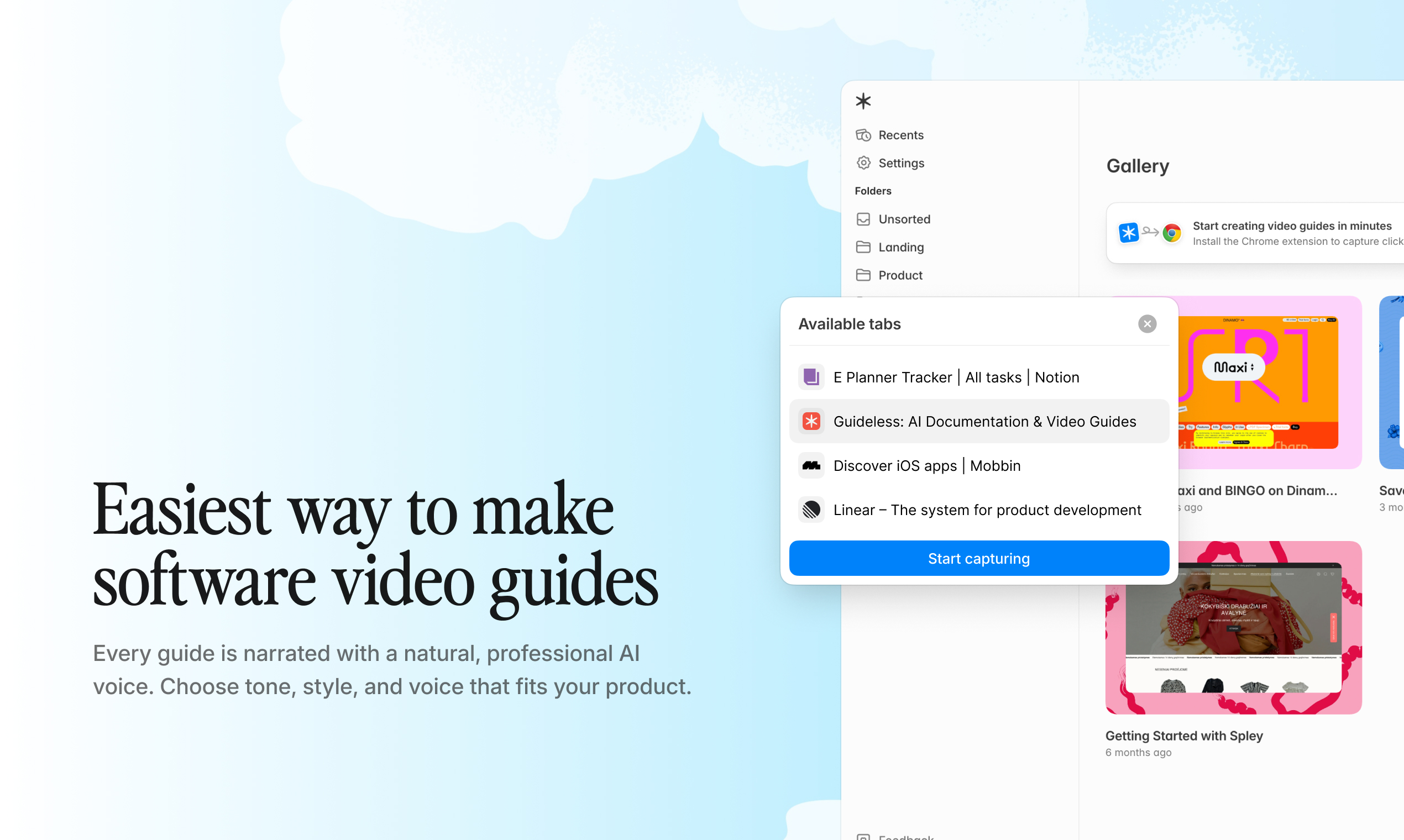
Start building your Semrush training library with Guideless. Record your first workflow and share it with your team in minutes.
Where to Actually Embed These Tutorials
A Guideless tutorial is only useful if people can find it when they need it. Here are the places that make the most sense.
- Inside your SEO SOP document. If you have a document that outlines how your team runs audits or keyword research, embed the tutorial directly in the relevant section. Someone reading the SOP can watch the tutorial without leaving the document.
- How to read the Site Audit report is a question almost every new client asks. Instead of explaining it repeatedly, teams can share a short visual walkthrough.
- Inside client project notes or internal SEO workspaces. If your team manages multiple Semrush projects, keeping workflow references close to the actual project saves time. Some teams maintain a shared internal wiki page per client that includes the relevant Guideless tutorials for that client’s specific setup.
- In your internal wiki or knowledge base. Whether you use Notion, Confluence, Tettra, or something else, Guideless tutorials embed cleanly via link or embed code. A well-organized internal wiki where SEO workflows are documented visually is one of the highest-leverage things a growing SEO team can build.
- In client reporting emails. When you send monthly SEO reports, attaching a short Guideless tutorial that explains how to read the data is genuinely useful for clients who are not SEO-native. It builds trust and reduces the number of explanation calls.
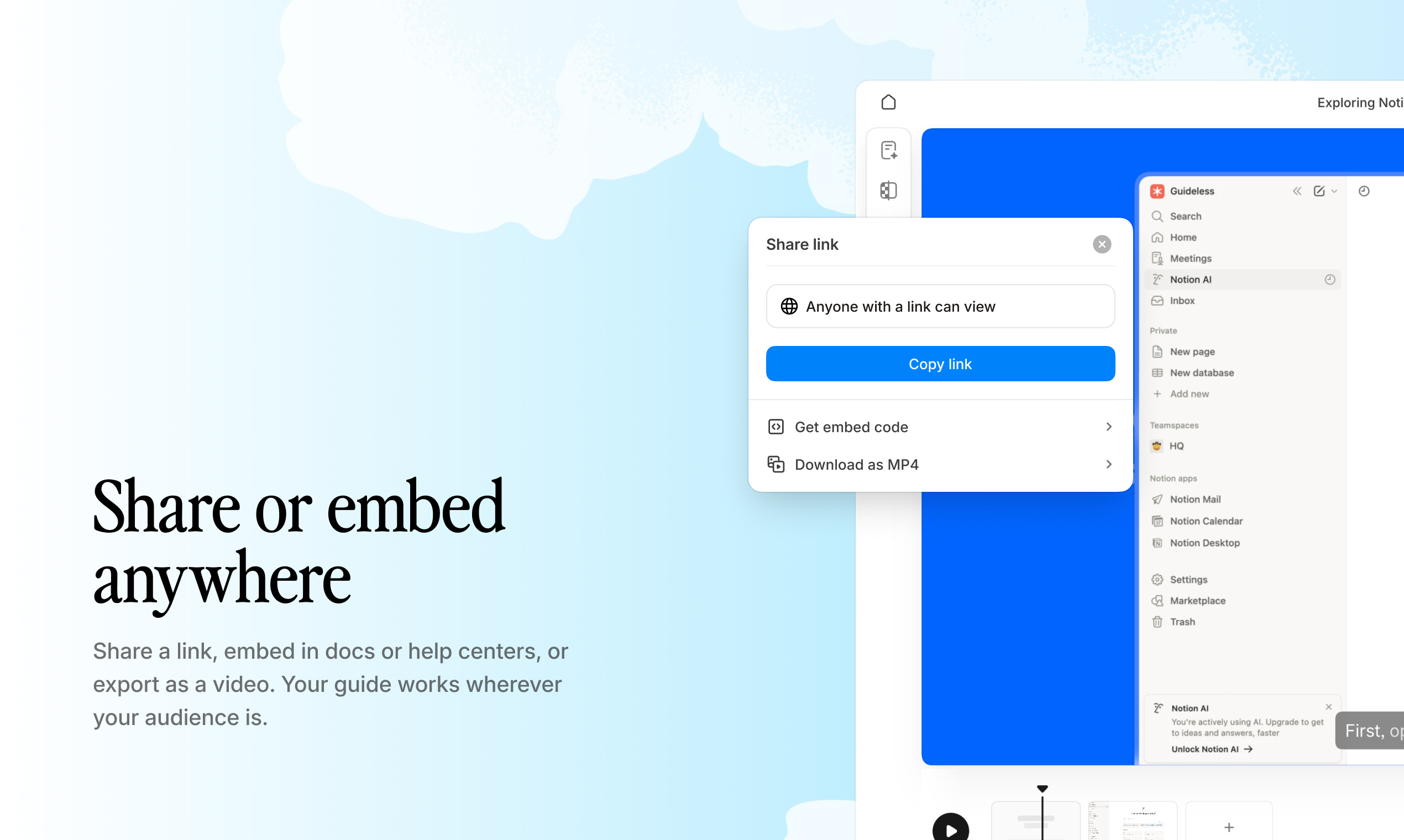
Good SEO processes are not just about having documentation. They need to be easy to revisit, update, and share across the team.
Why This Matters More as Teams Scale
A solo SEO consultant can operate on memory and judgment. A team of five cannot. An agency with fifteen people definitely cannot.
The teams that scale SEO operations well are not necessarily the ones with the best tools. They are the ones with the best-documented processes. They have built a knowledge base that makes their way of doing things transferable, auditable, and improvable.
Semrush is excellent at generating data and insights. But the real competitive advantage is in knowing exactly what to do with that data, every time, in a consistent and repeatable way. That is what good SEO documentation provides.
When you document the Semrush site audit workflow with Guideless, you are not just creating a training resource. You are encoding your team’s best thinking about how to run an audit into something that can be shared, referenced, and improved over time. The same applies to keyword gap analysis, backlink research, rank tracking setup, and every other workflow your team runs regularly.
The Semrush training problem most teams have is not about the tool. It is about the process gap between what the tool can do and what the team consistently knows how to do with it. Guideless closes that gap.
Final Thoughts
Semrush is worth the investment if you actually use it well. The teams that get the most out of it are the ones who have turned their Semrush workflows into documented, repeatable processes that anyone on the team can follow.
That starts with understanding the core tools: Site Audit for technical health, Keyword Gap for competitive opportunities, Backlink Analytics for link intelligence. It continues with building the habits and handoffs that make those tools useful beyond the person who set them up.
And it gets a lot easier when your documentation is actually good. Not a folder of outdated screenshots. Not a Loom recording from eighteen months ago. A Guideless tutorial that was built from a real workflow, narrated automatically, and shareable with anyone on your team or on your client roster.
The three tutorials linked throughout this guide were built that way. They cover the workflows most SEO teams run week in and week out. Use them. Share them. Build more of your own.
If you want to start documenting your Semrush workflows so your whole team can follow them, Guideless is the fastest way to do it.