
Why Great Product Walkthroughs Matter
Modern SaaS teams know that getting users to sign up is only half the battle. The real challenge is getting them to stay. That’s where a strong product walkthrough can make or break your growth metrics.
Walkthroughs are the bridge between curiosity and value realization. They help users understand how to use your product and why it matters — faster, clearer, and without requiring manual training or support calls.
According to Forrester, well-structured onboarding flows can improve feature adoption rates by up to 35%. Yet most companies still rely on static help docs or long videos that nobody finishes.
What Exactly Is a Product Walkthrough?
A product walkthrough is a guided experience that visually and narratively walks users through your software’s key workflows. Unlike static tutorials, modern walkthroughs use overlays, tooltips, or embedded video guides to help users achieve their first success inside the product.
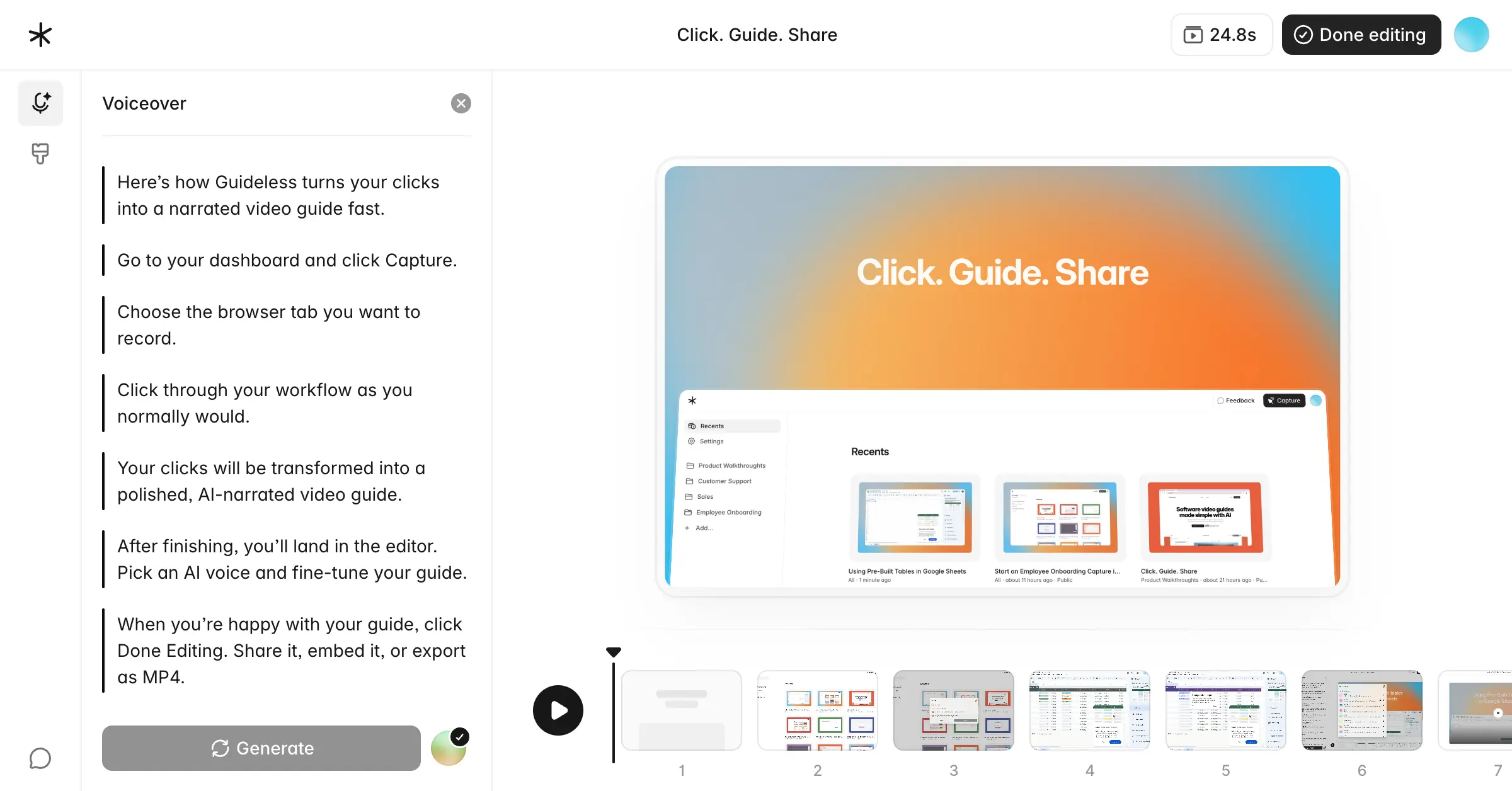
For example, with Guideless you can capture any browser-based workflow, automatically turn it into an AI-narrated guide, and share it instantly. No editing or video production required.
Why Traditional Walkthroughs Don’t Cut It
Old methods like slide decks, pre-recorded videos, or help articles have clear limitations:
- They’re time-consuming to produce and update.
- They fail to engage because they’re passive and generic.
- They don’t personalize to the user’s actual workflow.
A modern walkthrough should feel like an interactive conversation — short, visual, and built for discovery. Guideless enables exactly that by turning your real actions into step-by-step video tutorials narrated by AI voices that feel natural and human.
From Clicks to Conversion
Here’s how modern teams build walkthroughs that actually convert:
- Map the “Aha!” Moments. Identify where new users succeed or drop off.
- Capture the Real Workflow. You can use Guideless to record the process once, and AI handles narration and captions.
- Personalize for Each Audience. Create versions tailored to different roles or use cases.
- Embed Everywhere. Place videos on your website, app, or onboarding emails.
- Iterate Based on Feedback. Analyze engagement data and refine continually.
Real-World Inspiration
- How to send PostHog data to Hubspot: Step-by-step walkthrough of integrating PostHog with HubSpot to enable data sync.
- Setting Up a Teamhood Project: A quick tour of Teamhood on how to create boards, manage tasks, and visualize progress for smoother team collaboration.
- The Power of NordVPN Dark Web Monitor: A guide on how to use NordVPN’s Dark Web Monitor — checking for exposed credentials and keeping your online identity safe.
Visit the Guideless Gallery and get inspired by curated guides showcasing workflows, product demos, and tutorials across various use cases.
How to Make Walkthroughs That Convert
- Keep them short (under 90 seconds).
- Show, don’t tell — use highlights and step focus.
- Start with value — lead with benefits, not features.
- Use natural language and tone.
- Add context — guide users through each step.
The Metrics That Prove It Works
Track the KPIs that matter most:
- Time to first activation.
- Product usage frequency.
- Drop-off rates across workflows.
- Conversion from trial to paid.
- Support ticket reduction.
Building with Guideless: The AI-First Advantage
Guideless automates the hardest part of content creation — turning complex workflows into polished, share-ready video walkthroughs.
Key benefits:
- AI-generated narration that matches your brand tone.
- Automatic zooms, captions, and highlights.
- One-click sharing and embedding across tools (Notion, Slack, Intercom).
- Always-on updates — refresh a guide in minutes when your UI changes.
Final Thoughts
Your product may be powerful, but without clear, engaging guidance, users will never experience its full value. AI-powered walkthroughs turn learning into action. They make onboarding effortless, training scalable, and adoption measurable.