Best AI Product Demo Video Tools for SaaS Teams in 2026

Most SaaS teams struggle to keep product demo videos current as products evolve. Manual updates take hours, quickly become outdated, and create documentation backlogs.
AI product demo video tools automate much of the process. You record your screen once, and the software generates a script, voiceover, and polished video, making it much faster to create and update them.
Not all AI demo tools do the same job. Some focus on narrated walkthroughs, others on avatar videos or interactive demos. This guide compares the best options to help you choose the right tool for your team.
How to choose an AI product demo video tool
The best AI product demo video tool isn't the one with the most features. It's the one that fits how your team creates, shares, and maintains product demos.
1. Start with the output format
The first question is whether your audience should watch your demo or interact with it themselves.
Narrated product demo videos work best for passive learning, such as onboarding, support, internal training, customer education, and feature walkthroughs. The best SaaS demo videos are usually 2-4 minutes long, while feature walkthroughs are often 30-90 seconds. The creator sets the pace, explains the context, and highlights key parts of the product.
Interactive demos are better for landing pages, sales follow-ups, and self-serve evaluations. They let prospects explore at their own pace, try out different flows, and get to know the product before talking to sales.
Many SaaS teams end up using both types. The main mistake is using an interactive demo when a clear explanation is needed, or using a video when you want buyers to explore on their own.
2. Choose for the team that will use it most
Each team has different needs for their video demos, depending on their use cases and target audience.
Customer Success
Customer Success teams often focus on speed, consistency, and easy updates. Their main goal is to create onboarding materials that stay accurate as the product changes.
Product Marketing
Marketing teams usually care most about visual quality, branding, and having demo videos ready for campaigns that explain new features or launches.
Sales
Sales teams benefit from interactive demos they can personalize for prospects or include in follow-up emails after discovery calls.
Training and Enablement
Enablement teams usually need reusable product walkthroughs that can be shared for onboarding, internal training, and knowledge bases.
The best tool isn't always the one with the most features. It's the one that solves the biggest problem for the people making content every week.
3. Think about how often your product changes
If your UI changes every sprint, a well-edited demo might be outdated before it even gets approved.
For fast-changing SaaS products, being able to quickly re-capture a workflow and update content is more important than having every manual editing option. Choose tools that make updates easy, especially if you want to build a library of demos instead of just one launch video.
If your team releases new features often, keeping outdated product demos can become a major hidden cost for customer education. Use tools that let you update walkthroughs without starting from scratch. It's also helpful to check engagement data and improve demos that aren't performing well.
4. Be realistic about manual editing
Some teams want full control over every zoom, cut, transition, and voiceover. Others prefer to make demo videos quickly without dealing with timelines.
The right choice depends on how much control your team needs versus how quickly you need to publish.
If you have a video editor and need a high-stakes launch video, manual editing can be worth the effort. But if your team needs lots of walkthroughs for onboarding and support, an AI-first workflow is usually more scalable. According to industry reports, AI-assisted video workflows can reduce production costs and help teams produce substantially more content.
What does an AI-generated walkthrough look like?
Before comparing the tools, here's an AI-generated narrated product walkthrough created with Guideless.
A narrated product walkthrough generated from a screen recording in just a few steps
Learn more about how Guideless works.
Best AI product demo video tools comparison
The table below summarizes each tool's primary strength and the type of demo content it produces.
| Tool | Best for | Output format |
| Guideless | AI-narrated SaaS walkthroughs | Narrated video walkthroughs with AI voiceover |
| Guidde | High-volume how-to documentation | Video guides and documentation |
| Trupeer | Polished demo videos and SOPs | Edited videos and documents |
| Loom | Fast async explanations | Screen recordings |
| Synthesia | Avatar-led explainers | Avatar videos |
| HeyGen | Lightweight avatar videos | Avatar videos |
| Descript | Transcript-based video editing | Edited screen recordings and videos |
| ScreenFlow | Manual, high-control editing | Screen recordings and edited videos |
| Navattic | Enterprise interactive demos | Interactive product demos |
| Arcade | Interactive product storytelling | Interactive demos and shareable videos |
| Supademo | Simple clickable walkthroughs | Interactive demos |
| FocuSee | Automatically polished screen recordings | Screen recordings |
The best choice depends on your output format and which team will use it most. Below, you'll find each tool explained by its strengths, what makes it unique, its main limitation, and when to use it.
Best AI product demo video tools
Choosing the right product demo video maker starts with understanding what each tool offers and which features matter most for your team. In the next section, we review the leading AI tools for creating demo videos, outlining their strengths and unique capabilities to help you find the best fit for your needs.
1. Guideless: best for AI-narrated SaaS walkthrough videos
Best for: SaaS teams needing narrated walkthroughs and SaaS product demos for onboarding, support, training, and education, created fast and kept current.
Why it stands out: Guideless is built around AI-narrated walkthroughs, a format that many general-purpose video tools weren't specifically designed to create. You record your screen once, and its AI generates a clean, narrated video with features like script generation, voiceover, and editing polish, with no manual editing required. There's no need to edit a traditional timeline or record a separate voiceover.
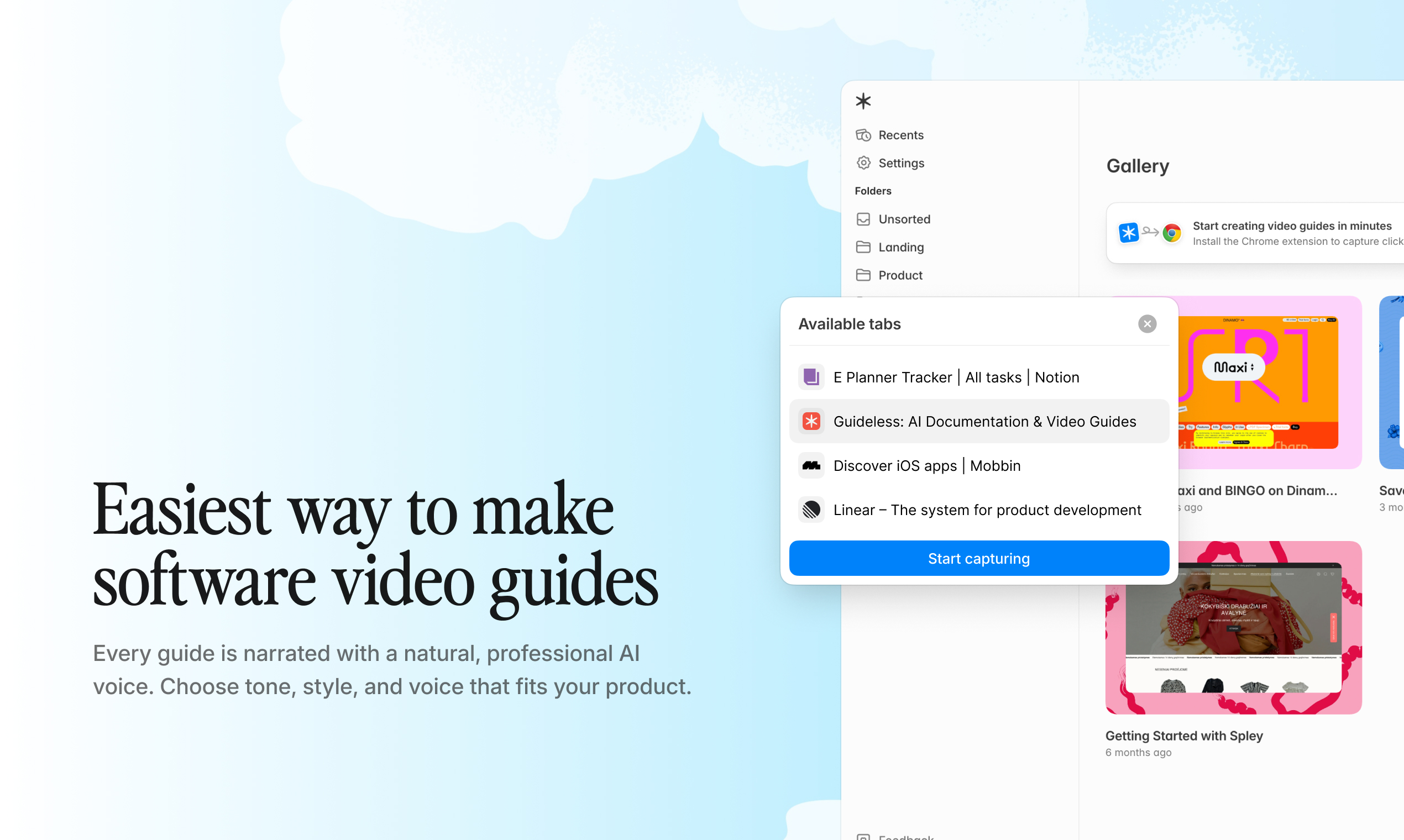
Record your screen, then let AI generate the script, voiceover, and final walkthrough
Since much of the production is automated, teams can create and update walkthroughs significantly faster than with traditional video editing. When your product changes, you only need to re-capture the steps that changed, not start over.
Main limitation: It's focused on narrated walkthroughs, not avatar marketing videos or fully interactive click-through demos. For those, pair it with a tool built for that.
Pick Guideless if your main challenge is creating and maintaining narrated SaaS walkthroughs for onboarding, support, training, or customer education. Its AI-first workflow makes it easy to produce consistent demos without traditional video editing.
2. Guidde: best for high-volume documentation videos
Best for: Teams creating large volumes of how-to videos that live inside support tools and wikis.
Why it's worth considering: Guidde is designed for high volume and easy integration. You can capture a process using a no-code workflow and its browser extension, which automatically creates a narrated guide with steps, annotations, and voiceover. It can then embed guides into Zendesk, Salesforce, Slack, and Confluence. This setup helps teams produce and maintain large volumes of documentation without traditional video editing.
Main limitation: The volume-first design prioritizes speed over cinematic polish, and you still perform every workflow manually.
Choose Guidde if you document many processes quickly and push them into the tools your teams already use.
3. Trupeer: best for polished AI demo videos and SOPs
Best for: Teams looking for fewer, highly polished videos and SOPs from rough recordings.
Why it's worth considering: Trupeer transforms rough recordings into polished, studio-quality videos with script cleanup, AI voiceovers, automatic zoom, AI avatars, and branding. It also creates text guides along with videos and supports many languages, so one recording can serve a global audience.
Main limitation: Trupeer uses a credit-based system in which longer videos consume more AI minutes, so costs can be unpredictable. Some advanced features require higher-tier plans, and some users find syncing scripts and video for detailed edits tricky.
Choose Trupeer if visual quality matters more than producing large numbers of videos.
4. Loom: best for quick async product explanations
Loom is the go-to tool for quick screen and webcam recordings, with AI features like titles, summaries, chapters, and captions. It doesn't create scripted demos, but it's great for quick "let me show you how this works" messages. It's best for fast explanations, not polished videos.
5. Synthesia: best for avatar-led product explainers
Synthesia turns a script into a video with a realistic AI avatar presenting on camera, in many languages, so you don't need a traditional camera or studio. It doesn't use screen recordings. Instead, you get a talking-presenter explainer, which is great for product overviews, marketing intros, and internal training where a human-like narrator adds credibility.
6. HeyGen: best for lightweight avatar demo videos
HeyGen is similar to Synthesia, but focuses on fast, lightweight avatar videos with strong voice and translation features. It also offers flexible voice-over options for short presenter-led demo videos.
It's good for short, punchy avatar explainers and social media clips with a presenter on-screen, all without a full production process.
7. Descript: best for editing product videos like a document
Descript's main feature is the ability to edit video directly from a transcript, which is helpful for teams that don't like traditional timelines. If you delete a sentence of text, the matching video is removed too.
With screen recording, AI voice, and overdub, Descript is ideal for teams who want editing control but don't like timelines. It's best when you want editing to feel like writing, and it offers more options than basic AI demo tools without requiring a full timeline workflow.
8. ScreenFlow: best for manual cinematic software demos
ScreenFlow is a well-known macOS screen recorder and editor for those who want full manual control. There's no AI to help, so it takes skill and time, and the manual process can be slower than AI tools. It's best suited for teams that prioritize creative control over production speed.
9. Navattic: best for interactive sales demos
Navattic focuses on interactive demos instead of videos. It captures your product's HTML to build clickable, high-quality demos that prospects can explore on their own, with annotations, product tours, and engagement analytics. It's a marketing and sales tool for website demos and top-of-funnel conversion, offering top-notch HTML fidelity.
Navattic is designed for enterprise teams that use interactive demos to improve product discovery, engagement, and sales conversations.
10. Arcade: best for interactive product storytelling
Arcade creates interactive demos from screen recordings instead of HTML, making it useful for combining different demo formats in campaigns. It offers hotspots, callouts, branching, chapters, and AI voiceover. The result is somewhere between a static walkthrough and a full HTML clone.
Creator Studio can also generate videos and screenshots from the same capture. It's a strong choice for product marketing teams running multi-channel launches, especially when scalability is important.
11. Supademo: best for simple clickable walkthroughs
Supademo is a fast, affordable interactive demo builder. You can click through your product using a Chrome extension that creates a step-by-step, clickable walkthrough with AI annotations. It also offers screenshot, video, and HTML formats, branching, and a generous free tier, making it a real free option for budget-conscious teams. It's a budget-friendly, easy-to-learn choice, best when you need a simple demo builder that can grow into a larger library with little training.
12. FocuSee: best for smart zoom screen-recorded demos
FocuSee automates the finishing touches that make recordings look good. It auto-zooms and pans to follow the cursor, smooths mouse movement, and adds clean backgrounds. It doesn't generate scripts or narration. Instead, it automates zooms, cursor tracking, and visual polish, making raw recordings look more professional with minimal editing.
Best AI product demo video tools by use case
The table below maps common SaaS use cases to the tools that are generally the best fit for each scenario.
| Use case | Recommended tools |
| SaaS onboarding | Guideless, Guidde, Supademo |
| Feature walkthroughs | Guideless, Guidde, Trupeer |
| Support documentation | Guideless, Guidde, Trupeer |
| Customer education | Guideless, Synthesia, Trupeer |
| Internal training | Guideless, Guidde, Synthesia |
| Sales follow-ups | Arcade, Navattic, Supademo |
| Interactive website demos | Navattic, Arcade, Supademo |
| Avatar explainers | Synthesia, HeyGen |
| Launch videos | Arcade, Trupeer, Synthesia |
| Screen recordings | Loom AI, ScreenFlow, FocuSee |
Final verdict
There isn't one best AI product demo video tool, because "demo" means different things to different teams. If you need a presenter on camera, use an avatar tool. If you want prospects to click through your product on a landing page, choose an interactive demo platform. For quick async clips, a smart screen recorder is best.
But for most SaaS teams, the main job is creating clear, narrated walkthroughs for onboarding, support, training, and customer education.
Guideless is purpose-built for that workflow, making it easy to create and maintain narrated product walkthroughs as your product evolves.
Frequently asked questions
What is the best AI product demo video tool for SaaS teams?
For narrated SaaS walkthroughs in onboarding, support, and training, Guideless is the best fit. For interactive sales demos, consider Navattic, Arcade, or Supademo.
Can AI turn a screen recording into a product demo video?
Yes. Tools like Guideless, Guidde, and Trupeer automatically turn a raw screen recording into a narrated, edited demo video, so you skip manual editing.
Do AI product demo video tools replace screen recorders?
For most demo creation, yes, since they capture and edit in one step. Teams still typically keep dedicated recorders when they need advanced manual control or highly customized editing. Dedicated recorders like ScreenFlow still help when you want full manual control.
Can AI product demo videos be updated when the product changes?
Yes. Instead of re-recording by hand, you re-capture only the steps that changed and regenerate the demo in minutes, keeping your library current.
Should I use a product demo video or an interactive demo?
Use a video to guide attention for onboarding and training. Use an interactive demo for self-serve sales and website pages. Many teams use both.