Guideless for Tutorial Creation
Create a tutorial for every “how do I…?” question
Click through a task once in your software. Guideless turns it into a narrated video tutorial and step-by-step guide, with no script to write, no screen recording, and no editing timeline.

Trusted by 3,000+ users, including teams at:


















Answer a question once, then reuse the tutorial everywhere.
Customers and teammates ask the same how-to questions every week. Guideless turns each answer into a narrated video tutorial and step-by-step guide you can send, embed, and reuse.
-
Create tutorials without recording or editing
Click through the task once in your software. Guideless captures each step, writes the script, and adds an AI voiceover.
-
Keep tutorials current after every UI change
When a screen or setting changes, update only the steps that changed instead of making the tutorial again.
-
Put tutorials where people get stuck
Embed tutorials in your help center or LMS, link them in support replies, or export them as MP4 or PDF.
Tutorials people actually finish.
Faster than recording and editing a tutorial video
Average tutorial completion rate
Tutorials a team publishes in its first month
Based on Guideless analytics and customer interviews
Tutorials for the questions your customers ask most.
Start where people get stuck: help articles, setup steps, and the questions your support team answers every week.
Reply to common questions with a tutorial link instead of rewriting the steps

Everything you need to create, share, and scale software guides.
AI-powered editor
Keep guides up to date without recreating them. Update only what changed, regenerate AI content and voiceovers, annotate screenshots, blur sensitive information, and translate guides - all from a single editor.
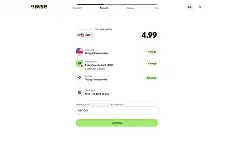
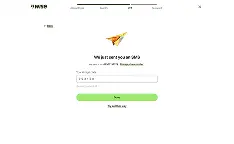
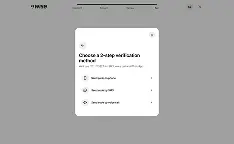
Share beyond your workspace
Share guides with a link, embed them in your help center or website, export them as MP4 or PDF, and organize your team's knowledge in shared workspaces.
Always on brand
Every guide follows the same polished style with consistent layouts, captions, animations, and branding.
42+ languages
Create guides in your team's or customers' language with AI-generated narration and voiceovers.
Measure engagement
See which guides people watch, where they drop off, and how engagement changes over time.
Collaborate
Invite teammates, assign roles, and manage shared workspaces together.
Stay organised
Keep documentation structured with folders, collections, and search.
Integrations
Share guides where work happens with Slack, Notion, Confluence, and more.
Guideless helps teams produce better documentation by making good documentation habits effortless.
Our pace is intense, and Guideless helps us turn knowledge into action.
Frequently asked questions
Do I need video editing skills to create a tutorial?
No. Guideless works as a tutorial creator for people who don't edit video. You click through the task once and it builds the video tutorial for you, with no timeline to edit and no footage to trim.
Do I need to record my voice, or does AI handle the narration?
No. Guideless writes the narration from the steps you capture and turns it into an AI voiceover. You can edit the script and pick a voice before you publish.
Can I embed Guideless tutorials in my help center or LMS?
Yes. Embed a tutorial in your help center, LMS, or any tool that supports embed code. You can also share it as a link or export it as an MP4 file.
How does Guideless compare to screen recording and editing?
Screen recording means recording takes, editing a timeline, and starting over when you make a mistake or the interface changes. Guideless captures your clicks as steps and builds the narrated tutorial for you, so a change means editing a step, not recording again.
Is Guideless a tutorial builder or video tutorial maker?
Yes. Guideless is an AI tutorial builder and video tutorial maker. You click through a task once and it creates a narrated video tutorial and a step-by-step guide from your capture.
What happens when my product interface changes?
Update only the steps that changed, then regenerate the narration and voiceover. You don't need to recreate the whole tutorial.
Can I hide test data or customer information in a tutorial?
Yes. Guideless has a blur feature that lets you hide sensitive data like test accounts, customer names, internal figures, or any other information you don't want shown.
Can I create tutorials in multiple languages?
Yes. Guideless generates narration and voiceovers in 42+ languages from the same capture, so you can localize a tutorial without hiring translators or voice actors.
Can I export a tutorial as a video file?
Yes. On the Pro plan, you can export any tutorial as an MP4 file. On every plan, you can share it as a link or embed it.