The 5 Best Guidejar Alternatives in 2026

Guidejar is a practical tool for turning browser-based workflows into step-by-step guides and product demos. However, its AI credit system, pricing tiers, and feature restrictions may not work for every team.
You may be looking for AI narration without monthly credits, a more advanced video editor, or a simpler way to create and maintain process documentation.
In this guide, we compare the five best Guidejar alternatives based on pricing, AI capabilities, ease of use, and documentation features to help you find the right fit for your team.
How we evaluated these Guidejar alternatives
We compared each platform based on the features that matter most when choosing documentation software. That includes pricing, AI capabilities, ease of use, collaboration, export options, and overall value. We also looked at how each tool handles AI narration, workflow capture, and long-term scalability for growing teams.
What is Guidejar?
Guidejar is a browser-based process documentation tool that helps teams create interactive step-by-step guides and product demos. Using its browser extension, you can capture a workflow, customize each step with text, screenshots, and branding, then share the finished guide through a link or embed it into your documentation.
Beyond guide creation, Guidejar offers AI-powered features such as voiceovers, translations, and text paraphrasing. Paid plans also include desktop capture and a hosted knowledge base, with pricing starting at $19 per month for a single user and reaching $75 for the five-user Business plan.
Guidejar is a good fit for teams that value customization and want more control over how their guides look and behave. However, many of its AI features rely on a monthly credit system. Voiceovers, translations, and other AI tools consume credits that reset every month, which can become limiting for teams creating documentation at scale.
Why look for a Guidejar alternative?
Guidejar covers the basics of software documentation well, but it's not the right fit for every team. As documentation needs grow, some users start looking for alternatives that offer fewer feature restrictions, more predictable pricing, or unlimited AI capabilities.
Some of the most common reasons include:
- AI credits can run out quickly, especially on the Pro plan, which includes 5,000 credits per month.
- Desktop capture and MP4 exports are only available on the Plus plan ($25/month) and above.
- Voice cloning and PII redaction are reserved for the Business plan ($75/month).
- The four-tier pricing model can feel more complex than the simpler pricing offered by some competitors.
If you're running into any of these limitations, it's worth exploring how other Guidejar alternatives compare.
The 5 best Guidejar alternatives
1. Guideless
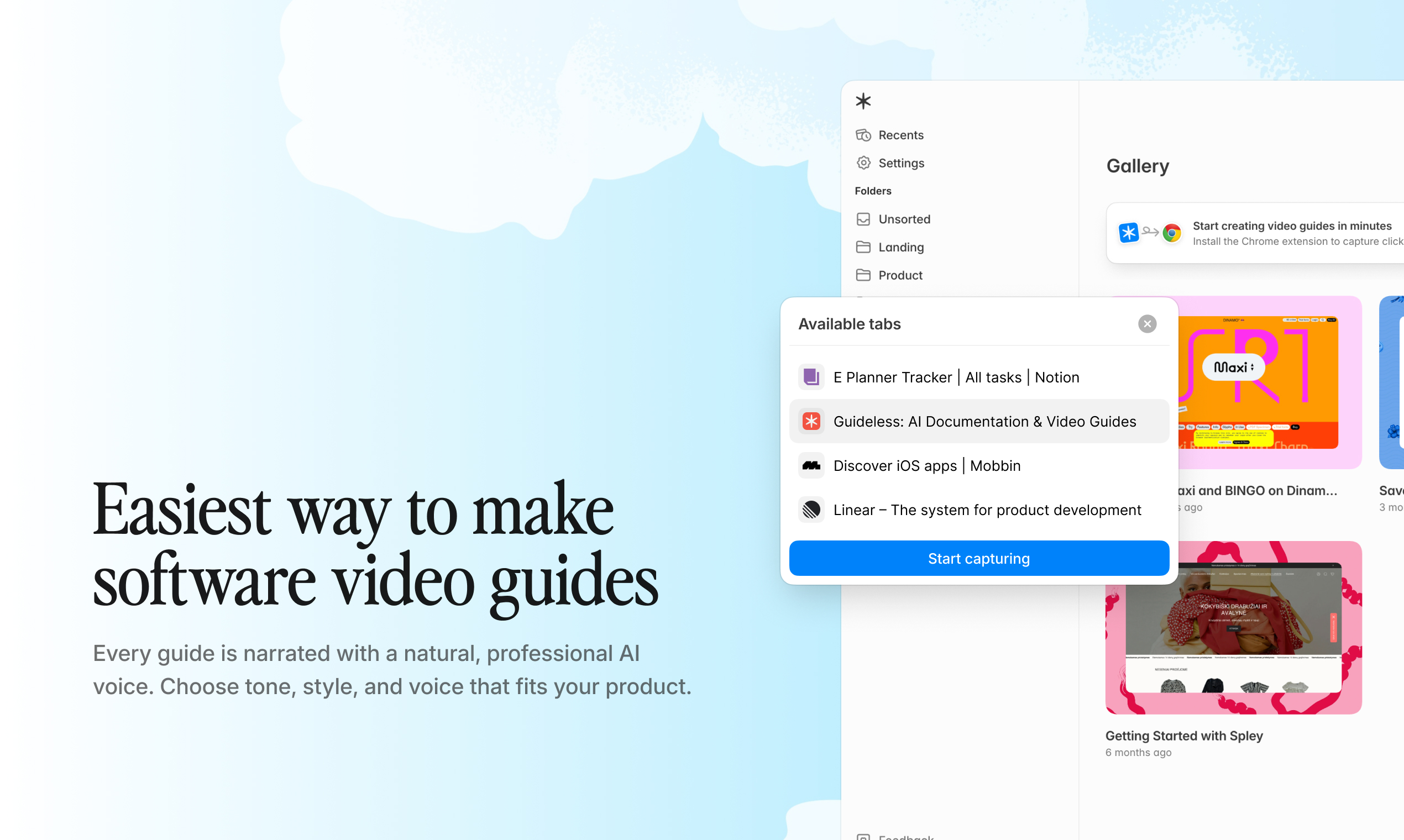
Guideless is an AI-powered workflow documentation tool that automatically turns recorded workflows into narrated step-by-step guides. After recording a workflow, Guideless automatically generates a script, captions, and an AI voiceover, eliminating the need to write instructions or record narration manually.
Unlike Guidejar, AI narration is included on every plan rather than being tied to a monthly credit system. This makes Guideless a practical choice for teams that create documentation regularly and don't want to manage AI credits.
Pricing
- Free: $0/month. Up to three guides, sharing, AI narration, AI voices
- Pro: $29/month per user (billed annually). Unlimited guides, insights, unlimited AI narration, unlimited AI voiceover, MP4 exports, and no watermark
Pros
- AI narration is included on every plan, including the Free plan, with no AI credits to manage
- Simple two-tier pricing makes costs easy to predict as your team grows
- Scripts and AI voiceovers remain editable after recording, making updates much faster than re-recording videos
Cons
- Fewer advanced customization options than Guidejar, such as chapters, conditional branching, and dynamic variables
- Browser-based capture only; a desktop application isn't available yet
- Newer platform with a smaller integration ecosystem than some established competitors
Best for: Teams that want to create AI-narrated guides without worrying about AI credits, feature restrictions, or complex pricing.
2. Guidde
Guidde is an AI-powered video documentation platform designed for teams that want to create polished product demos, training materials, and how-to videos. It automatically generates scripts and voiceovers from screen recordings while offering a more advanced editing experience than many other Guidejar alternatives.
Guidde stands out for its extensive integrations and advanced editing capabilities. However, teams looking for AI voice narration should note that AI-generated voiceovers are only available on the Business plan.
Pricing
- Free: $0/creator/month. Up to 25 guiddes, web capture, record your own voiceover
- Pro: $29/creator/month ($19/creator/month billed annually). Unlimited how-to videos, watermark removal, brand kit, video, PPT, and PDF exports
- Business: $59/creator/month ($39/creator/month billed annually). Unlimited AI text-to-speech, web and desktop capture, up to five creators
- Enterprise: Custom pricing. Premium AI voices, multilingual translation, SSO
Pros
- Wide range of integrations, including Salesforce, ServiceNow, Slack, and Zendesk
- Advanced video editor with transitions, drag-and-drop editing, and stock music
- Generous free plan for individuals and small teams getting started
Cons
- AI-generated voiceovers require the Business plan, starting at $59 per creator per month
- Per-creator pricing can become expensive as teams grow
- The larger feature set comes with a steeper learning curve than simpler documentation tools
Best for: Teams that need advanced video editing, enterprise integrations, and professional-looking product documentation.
3. Trupeer
Trupeer is built for teams that want to turn screen recordings into polished AI-generated product videos and written documentation. Compared to many other Guidejar alternatives, its biggest focus is creating polished AI-generated product videos with realistic voiceovers and avatars.
The platform combines video generation with written guides and includes an editor for refining content after recording. However, unlike some competitors, Trupeer limits AI video generation by monthly video minutes, which can become restrictive for teams producing content regularly.
Pricing
- Free: 10-day trial. 10 AI video minutes, five AI guides, three exports
- Pro: $40/month ($49/month billed monthly). 20 AI video minutes per month, unlimited guides and exports, watermark removal
- Scale: $199/month ($249/month billed monthly). 100 AI video minutes per month, three-editor workspace, custom AI voices
- Enterprise: custom pricing
Pros
- High-quality AI voiceovers and AI avatars for professional-looking videos
- Built-in editor makes it easy to refine guides after recording
- Optional knowledge base with AI-powered search
Cons
- AI video generation is limited by monthly minute caps, even on paid plans
- Teams creating videos frequently will likely need the Scale plan to avoid running out of minutes
- Multi-user collaboration is only available from the Scale plan onwards
Best for: Solo creators and small teams that prioritize polished AI-generated product videos over high-volume documentation.
4. Scribe
Scribe is one of the best-known process documentation tools, focused on automatically creating step-by-step guides from your actions. Instead of generating narrated videos, it captures clicks, screenshots, and written instructions, making it a popular choice for internal documentation and SOPs.
Compared to other Guidejar alternatives, Scribe stands out for its simplicity and mature ecosystem. However, if your team is looking for AI-generated voiceovers or video documentation, you'll need to consider other options.
Pricing
- Basic: $0/month. Web app capture only
- Pro Personal: $35/seat/month ($25/seat/month billed annually). Desktop and mobile capture, branding, PDF, HTML, and Markdown exports
- Pro Team: $17/seat/month ($13/seat/month billed annually, five-seat minimum). Everything in Pro Personal, plus team collaboration features
- Enterprise: Custom pricing. PII redaction, SSO, and role-based access
Pros
- Fast and reliable automatic workflow capture
- Strong integrations with Confluence, Notion, Zendesk, and other workplace tools
- Mature platform with a large user community and proven track record
Cons
- Doesn't support AI voice narration or AI-generated videos
- Pro Team requires a minimum of five seats, making it less cost-effective for smaller teams
- Enterprise-only features include PII redaction, SSO, and advanced security controls
Best for: Teams that need written software documentation, SOPs, and screenshot-based guides rather than AI-generated video tutorials.
5. Tango
Tango is a workflow documentation platform that focuses on helping teams document and guide workflows directly inside the applications they use. Alongside creating step-by-step guides with screenshots and written instructions, Tango also offers interactive in-app walkthroughs, making it one of the more unique Guidejar alternatives.
Instead of focusing on AI-generated videos, Tango helps users complete tasks through interactive in-app guidance.
Pricing
- Free: $0/month. Five shared workflows, up to 10 users per workspace
- Pro Personal: $26/month ($22/month billed annually). Designed for one or two users
- Pro Team: $20/user/month ($15/user/month billed annually). Unlimited workflows, branding, voice transcription, desktop capture
- Enterprise: Custom pricing. PII redaction, multi-path workflows, translation, SSO, and SCIM
Pros
- Interactive in-app guidance helps users complete tasks in real time
- Voice transcription speeds up documentation by converting speech into written steps
- Generous free plan for small teams getting started
Cons
- Doesn't offer AI-generated voice narration or AI video creation
- Per-user pricing can become expensive as teams scale
- PII redaction, translation, and advanced security features are limited to Enterprise
Best for: Teams that want interactive in-app guidance and screenshot-based documentation for onboarding, training, and process adoption.
Guidejar alternatives compared
Every tool on this list has its own strengths. Some focus on AI-generated video guides, while others are better suited for written documentation or interactive walkthroughs.
Here's a quick comparison of the key differences:
| Tool | Starting price | Free plan | AI narration | Best for |
|---|---|---|---|---|
| Guidejar | $19/month | Yes, 5 guides | Paid plans only (credits) | Advanced guide customization |
| Guideless | $29/user/month | Yes, 3 guides | Included on every plan | AI-narrated guides without credit limits |
| Guidde | $29/creator/month | Yes, 25 guides | Business plan only | Professional training videos |
| Trupeer | $40/month | 10-day trial | Yes (monthly limits) | AI-generated product videos |
| Scribe | $17/seat/month | Yes, web capture | Not available | Written documentation & SOPs |
| Tango | $20/user/month | Yes, 5 workflows | Not available (transcription only) | Interactive in-app guidance |
Each platform solves a slightly different problem. Guideless is best suited for teams looking for unlimited AI narration, Guidde and Trupeer prioritize video creation, while Scribe and Tango focus on written documentation and interactive guidance.
How to choose the best Guidejar alternative?
Choosing the right process documentation software depends on how your team creates, shares, and maintains documentation. While every tool on this list helps capture workflows, they differ in pricing, AI capabilities, collaboration features, and the type of documentation they focus on.
Before making a decision, consider these questions:
Do you need AI-generated videos or written guides?
If your team prefers narrated videos, look for tools with built-in AI voiceovers. Guideless includes AI narration on every plan, while Guidde offers AI-generated voiceovers on its Business plan. Scribe and Tango focus on written documentation instead.
How many people will be creating documentation?
Pricing models vary considerably. Scribe, Tango, and Guidde charge per seat or creator, which can become expensive as teams grow. Guideless uses a simpler per-user pricing model, making costs easier to predict.
How much documentation will you create?
If you produce guides regularly, pay attention to usage limits. Guidejar uses AI credits, while Trupeer limits AI video generation by monthly minutes. If you expect to create documentation at scale, unlimited AI narration may be a better fit.
What type of workflow do you need to capture?
Some teams only need browser-based recording, while others require desktop capture or more advanced recording capabilities. Make sure the platform supports the type of workflows your team documents most often.
The best Guidejar alternative ultimately depends on your priorities. Some teams value advanced customization, others prioritize AI narration, while many simply want an easy way to create and maintain software documentation as they scale.
Why teams are switching to Guideless
Watch Guideless create an AI-narrated guide in under a minute:
The biggest advantage of Guideless is that AI narration is included by default instead of being treated as a premium feature.
With Guidejar, AI voiceovers rely on a monthly credit system. Guidde requires a Business plan to unlock AI-generated voiceovers, while Trupeer limits video creation through monthly AI minute allowances. Guideless takes a different approach by including unlimited AI narration on every plan, including the Free plan.
The pricing model is just as straightforward. Instead of multiple tiers, feature restrictions, or AI usage limits, Guideless offers a simple Free plan and a Pro plan for $29 per user per month.
If your team regularly creates onboarding guides, SOPs, product demos, or customer training materials, Guideless can save hours of manual work. Record a workflow once, then let the platform automatically generate the script, captions, and AI narration. There's no need to record voiceovers or keep track of AI credits.
Try Guideless for free and create your first AI-narrated guide in minutes.
FAQ
Is Guidejar free?
Yes. Guidejar offers a free Starter plan that includes up to five guides, unlimited views, browser capture, and basic customization. If you need unlimited guides, AI features, desktop capture, or additional collaboration tools, paid plans start at $19 per month.
What is the best Guidejar alternative?
The best Guidejar alternative depends on your team's priorities. If AI narration is your main requirement, Guideless includes unlimited AI voiceovers on every plan without a credit system. Guidde is a strong option for advanced video editing, while Scribe and Tango are better suited for teams focused on written process documentation.
Does Guidejar include AI voiceovers?
Yes. Guidejar includes AI voiceovers starting with the Pro plan. AI voiceovers, translations, and paraphrasing all use a monthly AI credit system, with higher plans providing larger credit allowances.
How much does Guidejar cost?
Guidejar offers four pricing tiers:
- Starter: Free
- Pro: $19/month
- Plus: $25/month
- Business: $75/month for up to five users
Enterprise pricing is available on request for larger organizations.
Is Guideless a good Guidejar alternative?
If your team creates onboarding guides, SOPs, or product documentation regularly, Guideless is one of the strongest Guidejar alternatives. Every plan, including the Free plan, includes AI narration without monthly credits or usage limits. Its simple pricing also makes it easier to predict costs as your documentation grows.
What's the difference between Guidejar and Guideless?
Both platforms help teams create workflow documentation, but they take different approaches.
Guidejar offers more advanced customization features, such as chapters and conditional branching, while AI narration is tied to paid plans and monthly AI credits.
Guideless focuses on making AI documentation faster by including AI narration on every plan, offering predictable pricing, and automatically generating scripts, captions, and voiceovers after each recording.
Related articles
Explore more comparisons to find the best process documentation software for your team: