
Key takeaways:
- With processes that frequently change, updating training manuals is essential to ensure they remain relevant, but can be time consuming when basic tools and software are used.
- Basing your training manual around workflows, rather than systems, will improve their usability, especially if these processes are illustrated using videos and screenshots.
- It is vital to test out training manuals with new hires and then make adjustments based on their feedback and experience.
Writing a quality manual is actually straightforward, provided you have someone with the relevant knowledge and a clear structure to follow. However, the question of what happens when the process in question changes is much more complex.
Manuals are rarely designed with future updates in mind, which means new hires are left clicking through a screen that looks nothing like the screenshots they’re supposed to follow. Anyone who’s experienced this, or taken a confused colleague through the actual process now in use, will know the frustration.
This guide contains everything you need to build a future-proof training manual: step by step instructions, a template worth stealing, a couple of handy examples, and the tools that make updating easier than starting from scratch.
What makes a training manual actually useful?
User manuals are generally designed with specific user goals in mind, such as how to process a refund. In contrast, training manuals are often organized around the company’s structure. This means individuals often have to do a lot of guesswork to understand which sections are relevant to them and which ones are meant for different departments. So, step one in building a useful training manual is ensuring each employee can understand which sections are relevant to them.
Training manuals also need to stay current, and this is where most fail. They are usually written during onboarding for a new hire or a new tool, and then get passed around without revision. This is especially costly when rolling out a new ERP, where settings keep changing after launch. It’s no surprise that the first time a screenshot doesn’t match what’s on screen, people abandon the manual and go straight to asking their colleagues for assistance.
Finally, a good manual should be easy to scan. Few employees will read a training manual from cover to cover. Most of the time, they flip it open in the middle of a task, searching for a specific answer. A solid wall of text is the last thing they want to see there. To make it easier for people to find what they’re after, manuals should include brief steps, plenty of up-to-date screenshots, and headings that clearly explain what each section contains for quick reference.
How to create a training manual step by step
Step 1: Define the scope and audience
Before you start writing, take a moment to consider your audience. A new hire will need a lot more background information than someone who’s already familiar with the organization and is just learning a new tool. Trying to cater to both groups at the same time will lead to confusion for everyone. To avoid this, clarify who the manual is for and what existing knowledge you are assuming. This will help you determine how much you need to explain and the level of detail required for each step.
Step 2: Break the process into tasks
Next, outline all the tasks that the manual should address, ideally in the sequence that someone will encounter them. Many training manuals make the mistake of organizing content around menus or features. But organizing around actual workflow is far more intuitive and easy to follow. For instance, setting up a new client account could actually involve four distinct tasks: creating the account, assigning it to a team member, configuring billing, and sending out the welcome email. Each of these tasks should be its own section, concise enough to complete without needing to flip back and forth between multiple pages.
Step 3: Document each task with screenshots, steps, and narration
This part of the job often takes the longest, but it's very valuable. Approach each task as if you’re a new hire, taking a screenshot at every key moment. Ensure instructions are clearly worded - use “Click Settings, then Billing,” rather than “Navigate to the appropriate configuration area.” Focus on what needs to be done and why, leaving out unnecessary context that can confuse people mid-task. If there’s a step that tends to trip people up, a quick note right there is much more helpful than burying it in a troubleshooting section that no one thinks to look at.
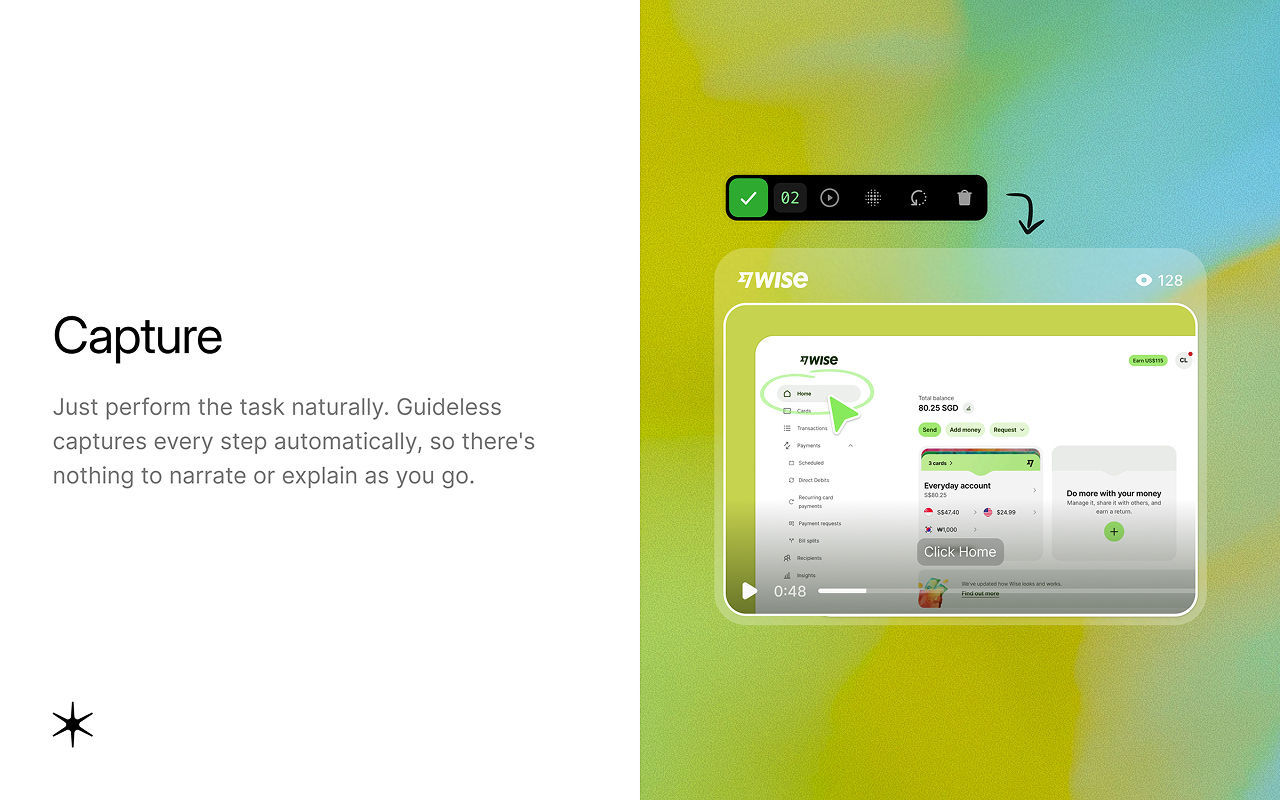
AI tools like Guideless can make this step much faster. Instead of manually documenting every click, record yourself completing the workflow and Guideless turns it into a narrated video guide with clear steps, captions, and screenshots. Because the guide is based on the actual workflow, employees can see exactly how the task is done instead of relying on written instructions alone.
Step 4: Organize into sections and a table of contents
Once you’ve got all your tasks documented, organize them into related sections and create a table of contents. This way, anyone can easily find what they need without having to scroll endlessly. This is also a great opportunity to review the overall content and spot any overlaps. There may be two sections addressing the same task, but with slightly different instructions. Catching these issues now is much easier than trying to sort them out six months down the line. And if you find a section that’s tough to summarize in a single line, it might be a sign that it’s trying to cover too much ground.
Step 5: Test it with a new hire and revise
The real test lies in giving the manual to someone who's new to the process. If you can, sit with them as they follow the training manual. Failing that, ask them to mark any steps that are unclear and any screenshots that don't match the current system. Each of those instances reveals a gap in the manual, not in their understanding, so be sure to update it accordingly.
Training manual examples
A linear step-by-step manual is suitable for a single, well-defined process with a clear beginning and end, like onboarding a new client. It should flow from top to bottom in the order the work happens, like this:
Onboarding a New Client
- Log into the CRM and click New Client.
- Enter the company name, billing contact, and start date.
- Assign the account to a team member from the Owner dropdown.
- Open Billing and select a plan.
- Click Send Welcome Email to trigger the client’s first message.
With linear manuals, each step follows on from the one before it. A screenshot should be placed next to every line to aid understanding. While this format is clear to follow, it quickly becomes confusing once more than one process is involved.
A task-based reference manual suits a role built around several unrelated tasks, like customer support. In this format, every task stands on its own instead of following on from the last, like this:
Processing a refund
- Open the order and click Refund.
- Select a reason from the dropdown.
- Confirm the amount and click Submit.
Escalating a technical issue
- Tag the ticket Tier 2.
- Summarize what’s already been tried.
- Assign it to the on-call engineer.
This way, employees can jump straight to “processing a refund” without needing to wade through any information about escalations. Plus, when a new task comes up later, it simply gets added as a new entry instead of needing to fit into a specific sequence.
In practice, most training manuals end up being a mix of the two approaches above: there's a short linear section for key processes in the first week, followed by a task-based reference for anything else that needs to be checked later on.
Training manual template (copy and use)
A straightforward table like the one below allows you to see the manual’s structure at a glance, making it easy to spot when something has become outdated.
| Section | Purpose | Owner | Last updated |
| Getting started | What the reader needs before beginning (accounts, access, tools) | ||
| Task 1: [name] | Step-by-step instructions for this specific task | ||
| Task 2: [name] | Step-by-step instructions for this specific task | ||
| Task 3: [name] | Step-by-step instructions for this specific task | ||
| Troubleshooting | Common errors and how to resolve them | ||
| Who to contact | Escalation paths for questions the manual doesn’t answer |
Add a row for each task beyond these, and fill in the owner and last-updated columns from day one.
Training manual software worth considering
Basic document tools like Google Docs, Notion, and Confluence are a solid starting point, and chances are your team is already using one of them. The downside with these tools, however, is that every time there’s a change in process, they must be updated manually.
Platforms like Trainual, which are specifically designed for Standard Operating Procedures (SOPs), can help bring some much-needed structure to the table. They offer features like version history, designated owners, and tracking for who has completed which training. While these tools offer an improvement in terms of staying organized, they still fall short when it comes to updates. Any change in a process means someone has to manually rewrite the relevant section, which can be a hassle.
Scribe and Tango are tools that record someone as they complete a task and then convert this into a clear step-by-step guide, complete with screenshots, which eliminates a lot of the writing typically involved.
Guideless goes one step further by capturing each step of a workflow directly in the browser and turning it into a narrated guide with voiceovers and captions. If the workflow changes later, a team member can simply update the affected step instead of recreating the entire guide.
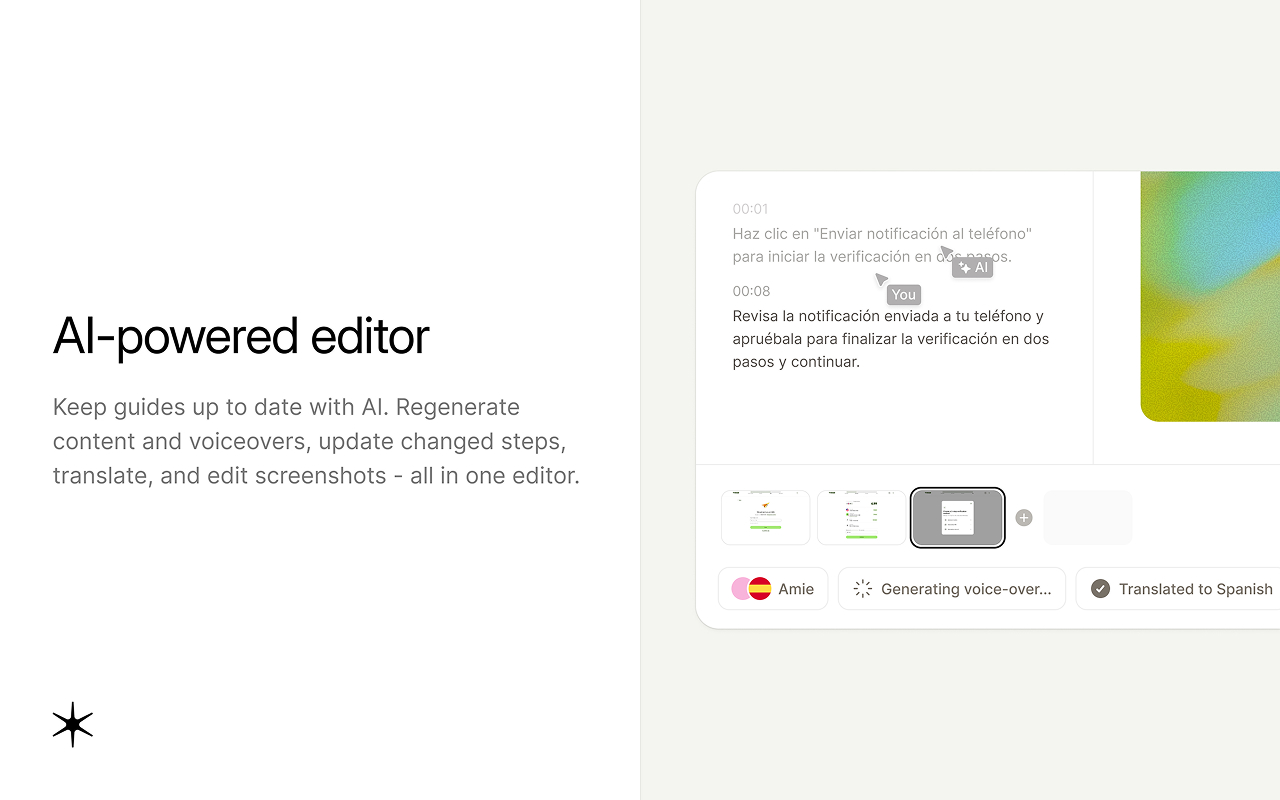
Which tool is best for you depends on how often the process you’re creating a manual for actually changes. If it’s something that remains stable for years, a shared doc will do just fine. If it’s a process that changes every few weeks, you should consider using a tool that makes it easy to keep your training manuals up to date. It will benefit the whole team in the long-run.
Common mistakes when creating a training manual
Along with following the appropriate steps for creating a manual, it's also important to avoid some common mistakes.
- No single owner. If you don’t assign any particular person to keep the manual updated, it will likely become worthless within a few months.
- Too much text, not enough visuals. A screenshot with a short caption gets read; a wall of paragraphs mostly gets skipped.
- Written once and never revisited. Processes change, but manuals often don’t. Tie each section to an owner and update it whenever the workflow changes, rather than waiting for a yearly clean-up.
- No easy way to search or find the right section. Even a well-written manual is useless if nobody can locate the relevant part in under a minute. That's why the table of contents deserves as much attention as the writing itself.