
Key takeaways:
- Most real-world documents don’t fit neatly into one category. They may address both internal or external audiences. Understanding where a document fits can provide more insight into how to write it, and whether you take a task-first or reference-first approach.
- Process documentation, such as internal SOPs and workflows, goes out of date faster than any other type. The workflows it describes change often, and written guides rarely get updated at the same pace.
- Selecting the right format depends on who’s reading it and how often the process is updated. For an internal workflow that’s frequently changing, a recorded walkthrough is often a better choice than a document that requires constant rewriting.
The term “technical documentation” is often thrown around as a catch-all term. It lumps together user guides, release notes, and internal standard operating procedures (SOPs) as if they’re just variations of the same basic text. However, each of these types of documentation is tailored for a specific audience, created at various points in a product’s journey, and has its own lifespan before it becomes outdated.
To cut through the confusion, this article will explore the main types of technical documentation. It will illustrate what each one looks like in practice, including examples, and discuss how formats are becoming varied and moving away from just text-based documentation.
What counts as technical documentation?
A dry definition would run something like this: technical documentation is any material that helps someone understand, use, build, or maintain a product, system, or process. We can add more precision to this general definition by including two additional factors: audience and orientation.
Technical documentation by audience
Internal documentation, which includes things like SOPs, runbooks, and architecture notes, is meant for people working inside the company. External documentation, on the other hand, is aimed at customers and other users who are outside the company. Here, think user guides, help articles, or release notes.
Technical documentation by orientation
One form of orientation is task-first. This documentation guides a particular reader step-by-step through a specific task in the correct sequence. In contrast, reference-first documentation is set up around the system itself, making it easy for someone to look up a particular detail without needing to read through all the other information.
Most documentation combines these categories
The best way to think about any single technical document is that it exists somewhere along an axis for these two factors of audience and orientation. For instance, a user guide is external and task-first, whereas a technical specification is usually internal and reference-first.
| Task-first | Reference-first | |
|---|---|---|
| External | User documentation, knowledge base articles, technical manuals | Product documentation, release notes |
| Internal | Process documentation (SOPs) | Technical specifications |
The main types of technical documentation
Technical documentation can take many forms depending on who it’s for and what it needs to explain. Below are seven of the most common types, with examples of how each one is used in practice.
1. User documentation (user guides, help docs)
User documentation explains how to use a product from the customer’s point of view: getting started, completing a task, or working through a specific problem.
Audience: customers and end users, typically the least technical audience on this list.
Example: Dropbox’s help article on sharing a file or folder is a straightforward example. The whole document is clearly organized around typical actions readers might want to execute: invite someone to edit or view a file, or collect files from other people. There are no detours into how the underlying software functions or any other information that has no relevance to the reader.
2. Product documentation (feature docs, product specs)
Product documentation describes what a product or feature does and how its parts fit together. It’s situated somewhere between user documentation and a technical specification: more structured than a how-to guide, but still meant to be read by someone actively building or integrating with a given product.
Audience: developers, integration partners, and technical customers who need to understand a feature in significant depth.
Example: Stripe’s Payment Intents API reference is a good real-world example. It’s organized by endpoint (create, update, retrieve, cancel) and by the events that a PaymentIntent can trigger, rather than by any single task a developer has in mind.
3. Process documentation (internal SOPs, workflows)
Process documentation records how a task actually gets done internally. It specifies who’s responsible for each step, which tools they use, and what order it all happens in. It’s also the type most likely to go out of date, mostly because the process it describes tends to change faster than people can get around to revising the write-up.
Audience: employees and contractors carrying out the process, and whoever trains new people on it.
Example: An unusually public example is GitLab’s Handbook, which the company publishes openly. Its engineering section documents review workflows, on-call rotations, and release procedures in the kind of detail most companies keep strictly internal.
4. Technical manuals (installation, hardware/software manuals)
A technical manual walks the reader through a defined, usually one-time procedure: installing something, setting it up, or maintaining it. Manuals lean heavily on sequence (e.g., step 3 only makes sense after step 2) and often mix explanatory text with commands, diagrams, or screenshots.
Audience: anyone who is doing the install or setup, often reading it exactly once.
Example: Docker’s Ubuntu installation guide is a nice example: it lists prerequisites, then gives a set of terminal commands to set up the repository and install the engine.
5. Technical specification documents (requirements, architecture)
A technical specification document defines what a system is supposed to do and how it’s built, before or while it’s being built. It typically covers requirements, constraints, architecture decisions, and edge cases. It is written for people who need to implement or review the design rather than use the finished product.
Audience: engineers, architects, and reviewers evaluating or building the system.
Example: Rust’s RFC (request for comments) repository is a real, publicly visible example: each RFC lays out a proposed change to the language, the reasoning behind it, and the alternatives considered, before any code is merged.
6. Knowledge base articles (self-serve support content)
A knowledge base article answers one specific question or fixes one specific problem, independent of any other article. Unlike a user guide, it does not need to be read start to finish. People only use these articles when they encounter an issue and don’t know how to resolve it.
Audience: customers trying to solve a problem themselves, usually via a support search bar.
Example: Slack’s two-factor authentication article is a good example of this form of technical documentation. It features one short framing sentence about why two-factor authentication matters, followed by an explanation of how it works and detailed steps for how to turn on two-factor authentication.
7. Release notes (what’s new/changed per version)
Release notes summarize what changed in a specific version or update: new features, fixes, deprecations. They’re dated, short, and written for someone deciding whether an update affects them, not someone who is learning the product from scratch.
Audience: existing users and customers checking whether a specific update affects them.
Example: Notion’s release notes page is typical: each release note has a short title like “Control which AI models your agents can use,” dated September 9, 2026, followed by a sentence or two on exactly what changed.
Technical documentation examples
Let’s take two sample documents and look at them a bit more closely to give you an idea of the kinds of content you’ll find in different types of technical documentation.
First up, here's a release note from Stripe’s changelog: “Collect an up-front payment for monthly subscriptions with prebilling.” That’s the entire entry, one dated line related to a single feature. In some cases, Stripe provides links to more detailed documentation, but often a single line is all that is included. Linear’s changelog takes a more in-depth approach from the start. Its September 3, 2026 entry features 5 updates, each with introductory sentences explaining the overall change, and some (such as "Third-party app approvals") providing technical details via expandable headings.
Next, let's take a more detailed look at the knowledge base article from Slack’s help center: it opens with “For an added layer of security, turn on two-factor authentication (2FA) for your Slack account,” then moves straight into “Download and install an authentication app on your device,” followed by the exact menu path to the setting. It skips the reasoning behind two-factor authentication and gets straight to what the reader should click.
Technical documentation moves beyond text to video and recordings
Up until recently, technical documentation relied primarily on text, with some pictures and screenshots added. And for many processes, this approach is perfectly fine. However, some situations call for a different format.
For example, software tends to change rapidly, which means a written guide with numbered steps and a handful of screenshots is only accurate until the next version ships. And that's usually right around the corner.
This problem is pushing documentation toward video: walkthrough videos and screen recordings that show the product in action instead of describing it in text. Video used to have the opposite problem: it was even harder to update than text, since any change meant re-recording, re-narrating, and re-editing. AI tools have changed that. Now a new recording of the workflow can replace the old one in minutes, without anyone redoing screenshots, renumbering steps, or sitting in an editing timeline.
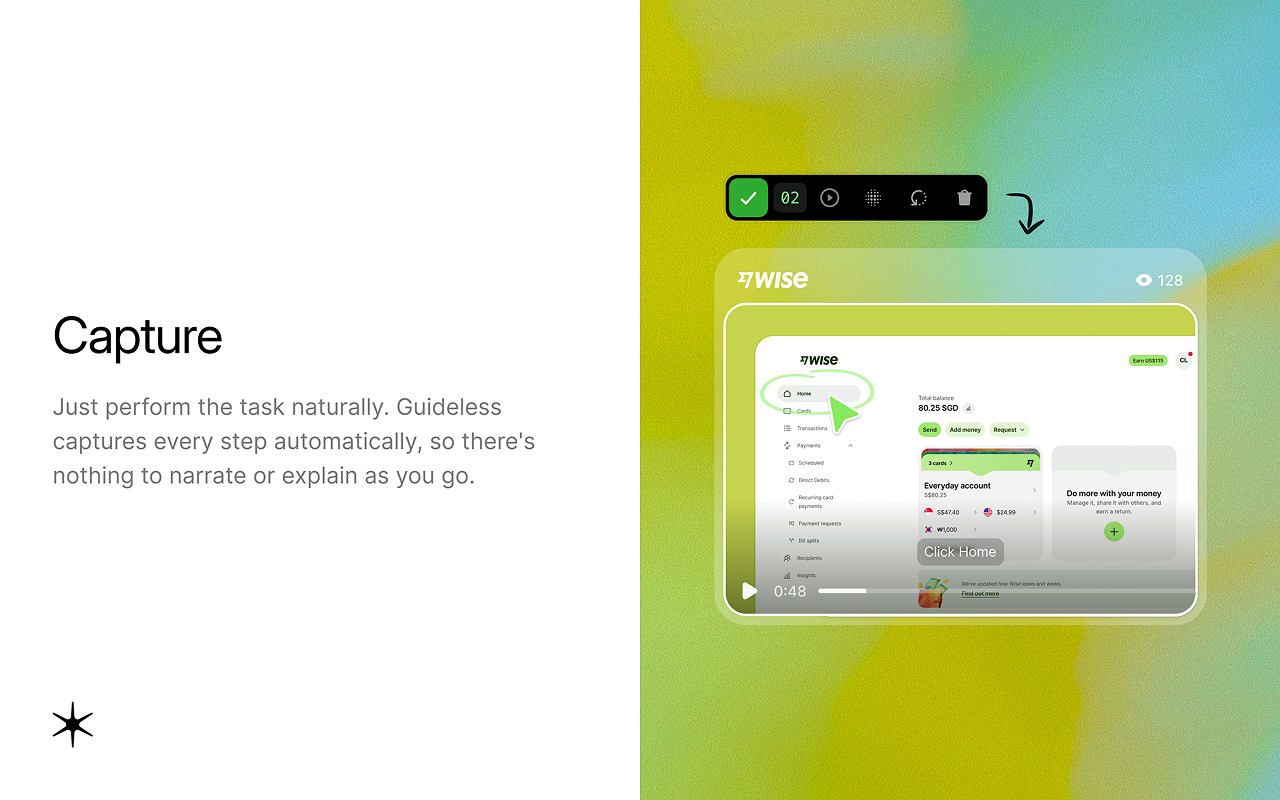
Videos are also easier to follow for anyone who’d rather watch a process than read about it.
AI tools are making it faster and easier to produce technical documentation in video form. For example, Guideless captures a software workflow as you complete it and turns those steps into a narrated video guide automatically, without anyone recording narration separately or editing footage by hand. This replaces the need to manually write up the process, take screenshots, number the steps, and redo the entire guide every time the workflow changes.
Choosing the right type of documentation
To narrow the choice down of which type of technical documentation you need, ask yourself two simple questions.
Question #1: Who will be reading it? Anything customer-facing – user guides, knowledge base articles, release notes – needs to be written for someone with no prior knowledge. Conversely, anything internal – SOPs, specs, runbooks – can assume shared vocabulary and skip the basics.
Question #2: How often does the underlying process change? If it’s something that shifts weekly, like a support workflow or a release procedure, then a lengthy written document isn’t the best choice, as it will need to be rewritten all the time. A recorded walkthrough, which can be updated in just a few minutes, is a much better fit. However, for processes that are truly stable, like a hardware installation procedure, static text works just fine since it won’t change unexpectedly.
Here's how all seven types compare on both questions:
| Type | Audience | Orientation | How fast it goes out of date |
|---|---|---|---|
| User documentation | External | Task-first | Medium |
| Product documentation | External | Reference-first | Medium |
| Process documentation | Internal | Task-first | Fast |
| Technical manuals | Both | Task-first | Slow |
| Technical specifications | Internal | Reference-first | Slow |
| Knowledge base articles | External | Task-first | Medium |
| Release notes | External | Reference-first | Never (dated) |
If your team's processes change faster than your docs can keep up, try Guideless: record the workflow once, and get a narrated video guide you can update in minutes.