
Key takeaways:
- Prioritize end-user documentation and role-based workflows during testing.
- Monitor early warning signs like slipping schedules or absent sponsors so you can pause the project before blowing the budget.
- Save a failing deployment by stopping new development and stabilizing core routines.
Technology usually takes the blame when ERP systems collapse, but ERP implementation failure often stems from poor user adoption. You can spend months configuring an ERP solution, but if you forget to prepare the people who will use it, you’ll face significant disruption the moment the ERP system goes live.
We’ll address the common question of why ERP implementations fail and provide guidelines on how you can prepare your team for the ERP software.
How often do enterprise resource planning (ERP) implementations fail?
Gartner predicts that by 2027, more than 70% of recently implemented ERP initiatives will fail to fully meet their original business case goals, and as many as 25% of these will fail catastrophically.
This aligns closely with McKinsey’s widely cited 70% failure rate for large-scale transformations. McKinsey doesn’t break that figure out for ERP systems, but a major ERP transformation is one of the biggest business transformation efforts most companies ever take on, since enterprise resource planning touches finance, operations, and HR at once.
Tracking ERP implementation failures is tricky because companies define them differently. As a matter of fact, it rarely means an entirely abandoned project. Instead, it usually means the rollout went vastly over budget or completely missed the target ROI.
Because of these delays and added costs, companies often wait years to see any measurable financial benefit from their software upgrade.
Why ERP implementations fail: the main causes
ERP implementations rarely fail because of a single mistake. More often, several issues build up throughout the project, from unrealistic timelines and poor data quality to inadequate training and change management. The table below outlines the most common causes and their consequences.
| Cause of ERP implementation failure | Impact and consequences |
| Unrealistic schedules | Forces teams to compress user acceptance testing and other test cycles, leaving critical errors hidden until the ERP system goes live |
| Absent executive sponsors | Leaves project teams without authority to resolve cross-departmental disputes, stalling vital business processes |
| Underestimated data migration | Dumps years of messy records from legacy systems straight into a new database |
| Lack of scope control | Allows minor custom requests to overcomplicate the software and cause issues during future upgrades |
| Inadequate ERP change management | Leaves employees in the dark about daily routines, leading to pushback against the new system |
| Poorly timed training | Brief classroom tutorials held weeks in advance leave employees lost and frustrated on launch day |
| Misaligned ERP partners | Selecting an ERP vendor or partner based solely on software features rather than industry experience forces awkward workarounds |
| Big-bang rollout approach | Pushing for a massive single-day launch without full integration testing risks completely halting operations on day one |
While technical issues can delay an ERP rollout, poor training and change management can undermine adoption even when the system works as intended. Let's take a closer look at what insufficient training actually means in practice.
What "insufficient training" actually means
Insufficient training means that the company dedicated a time slot for a one-time training session for everyone and expected to be done with it. Unfortunately, that’s not how it’s supposed to work.
Different teams need to have different materials, because they deal with different situations. A generic platform overview won’t do; each department needs to understand which specific custom configurations they need to make their work more effective.
If external consultants and a few internal super-users hold all the detailed knowledge about the setup, your entire business relies on them. If they take sick leave or quit, that knowledge can leave with them.
Even if they’re available at all times, having people asking questions on a daily basis is not an ideal way to run a business. It would be far more effective to have role-specific training materials on hand.
Warning signs your ERP project is in trouble
Budget overruns are one of the clearest signs that an ERP implementation is going off track. According to Panorama Consulting's 2026 ERP Report, more than a quarter of organizations exceeded their ERP project budgets. These costs can increase further when teams need to resolve issues after go-live.
Budget pressure isn't the only warning sign. Watch for these early indicators that your ERP project may be heading toward trouble:
- Continuous schedule slippage. Project timelines slip even when the scope remains strictly controlled. Budget overruns often follow.
- Delayed data cleansing. Technical leads repeatedly push data cleansing to later project phases. This delay raises the risk of moving bad records into the new system during the final migration.
- Late training scheduling. Managers schedule software training for dates after the official launch, which leaves employees unprepared on day one.
- Pulled super-users. Department heads suddenly pull their super-users from project workshops, which can signal that managers have lost faith in the rollout.
- Absent key stakeholders. Key stakeholders start skipping critical decision-making reviews. Their absence often means organizational alignment and project momentum are slipping.
How to prevent ERP implementation failure
To ensure ERP implementation success and prevent failure, you need to build a realistic ERP implementation plan with timelines that account for the friction of human adaptation rather than focusing solely on technical aspects.
Active executive sponsorship is important for overall ERP success, which demands that managers publicly resolve departmental conflicts to avoid workflow ownership disputes.
You also need to prioritize data quality and data cleaning months before touching new software, ensuring only validated information transitions out of legacy databases. Then, make sure you enforce strict scope discipline to build only what the business truly needs to function.
Furthermore, launching the software in controlled phases lets the organization streamline operations safely and absorb the shock gradually, whereas a massive simultaneous rollout risks halting operations. You can establish networks of super-users to provide direct support.
Finally, add the creation of training materials into the implementation process so workflows are captured during the build phase. It will be more effective and productive than trying to tie loose ends after a chaotic launch.
Building internal knowledge before go-live
The huge knowledge gap between technical teams and end users is a big problem when new software launches. To ensure everyone can use the tool properly, the key workflows each team relies on need clear documentation.
To improve the entire ERP implementation process, invest in a capture tool that lets you create guides tailored to different teams.
Guideless is one of those tools: it captures each step while you perform the workflow in your ERP system, so you can document each workflow as it’s configured and tested.
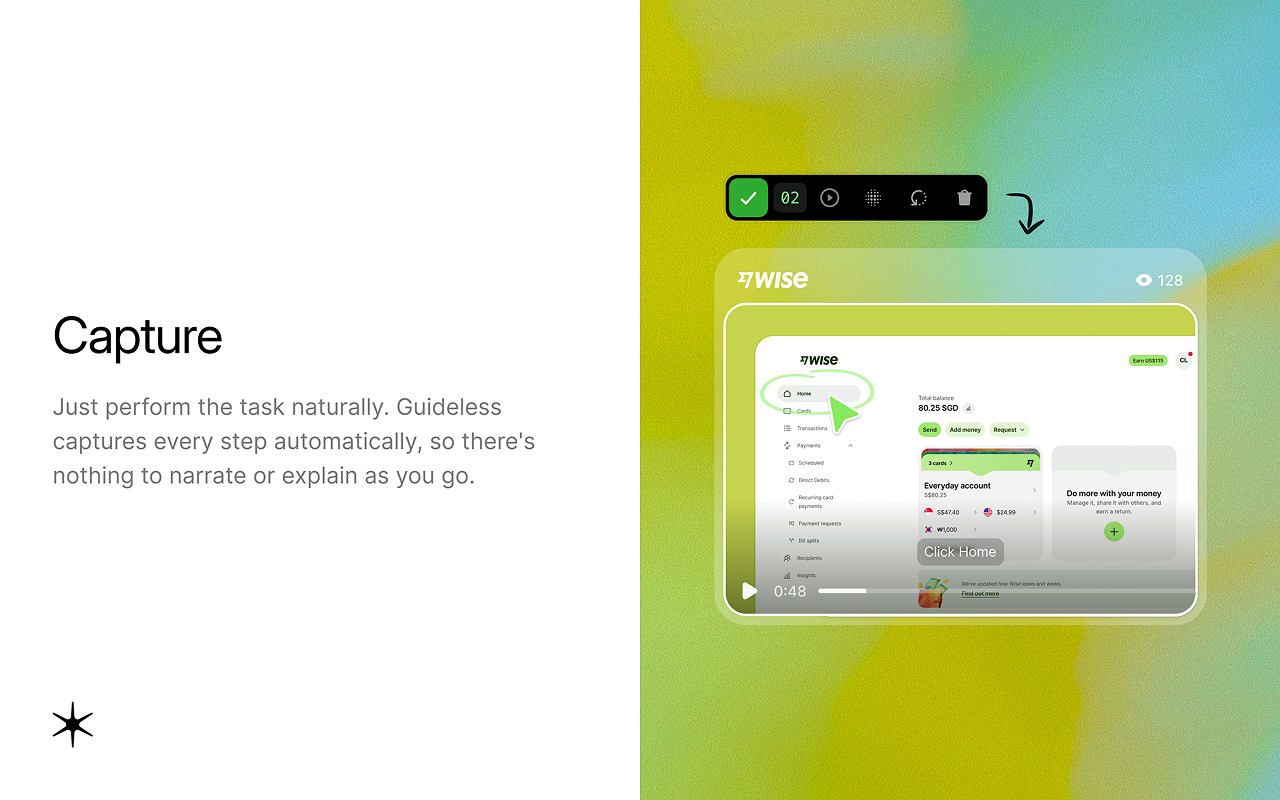
Once you’re done, it automatically creates a narrated tutorial video and a written step-by-step guide, which you can also export as a PDF. Then, when ERP systems get a software update and the configuration changes, you only need to update the steps that changed, without creating a new video from scratch.

In practice, that means building role-specific walkthroughs during user acceptance testing for the workflows each team actually performs, such as posting an invoice, receiving stock, or approving a purchase order.
Here’s what a finished guide looks like for a general business software workflow, importing contacts into a CRM:
By go-live, every team already has guides for its own work, which supports user enablement and long-term ERP success after the ERP implementation partner leaves.

What to do when an ERP project is already failing
Even well-planned ERP implementations fail sometimes, and rescuing one of these ERP implementation failures starts with triage.
When an ERP implementation spirals out of control, prioritize everyday business operations first. It often means authorizing controlled manual workarounds for critical functions like inventory management just to keep products moving out the door.
In most cases, it helps to pause new development on the ERP implementation and limit scope expansion. It’s hard to fix broken core components or untangle outdated legacy processes while adding new features.
Adding features at the same time usually makes things worse. Document each manual workaround and give it an end date, so temporary fixes don’t harden into permanent shadow processes around your ERP systems.
Then, you need to make a hard decision: keep funding the broken setup or pause the initiative entirely to reset the strategy. Assess this choice honestly and ignore the massive sums already spent.
Too many organizations fall into the devastating sunk-cost trap. They let disastrous projects drag on for years when a clean restart would have cost a fraction of the ongoing effort to save it.