
Process documentation software helps teams capture, organize, and maintain step-by-step instructions for completing workflows. These tools range from screenshot-based guide generators to AI-powered video platforms that turn a single click-through into a narrated walkthrough.
This guide covers what process documentation software does, how the leading tools compare, and how to choose the right one for your team's needs.
What is process documentation software
Process documentation software captures, organizes, and maintains step-by-step instructions for completing tasks and workflows. Unlike general-purpose tools like Google Docs or shared drives, it is built for this one job: turning operational knowledge into structured guides that people can follow on their own.
The output varies by tool, but most platforms produce one or more of the following:
- Step-by-step guides: written or visual instructions for completing a specific task
- Standard operating procedures (SOPs): formalized processes designed for consistent execution (here is how to create an SOP from scratch)
- Video walkthroughs: narrated videos showing how to navigate software
- Process maps: visual diagrams of workflow sequences and decision points
Some tools focus on text with auto-generated screenshots. Others, like Guideless, generate narrated video guides from a single click-through capture. The format you choose depends on how your audience prefers to learn.
Why process documentation software matters for growing teams
When teams are small, knowledge travels easily. Someone asks a question, and a colleague answers it. As companies grow, that approach breaks down.
What worked with five people in the same room stops working with fifty employees across time zones, or thousands of customers expecting answers on demand.
Reduces employee onboarding time
New hires can open documented workflows on day one instead of waiting for a colleague to walk them through each task. Onboarding shifts from live explanations to self-paced employee onboarding that scales without adding headcount.
Scales customer education without live calls
Customer success teams often repeat the same product explanations call after call. According to Harvard Business Review, 81% of customers try to solve an issue themselves before contacting a representative. Documented processes in a help center let them do that, which shortens time to value and frees up your team. See how this works for customer education.
Creates a single source of truth for workflows
When process knowledge lives in people's heads or is scattered across Slack threads and email chains, it is fragile. A central documentation system means everyone works from the same, current version of how things are done.
Decreases support ticket volume
Many support tickets come from the same handful of questions. Documented answers, especially in video format, resolve those questions before they reach your team.
Common challenges with traditional process documentation
Even teams that value documentation struggle to maintain it. The problem usually isn't motivation. It's the mechanics of how documentation gets created and updated.
Documentation becomes outdated as products change
Software changes faster than written documentation can keep up. A feature update or UI change can make existing guides inaccurate within weeks, and most teams underestimate this maintenance burden when they start documenting.
Written instructions are poorly consumed
Long text documents don't match how people learn software. Readers skim, miss steps, and end up asking anyway. Visual formats tend to work better because they show rather than tell.
Knowledge remains siloed in individual employees
Critical process knowledge often stays with experienced team members because documenting it takes too long. When they leave or change roles, the knowledge leaves with them. A knowledge transfer template helps capture it before that happens.
Creating and maintaining documentation takes too long
Traditional video documentation means planning, recording, scripting, and editing. That time investment discourages teams from documenting processes in the first place, or from updating guides when workflows change.
Key features to look for in process documentation tools
When evaluating business process documentation software, focus on how fast you can create a guide and how easily you can keep it accurate over time.
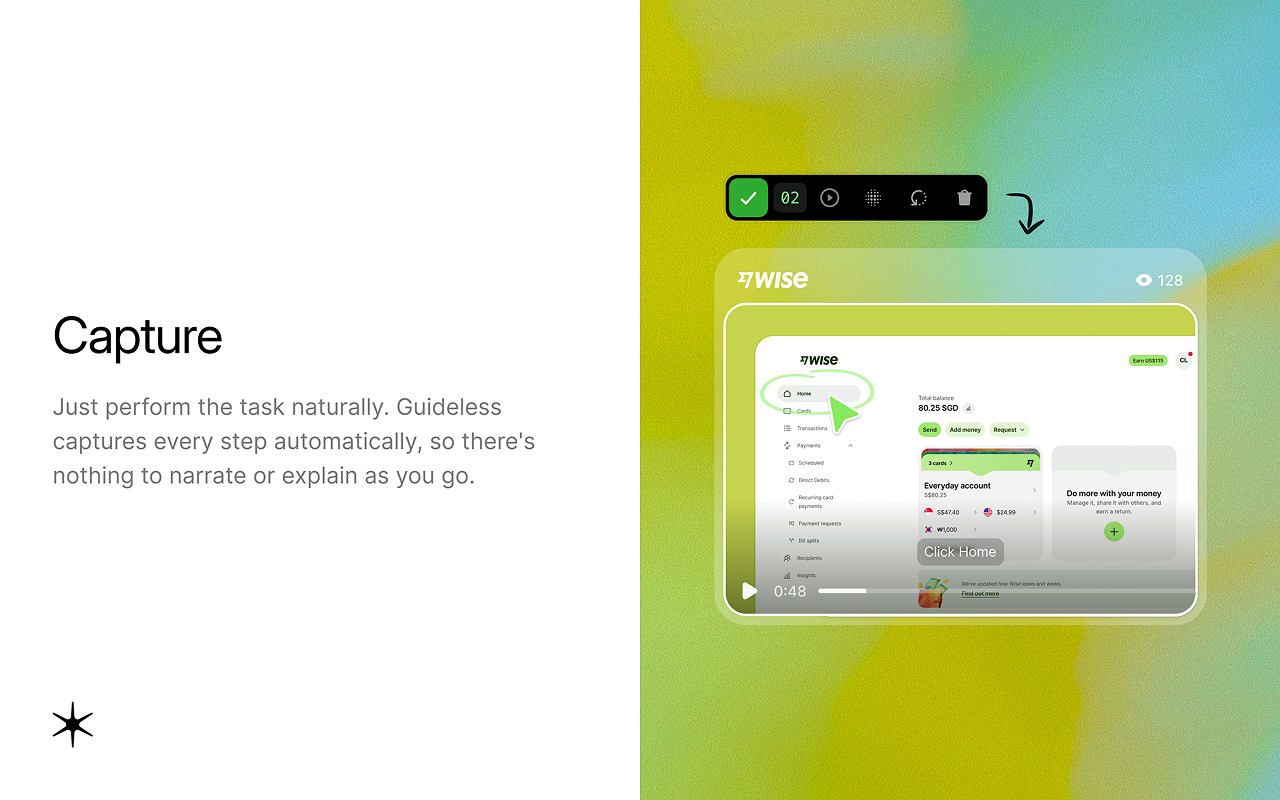
Workflow capture
The foundation of any process documentation tool is how it captures what you do. Some tools record your screen continuously, while others capture each click as a step with a screenshot. Step-based capture produces cleaner, more structured guides that are easier to edit later.
Automatic script and narration generation
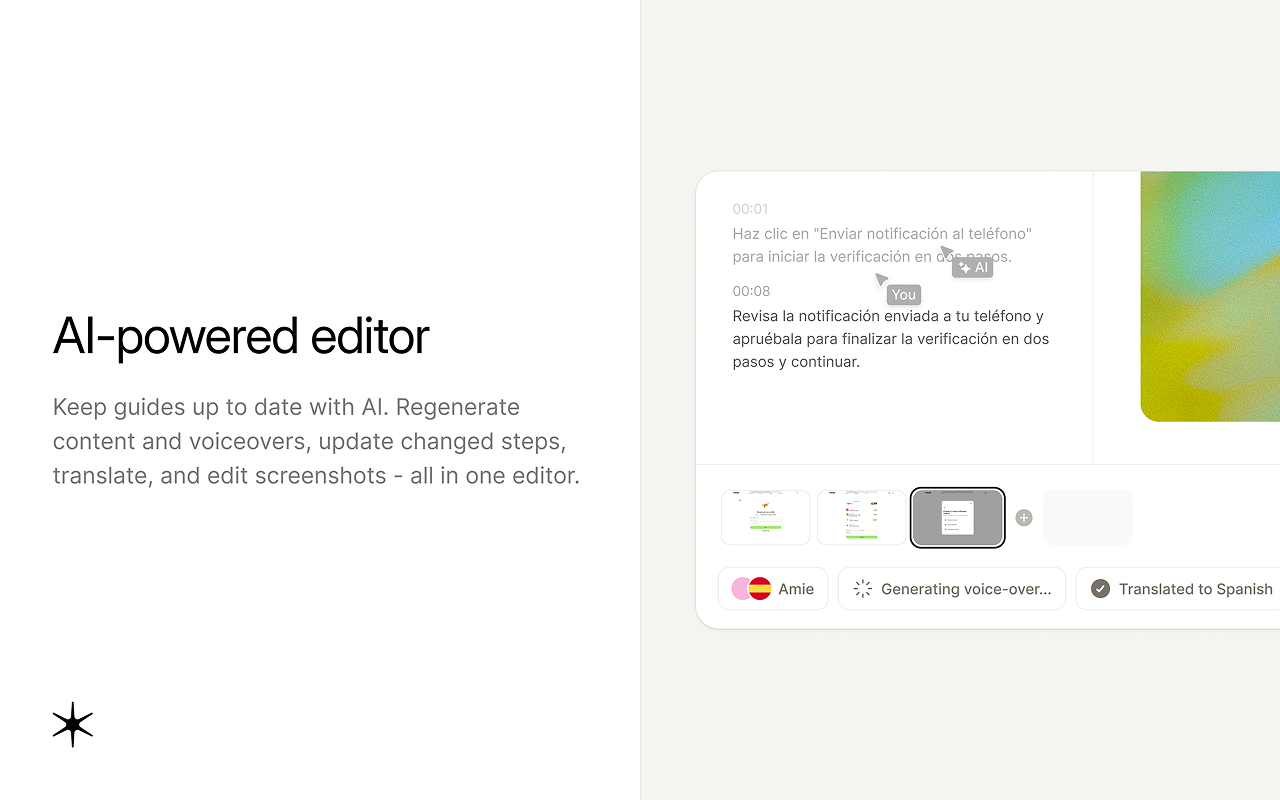
AI-powered tools can write the steps or the voiceover script for you. Guideless, for example, writes the narration and generates AI voiceover in 42+ languages, which removes the recording and editing work that makes traditional video documentation slow. Read more about how AI automates process documentation.
Multi-format output options
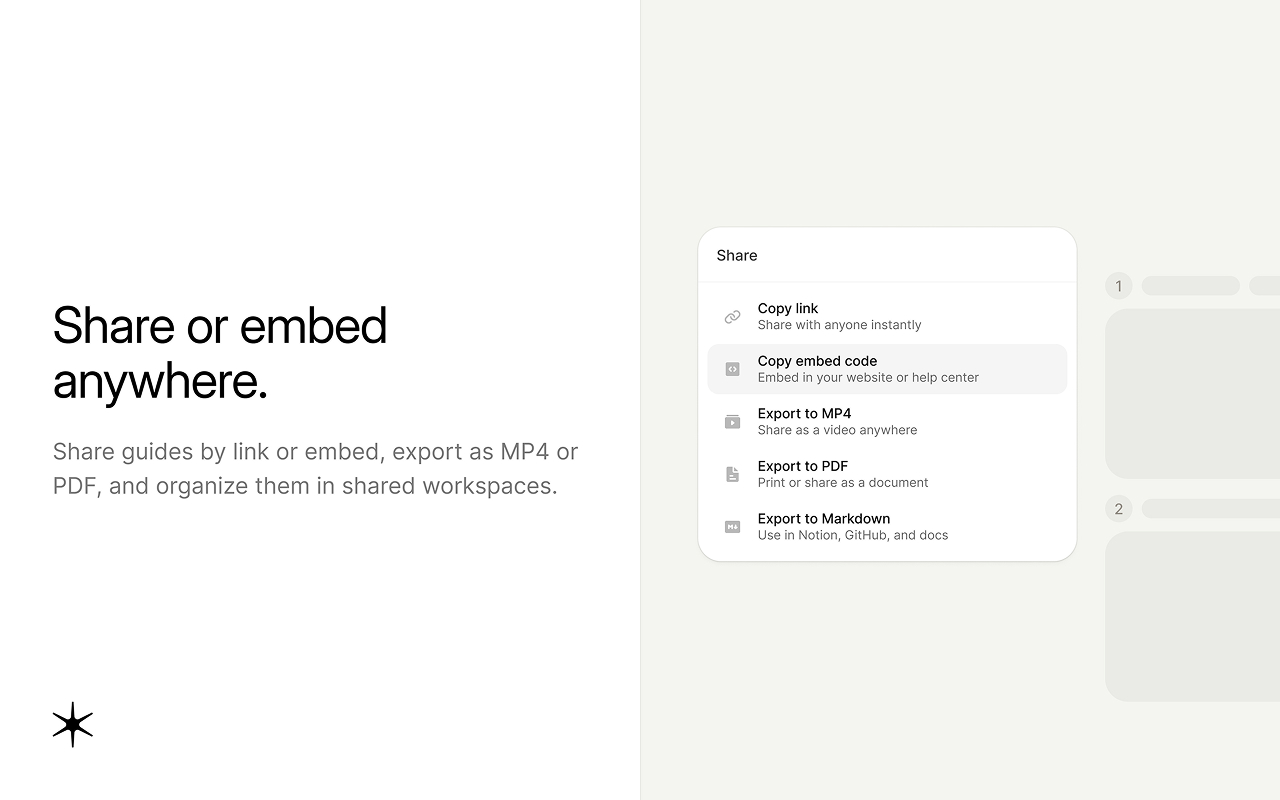
Look for tools that can produce written guides, video walkthroughs, or both from a single capture. You can then reuse the same content across a help center, an LMS, and onboarding emails without duplicating work.
Integration with existing tools
Documentation works best where people already work. Check whether guides can be embedded in Notion, Confluence, help centers, or your own product.
Analytics and engagement tracking
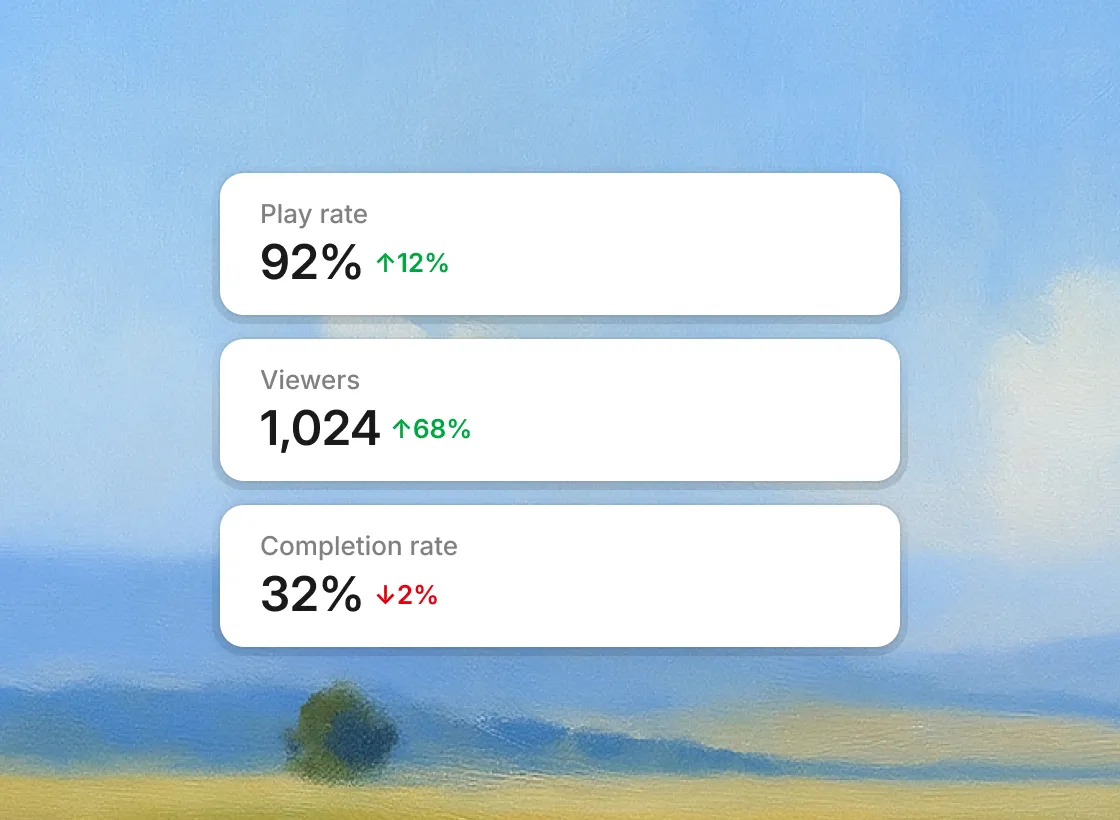
View and engagement data shows whether documentation is being used, which guides need improvement, and which topics need more coverage.
Easy updating and version control
Workflows change. You need to update guides without recreating them from scratch. Some tools let you update only the steps that changed, so a small UI change doesn't mean rebuilding the whole guide.
Best process documentation software in 2026
The right tool depends on your output format, team size, and how much time you can put into content creation. Here is how the leading options compare. Pricing is taken from each vendor's pricing page as of October 2026.
| Tool | Best for | Output format | AI features | Pricing |
|---|---|---|---|---|
| Guideless | Narrated video guides from real workflows | Video, step-by-step guides, PDF, MP4 | AI narration and voiceover (42+ languages) | Free plan; Pro from $29/creator/mo (annual) |
| Scribe | Fast screenshot-based guides | Step-by-step guides, video share | AI capture and workflow improvements | Free plan; Pro Personal from $25/seat/mo (annual) |
| Tango | Internal how-to guides | Step-by-step guides, on-screen guidance | AI-generated content (Pro) | Free plan; Pro from $15/user/mo (annual, 3+ users) |
| Guidde | AI video documentation | Video | AI voiceover (50+ languages) | Free plan; Pro from $19/creator/mo (annual) |
| Loom | Quick recorded explanations | Video, AI-generated docs | Loom AI (Business + AI plan) | Free plan; Business from $18/user/mo |
| Process Street | Recurring, checklist-based workflows | Checklists, workflow runs | Automations | Contact sales; 14-day trial |
| Document360 | Knowledge base publishing | Written articles | AI writing and search add-ons | Contact sales |
| Confluence | Wiki-style internal docs | Written pages | Atlassian AI | Free for small teams; paid per user |
| Notion | Flexible team workspace | Written pages, databases | Notion AI (Business plan) | Free plan; Plus from $10/member/mo |
| Whatfix | In-app guidance for enterprises | Interactive in-app walkthroughs | Analytics, AI features | Contact sales |
Guideless
Guideless turns real software workflows into narrated video guides, step-by-step guides, and PDFs. You capture a process once by clicking through it in your browser, and Guideless builds a structured guide with captions, highlighted steps, and AI voiceover.
- Best for: teams that want narrated video guides for onboarding, training, and customer education
- Key features: click-by-click capture, AI-written narration, AI voiceover in 42+ languages, branding, share by link or embed, MP4 and PDF export, guide analytics
- Pricing: free plan with up to 3 guides; Pro from $29 per creator per month billed annually
- Limitations: captures browser-based workflows through a Chrome extension; in-app guidance is not available yet
Here is an example guide created with Guideless:
See how to turn real workflows into process documentation with Guideless.
Scribe
Scribe captures your clicks and keystrokes and turns them into written step-by-step guides with annotated screenshots. Guides can also be shared as a video.
- Best for: teams that prefer text-based guides they can skim
- Key features: automatic capture, annotated screenshots, sharing and embedding, AI workflow improvements on team plans
- Pricing: free plan; Pro Personal from $25 per seat per month billed annually
- Limitations: guides are screenshot-first, so there is no narrated walkthrough
Compare the two in our Scribe alternative breakdown.
Tango
Tango captures workflows and creates screenshot-based guides automatically. On paid plans, it can also show on-screen guidance to workspace members as they work.
- Best for: internal how-to documentation and SOPs
- Key features: automatic capture, branching, PDF/HTML/Markdown export, version history, on-screen guidance (Pro)
- Pricing: free plan with 5 shared workflows; Pro from $15 per user per month billed annually for teams of 3+
- Limitations: no AI voiceover; video embeds and AI content require a paid plan
See how Guideless compares as a Tango alternative for AI training videos.
Guidde
Guidde creates video documentation from captured workflows, with AI-generated scripts and voiceover.
- Best for: teams creating video how-to guides for customers or employees
- Key features: workflow capture, AI voiceover in 50+ languages, branded templates, embeddable player
- Pricing: free plan; Pro from $19 per creator per month billed annually
- Limitations: focused on video output, so teams that also need written step-by-step guides may need a second tool
Read our Guidde comparison for a closer look.
Loom
Loom is a screen recording tool for quick video messages. With Loom AI, it can turn a recording into a written document such as an SOP or step-by-step guide, based on the video's transcript.
- Best for: quick, informal explanations and async updates
- Key features: screen and camera recording, comments, Loom AI summaries and docs
- Pricing: free Starter plan; Business from $18 per user per month; Loom AI on Business + AI from $24
- Limitations: you record and narrate yourself, so a workflow change usually means recording again
See how Guideless compares as a Loom alternative for narrated video guides.
Process Street
Process Street turns processes into checklists and workflows that teams run repeatedly, with tasks, approvals, and conditional logic.
- Best for: recurring operational processes such as client onboarding, offboarding, and compliance reviews
- Key features: workflow runs, conditional logic, approvals, automations and integrations
- Pricing: contact sales; Pro starts with a 14-day free trial
- Limitations: built for running processes, not for capturing how to do a task in software
Document360
Document360 is a knowledge base platform for writing, organizing, and publishing documentation for customers or employees.
- Best for: self-service help centers and internal knowledge bases
- Key features: categories, version history, analytics, branding, AI add-ons
- Pricing: quote-based
- Limitations: a publishing destination rather than a capture tool, so guides are created manually or with add-ons
Confluence
Confluence is a wiki-style collaboration platform widely used for internal documentation, especially by teams already on Jira.
- Best for: engineering and product teams in the Atlassian ecosystem
- Key features: page templates, spaces, permissions, search, Jira integration
- Pricing: free plan for small teams; paid plans per user
- Limitations: all content is written by hand, which makes software walkthroughs slow to create and update
Notion
Notion is a flexible workspace for docs, notes, and databases.
- Best for: teams building their first internal wiki
- Key features: block editor, databases, templates, wide integrations
- Pricing: free plan; Plus from $10 per member per month; Notion AI included on Business
- Limitations: no workflow capture, so step-by-step guides are written and screenshotted manually
Whatfix
Whatfix is a digital adoption platform that shows interactive walkthroughs and tooltips inside software interfaces.
- Best for: large enterprises guiding employees inside internal applications
- Key features: in-app walkthroughs, task lists, product analytics
- Pricing: contact sales
- Limitations: enterprise-focused setup and pricing; content lives inside the app rather than as standalone guides
How to choose the right process documentation tool
The right software depends on your use case, your audience, and how often your processes change.
1. Define your primary use case
Are you documenting processes for employee training, customer onboarding, support, or compliance? Each use case favors different output formats and distribution channels.
2. Evaluate output quality and user consumption
Test whether your audience actually watches or reads the format each tool produces. Video guides usually work well for software workflows, but your audience may differ.
3. Assess integration requirements
List where documentation needs to appear (help center, internal wiki, LMS) and confirm the tool supports those destinations.
4. Consider ongoing maintenance workflows
Plan how documentation will be updated as processes change. Tools that let you edit individual steps keep the maintenance burden low.
5. Calculate total cost of ownership
Include the time spent creating and maintaining guides, not just the subscription fee. A tool that costs more per month but saves hours of editing can be cheaper overall.
Best practices for documenting processes effectively
The tool matters, but so does how you use it. For the full workflow, see how to document a process in 7 steps.
1. Start with your most repeated explanations
Document the workflows you explain several times a week first. That delivers immediate time savings and builds momentum for broader documentation.
2. Keep each guide focused on a single task
Short, task-specific guides are easier to use than long manuals. People find exactly what they need, and you update one small guide when something changes. The same principle applies to writing clear work instructions.
3. Use visual formats for software workflows
Video and screenshot-based guides beat plain text for showing how to navigate software. People learn faster when they can see exactly what to click.
4. Build update cycles into your documentation process
Schedule regular reviews (quarterly is a reasonable start) and assign an owner to each guide so updates don't fall through the cracks.
5. Measure consumption and engagement
Track whether documentation is viewed and where people drop off. This shows which guides need work and which topics are missing.
Building a scalable process documentation system
Process documentation pays off when it becomes a system rather than a pile of one-off guides. Start with high-impact workflows, pick a format your audience will actually use, and make updates part of your regular operations.
If most of your processes happen in software, try capturing one of them with Guideless and compare the result with your current docs. Get started for free.